Mr.Biscuit
New Participant
January 23, 2021

LAUNCHED: True Aspect Ratio Lock

  • January 23, 2021
  • 214 replies
  • 31503 views

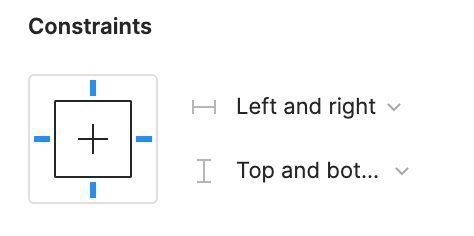
Can we get a true aspect ratio lock when the ‘Constrain Proportions’ is on?WX20210123-114719@2x A true aspect ratio lock means two things:
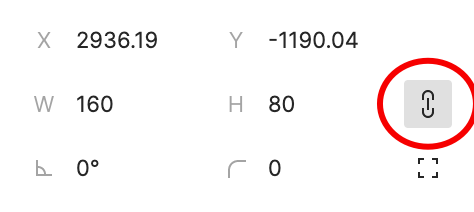
  1. When dragging on a node with ‘constrain proportions’, its width and height always stay in their original ratio no matter which direction you drag it.
  2. When resizing on the parent of a node with ‘constrain proportions’ that happens to be constrainedWX20210123-112532@2x, the node takes on the smallest of its supposed width and height, and calculates its ratio accordingly.

This would be so very helpful to polygon shapes that want to stay in that shape. Consider a spider chart. When you resize its parent, you don’t want the ‘spider net’ to squish squash; neither will you want a doughnut to turn into an oval.

*Resizing of the node’s parent layer is inevitable if you need responsive designs.

Pinned Reply By Celine_

Hey everyone, thanks for your patience! It’s fully rolled out now!

You can now lock the aspect ratio of almost any object in Figma – including frames, shapes, images, videos, vectors, and text – so that the proportions of that object are respected as you scale the object or its parent container.

 More info in the release notes here.

214 replies

Ligia_Muraro
May 12, 2022

To me it’s happening the exact opposite. I want to deform the image and I can’t.

Neeraj_Mohan
May 30, 2022

We need this feature! Commenting here to upvote the topic so as to make it a feature. Thank you Adam!

Bryan6
June 16, 2022

I’ve spent hours trying to figure out how to make an icon scale proportionally within a frame. Not sure if I should be …

  1. Relieved: I wasn’t stupidly overlooking this feature … since it doesn’t exist in Figma.
  2. Grateful: I could’ve spent hours more, looking for a feature that doesn’t exist in Figma.
  3. Concerned: that folks have, for a year and a half, been asking for a “pretty important” feature that still doesn’t exist in Figma.

I’ve worked with Sketch and XD and am a recent convert to Figma. Love it! But I’m surprised that the aspect lock feature is missing. Would be great to see that sometime soon. Thanks!

Mariano_Pelaez
July 13, 2022

The big problem here is that when we have a component with autolayout variables and the variants change the size, the content does not fit proportionally because that is only done manually. There has to be a way where the scale is proportional for the variants to work and adapt to the part that contains them

Admin7
August 11, 2022

Just reiterating here, odd that it doesn’t provide this when scaling is such a common task.

I find it difficult to be perfectly precise and then the image seems just a little off most times

+1 VOTE

Jazon_Hart
August 13, 2022

Is there a status update on this? Just like others here, it’s a huge annoyance for me and those on my team.

Matt_Gerchow
September 12, 2022

Go ahead… I’ll wait

Joe_Garlick
Active Member
September 22, 2022

Figma not adding fixed aspect ratios (ESPECIALLY for images) in auto-layout is almost as bizarre as not adding bullets for as long as that took. I’m amazed this hasn’t happened yet. 🙂

Fabian_B
September 30, 2022

I need this feature so bad for creating reusable design systems. Using Figma for years and came up with the weirdest hacks to make this work for preserving 16:9, 4:3, image aspect ratios.

Jens_Nielsen
Active Member
October 12, 2022

Any updates on this? We really need locked aspect ratio in auto layout! its a pain in the ars to have to maintain this manually every time you make changes to the paddings etc.!