Mr.Biscuit
New Participant
January 23, 2021

LAUNCHED: True Aspect Ratio Lock

  • January 23, 2021
  • 214 replies
  • 31503 views

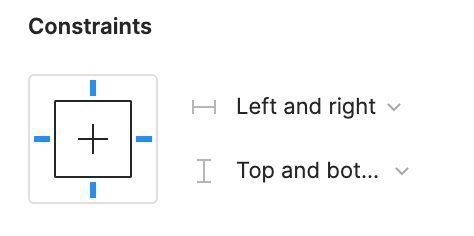
Can we get a true aspect ratio lock when the ‘Constrain Proportions’ is on?WX20210123-114719@2x A true aspect ratio lock means two things:
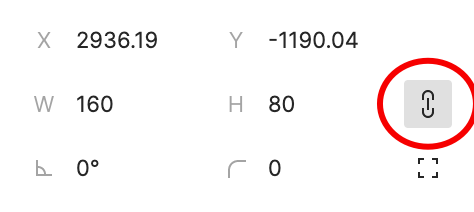
  1. When dragging on a node with ‘constrain proportions’, its width and height always stay in their original ratio no matter which direction you drag it.
  2. When resizing on the parent of a node with ‘constrain proportions’ that happens to be constrainedWX20210123-112532@2x, the node takes on the smallest of its supposed width and height, and calculates its ratio accordingly.

This would be so very helpful to polygon shapes that want to stay in that shape. Consider a spider chart. When you resize its parent, you don’t want the ‘spider net’ to squish squash; neither will you want a doughnut to turn into an oval.

*Resizing of the node’s parent layer is inevitable if you need responsive designs.

Pinned Reply By Celine_

Hey everyone, thanks for your patience! It’s fully rolled out now!

You can now lock the aspect ratio of almost any object in Figma – including frames, shapes, images, videos, vectors, and text – so that the proportions of that object are respected as you scale the object or its parent container.

 More info in the release notes here.

214 replies

Rafastesia
May 14, 2024

Hi Matt, your article is brilliant. And is a pitty you consumed so much time researching and writing it since we are talking about such an easy and simple feature to implement for Figma’s team. 🤯

MattFannin
New Participant
May 14, 2024

Thanks! Haha — I was aware of that before I did it, but tbh it seemed like a waste to have made this library, figured out all the things and then not share it somewhere.

dennsi
Active Member
May 16, 2024

Still sad though that the situation requires people like you to figure out such fiddly workarounds just because Figma is too lazy to focus on implementation of such basic features.

Max_Swearl
May 16, 2024

+1 Still need this 2 years later

May 17, 2024

What is so difficult about implementing aspect ratio lock? Auto layout already works with vertical resizing… here is a javascript function that returns the sizes needed to keep an objects aspect ratio. Now just call this function when when the constrain proportions button is toggled on. What is the big deal?

<script>
    function maintainAspectRatio(element) {
        // Calculate the initial aspect ratio
        const initialWidth = element.offsetWidth;
        const initialHeight = element.offsetHeight;
        const aspectRatio = initialWidth / initialHeight;

        // Function to resize the element maintaining the aspect ratio
        function resizeElement() {
            const newWidth = element.offsetWidth;
            const newHeight = newWidth / aspectRatio;
            element.style.height = `${newHeight}px`;
        }

        // Attach the resize event listener
        element.addEventListener('resize', resizeElement);
        
        // Initialize the resizing to maintain the initial aspect ratio
        resizeElement();
    }

    // Get the element and apply the aspect ratio maintenance
    const resizableElement = document.getElementById('resizeable');
    maintainAspectRatio(resizableElement);
</script>
hainena
New Member
May 29, 2024

Taking bets on this not being part of any config announcements. How this wasn’t in scope as part of Auto Layout 1.0 is crazy

Mike_Stinson
June 13, 2024
Kerry_Johnson
Active Member
June 17, 2024

Let’s hope Figma can cross this basic feature off in 2024.

M_Vlad
New Member
June 17, 2024

+1, aspect ratio is already a widely supported CSS property.

Filip_Jadczak1
June 19, 2024

Ran into this issue today and I was surprised that elements don’t keep their relative size even when “Constrain proportions” is turned on. Please implement this feature!