

Vanessa_Moh
May 19, 2021

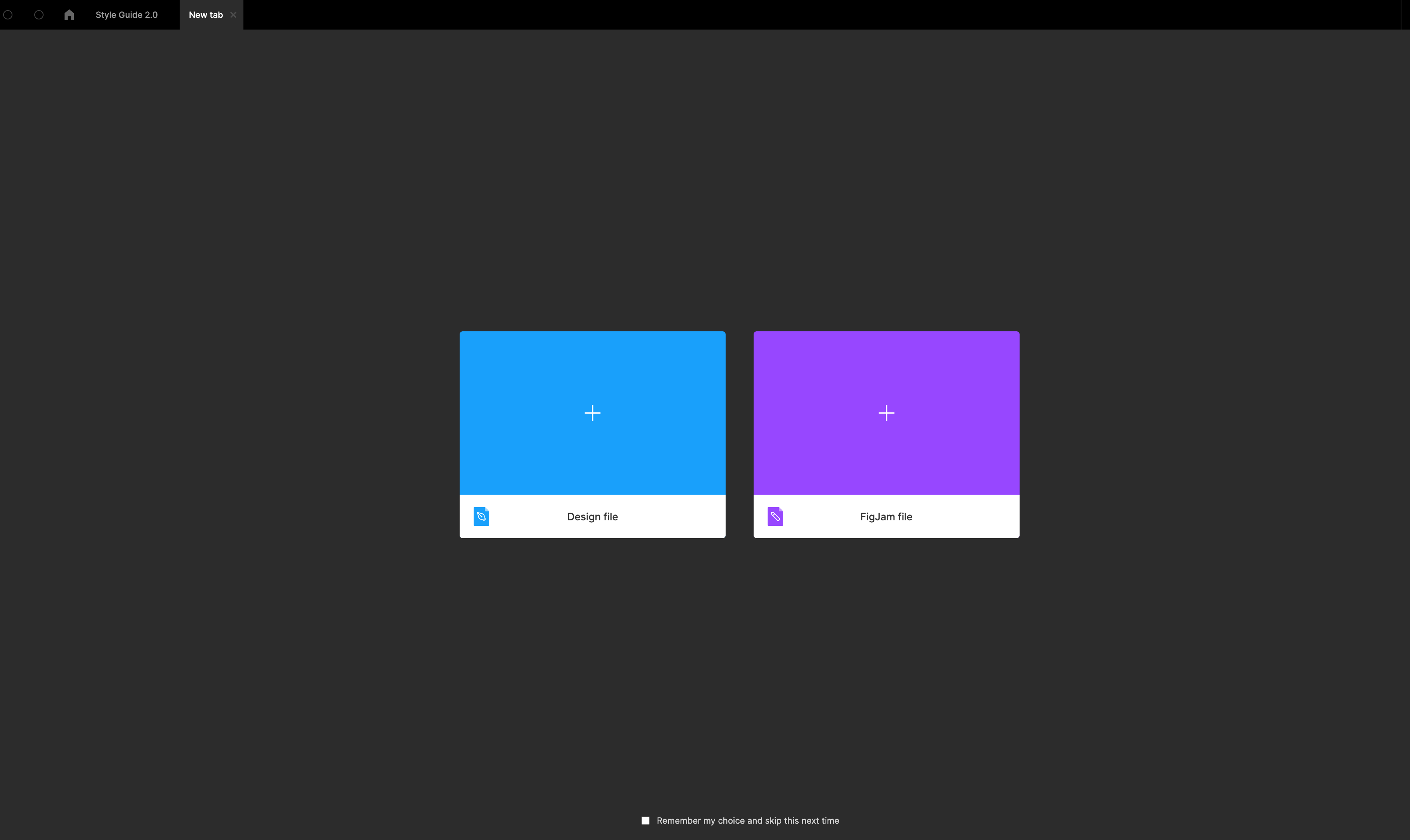
LAUNCHED: Search for files when you start a new tab on desktop

  • May 19, 2021
  • 22 replies
  • 2555 views

I’m so used to the browser pattern when when you want to look up something, you open up a new tab to search for it. I keep finding myself doing that with figma where I open a new tab to open up an existing file. It makes me want to search file titles and be able to open it from the new tab rather than clicking back to the home tab and sifting through my files.
22 replies

111571
May 19, 2021

“Open recent files” feature by clicking and holding “+” button on a files tabs panel.

Like in browsers. Really miss this feature.

andylacko
November 14, 2021
  1. when I click cmd + t new tabs open allowing me to create new file. I would like to open some project

  2. new tab

  3. Wouldn’t it be nice to have possibility to open projects with cmd + t ? Like in vscode, or chrome, it is pretty common use case nowadays

January 5, 2022

This topic was automatically closed 30 days after the last reply. New replies are no longer allowed.

jeremy_gridwise
February 7, 2022

I don’t know when I picked up this habit, but multiple times a week now I will accidentally create a new document and then start typing the name of an existing document in order to open it. Maybe I’m the only one, but I think it’d be nice to be able to search for and open existing documents from the new document screen. I mean, right now it’s not doing a whole lot. It just lets you choose between a Figma and FigJam document. There’s certainly room for a search interface, although I understand why it might be undesirable from a focus standpoint.

Tim28
May 13, 2022

When working in the Desktop App, clicking on “+” leads to frustration 🙂 And I regularly fall into the trap.

I usually switch between the browser and Figma desktop app the whole day. When working with Figma and looking for another project or file, I always click on “+,” known from all browsers, search for that file/page, etc. But in Figma, it brings me to a page to create a new design file or Figjam File. But I also expect to find existing files.

I felt the pain for a while now and don’t get it to be honest 🙂

And I guess a simple search field ( like in browsers or an overview of projects or files in addition to creating new files would help a lot on that page.

Tim28
May 13, 2022

The confusion might come from the same style of browsers “+” tab and Figma “+” tab.

Bildschirmfoto 2022-05-13 um 09.12.08

Emma_Wiest
June 14, 2022

It would also be cool to see thumbnails for recent files here as well.

Olaf_Blumenstiel
August 23, 2022

I would like this feature a lot. This would improve the workflow drastically.

Mehak_Samaiya1
September 8, 2022

May be having Search on the top bar beside Home can help.
Currently we have to do a lot of back and forth from current file to home - in order to search any file/people.

Hoby-Van-Hoose
New Participant
September 9, 2022

Additionally I’d like to be able to search for documents without even opening a new tab, especially in the web version.

  • In the app a search icon could go either beside the Home or 3 dots.
  • In the web, this command could go maybe right after the Figma menu > “Back to files”.

Whether collaborating, presenting, or just working solo—I’m constantly in situations where I’m in a file and I need to quickly open another by name.