

Justin_Kalaskey
January 25, 2021

LAUNCHED: Elements now stick to the top when vertically scrolling in prototyping

  • January 25, 2021
  • 136 replies
  • 101434 views

Currently the only function of fixed positioning on an element is to make it persistent in the same spot at all times. While this is useful the majority of the time, there are instances where it would be helpful to have an element become fixed when it scrolls into view or reaches the top of the screen.

For example, there could be a web page that has a secondary navigation below the hero that will become fixed when it reaches the top of the screen and be persistent for the rest of the scroll depth. Then when a user scrolls back up, the element releases from the fixed position when it reaches its original position. You can see this in effect on this page: Develop custom experiences with the Zendesk Platform | Zendesk Sunshine. It could also be used in more advanced manners such as multi-level parallax scrolling.
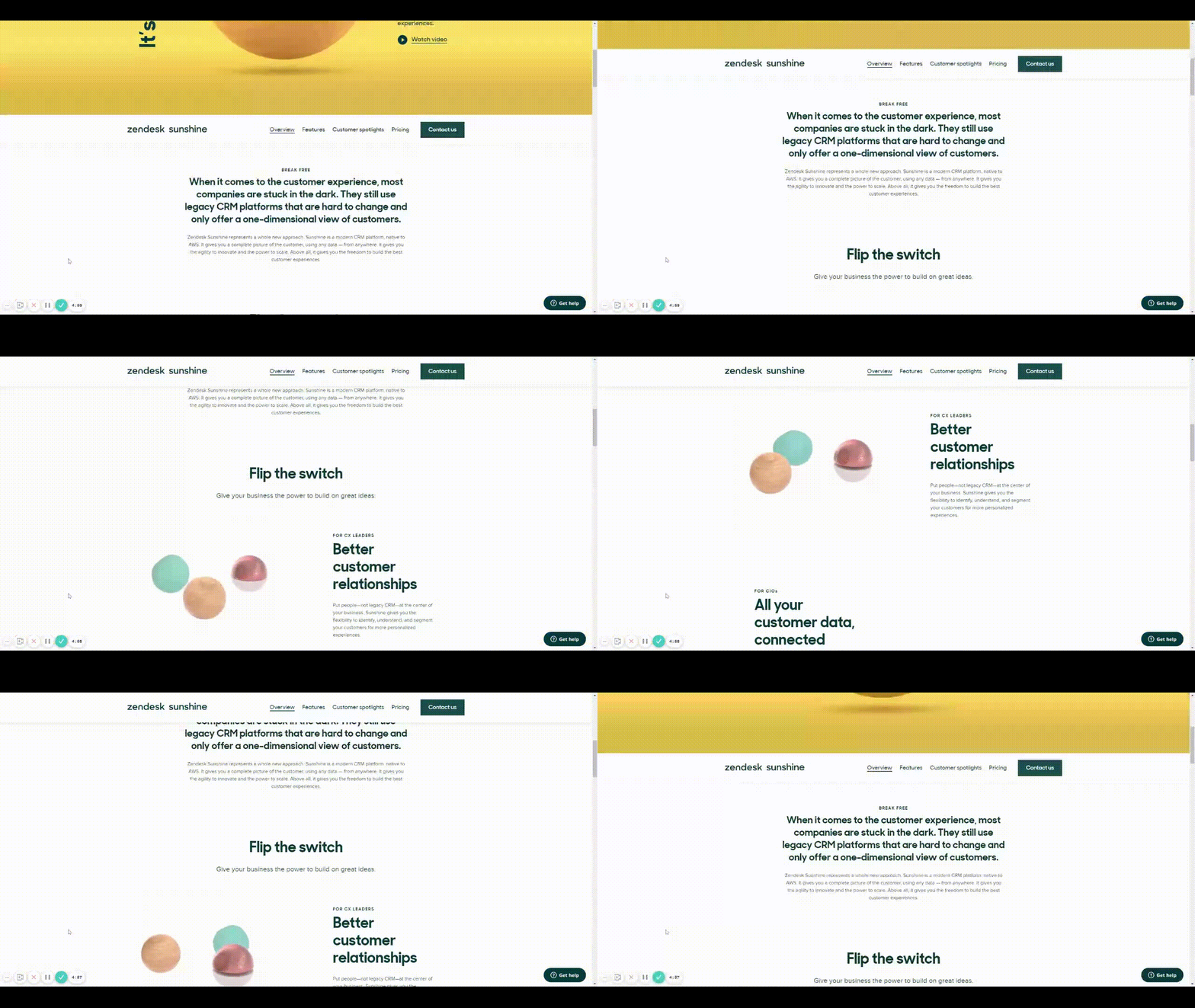
Zendesk scroll example

This would be very helpful for both engineering and stakeholders to understand functionality, especially when the designer isn’t there to describe it to them. It would also prove useful for user testing to understand if a chosen function works for users prior to spending time in engineering.

Does anyone have any other solution to this that I’m missing?

Thank you in advance and looking forward to hearing back!

136 replies

djv
Figmate
Community Support
March 30, 2023

A post was merged into an existing topic: Improve the New Position Sticky Implementation

djv
Figmate
Community Support
March 30, 2023

For any new feedback on this feature please refer to this new topic thread: Improve the New Position Sticky Implementation

djv
Figmate
Community Support
April 3, 2023

A post was merged into an existing topic: Improve the New Position Sticky Implementation

rkpoch
June 15, 2023

How to stop it from sticking at certain point?

Mark_Thinnes
July 17, 2023

Not sure if I’m seeing anyone have the issue I’m having. I can make a component stick at the top and stick at a certain point on the page but what I need is a component to stick to the bottom of the browser window. I test my designs with users and they have different mobile devices and screen sizes. I need the prototype to recognize the users screen size and stick to the bottom of their window. Does anyone have some hacky way to do this? I miss Axure RP.

Derek_Jones
August 3, 2023

Vertical offsets to sticky elements please - this is currently useless to me - when I have an android Status bar already fixed to the top of the screen (sticky element partially scrolls under the fixed element).