Michael_Campbell
March 21, 2022

Keyboard shortcuts + command for resizing: fill container etc

  • March 21, 2022
  • 17 replies
  • 19697 views

Chaining resizing options (fill container, fixed, hug etc) on auto layout frames takes a lot of time. it would be great to have keyboard shortcuts for them.
If not keyboard short cuts then commands I can get to with cmd+P.
Also: I thing double clicking an edge could make it fill the container (similar to hitting the edge of a text area)

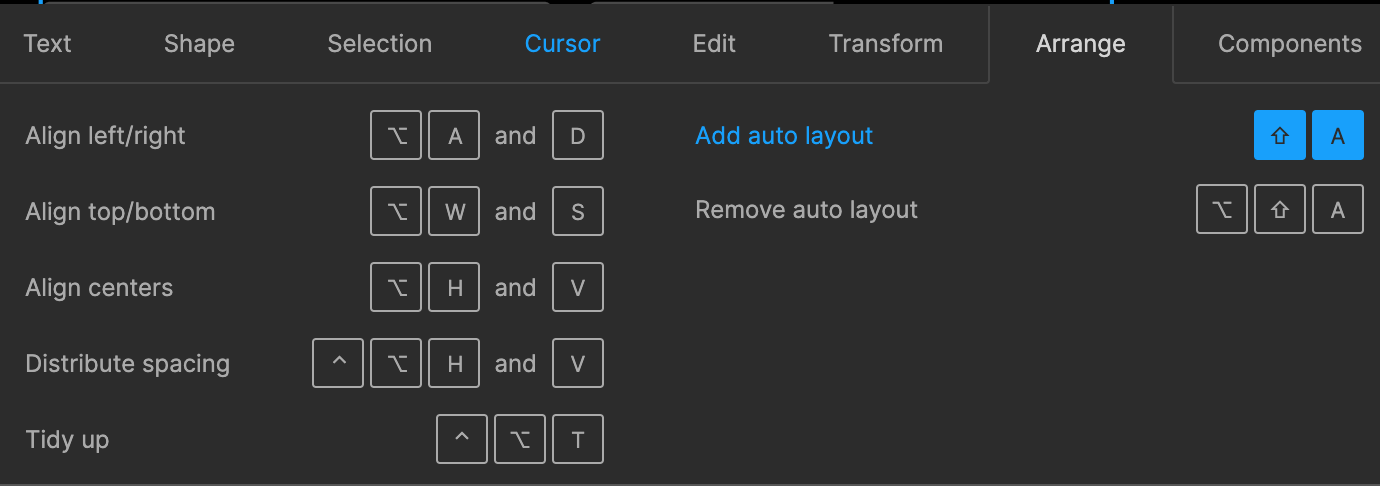
Suggestions (given that auto layout is Shift+A):

  • SHIFT+A happens on release, not key down so that you can then…
  • SHIFT+A+LEFT = Hug
  • SHIFT+A+RIGHT = Fill
  • SHIFT+A+DOWN = Fixed

Existing:

17 replies

daisyma
New Member
August 9, 2022

to fill container:
alt or option + double click a vertical edge of a bounding box

to hug a container:
double click a vertical edge of a bounding box

Heath_Flohre
New Participant
August 18, 2022

Unfortunately, these don’t work within a component with nest frames. Would be so helpful if they did, along with having the on-screen spacing adjusters.

November 16, 2022

This topic was automatically closed 90 days after the last reply. New replies are no longer allowed.

florian_fangohr
March 27, 2023

I think anyone with extremities, operating any kind of machine does. 🙂

If shortcuts are too hard, just please give us menu items only, so we can create our own shortcuts for hug and fill with system settings. Life is too short for slow UI.

Dawid_Pawlak
June 9, 2023

It is frustrating that these do not work with nested frames, even though they should.

Vlady_Yakovenko
New Member
September 10, 2024

I do my work using voice commands,so not having a shortcut available really limits my productivity. the cost of adding shortcuts is not high so please please do

Metin Saray
New Member
February 23, 2025

Clicking on the edges does not work for those who wants to assign these actions to their Mouse keys. Because these actions do not have their own ‘key combinations’, we can’t call these actions from any third party mouse, hardware or application. They put this function into their shortcut menu, but it still desperately needs a keyboard combination so I can call that shortcut. It’s quite annoying that a feature that’s used the most by many does not this capability still.