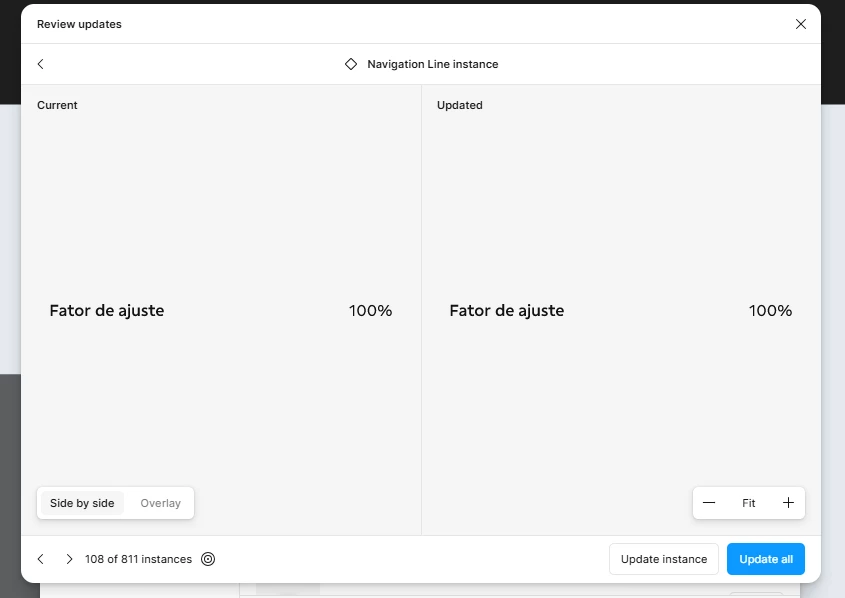
We could have a “Update and show next” button near “Update instance” button that would significantly improve usability by allowing users to apply the update, briefly review it, and automatically move to the next item without extra navigation (I mean having to click the (>) button).
It would be important to ensure that updates do not result in the loss of texts and icons, nor cause the appearance of components that were not intentionally selected. According to the design system team, Figma may sometimes lose component IDs depending on the type of update applied to the design system, which can lead to these issues.
I would love if we could move over the file every time I navigate to the next component so I can see it in it’s real place without having to click the
button. The problem I see here is, in a lot of situations components to be updated are actually hidden elements so, when the canvas navigate to it, I can only see the “selection box” but not the real component (Since it’s hidden). For this it would be great to have some options like “[x] Automatically accept updates to hidden elements”.
Finally, when an update does not cause any loss of texts or icons, the system could avoid requiring explicit acceptance. I can’t simply accept all updates without reviewing them, since some instances do lose texts or icons.