

Metin Saray
New Member
February 23, 2025
Question

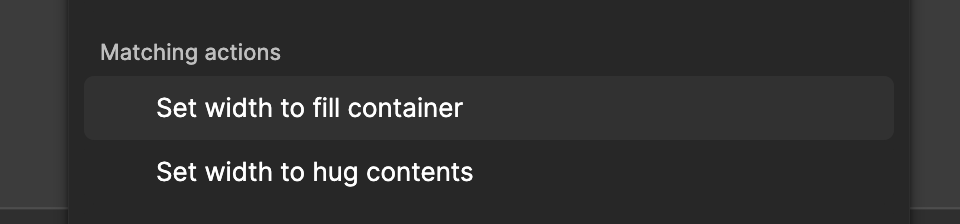
How to assign these actions to a shortcut / mouse button?
  • February 23, 2025
  • 2 replies
  • 139 views


These actions don’t have their keyboard combinations, which prevents me from assigning them from my Mouse keys. It’s one of the most used behaviours for so many people. Is there any way for me to assign them to a shortcut / mouse key?

2 replies

Celine_
Figmate
Community Support
February 25, 2025

Hey ​@Metin Saray , thanks for sharing your feedback on these actions!
That’s a great idea! We’ve passed your feature request along to our internal team for future consideration.

antler-hat
New Participant
July 14, 2025

It’s not the same thing, but I made this plugin to enable more keyboard control, which is kind of like opening up a whole bunch more shortcuts, including setting auto layout width/height modes:

https://www.figma.com/community/plugin/1510266761765016786/lazer

Keyboard shortcuts are crucial for speed and efficiency, but Figma offers a pretty limited set and you can't customize them.

Lazer proposes a decent workaround inspired by command line interfaces. It includes a number of common adjustments, each with a short code (see below). When you bring up the Actions input with command + K or command + / and then type a shortcode (eg. w.h), the fuzzy search will be ready to select that action.