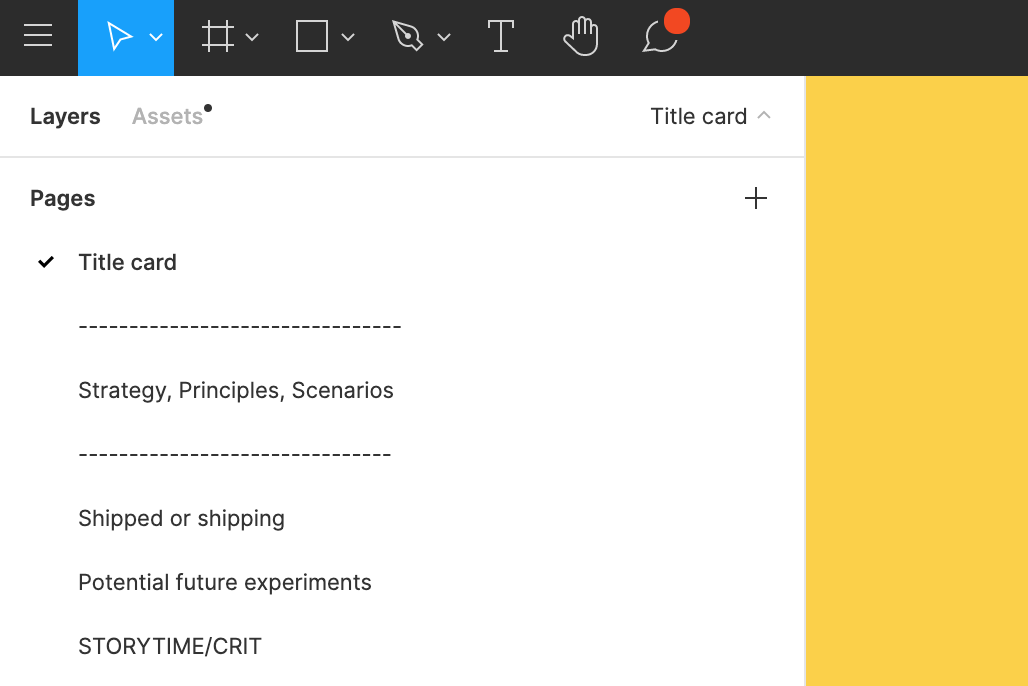
As the amount of pages and frames grows in complicated projects with multiple designers working with it (like information systems), including conceptual mockups, interactive prototypes, variants of design solutions, states of behavior for developers and so on, it becomes a mess to organize the whole project in a flat page structure.
In past we used another prototyping tool, that helped to organize all the mess with folders and pages-subpages hierarchy. So it would be nice to have something like this:
Probably there are other solutions, but keeping separate projects for interactive demo prototypes, states of the specific page’s behavior, etc. was ineffective attempt that we tried.
Currently In the Left Panel, under the pages section, I am only able to create one page with not child pages. I find myself creating multiple pages for related features, mocks, etc. I think it would be nice to have child pages in a tree view. I would prefer to switch child pages and not have to scroll around to find the boards I need. Would help with organization.
Is anyone using a plugin or workaround to help solve this?
Describe the problem your experiencing and how your idea helps solve this
I want more real estate to design, I want to be able to toggle the left and right panels. I also want to be able to collapse the styles vertically.
Add as much context as possible (screenshots, Figma files, mockups, etc.)
Clicking on Layers panel on the left would collapse it into an icon on the left, more of a pro create workflow, figma on a tablet.
Put a chevron next to style label, clicking anywhere on style label i.e. “Text Styles” collapses it.
Ask questions to bring the community into the conversation
(e.g. Does anyone else experience this? Is anyone using a plugin or workaround to help solve this?, etc.
Also can the side panels change colors to match the canvas color. I want figma in dark mode too.
The Side panel has become very cumbersome and hard to manage large Figma files.
– Would be great to use a Folder type structure to merge multiple Pages in one place
– The split between Pages and Layers on the side panel is a pain.
– On this mockup Clicking on Layers at the top will open try hidden Layers.
I’ve made a quick mock up to illustrate some ideas and get some wheels spinning 🙂
The Side panel has become very cumbersome and hard to manage large Figma files.
– Would be great to use a Folder type structure to merge multiple Pages in one place
– The split between Pages and Layers on the side panel is a pain.
– On this mockup Clicking on Layers at the top will open try hidden Layers. I’ve made a quick mock up to illustrate some ideas and get some wheels spinning 🙂