

de_la_Puente_Pantoja_Alberto
New Participant
June 17, 2025
Question

Figma Slides. Setting default Layout Guides

Hi! First, thanks to the Figma team for all the hard work.


Now, let’s talk about Figma Slides Templates. To edit the template styles, I have to select a slide first — which feels a bit unintuitive. In Figma, when you click on the canvas without selecting anything, you can access the file’s styles. Can we bring that same concept into Slides?

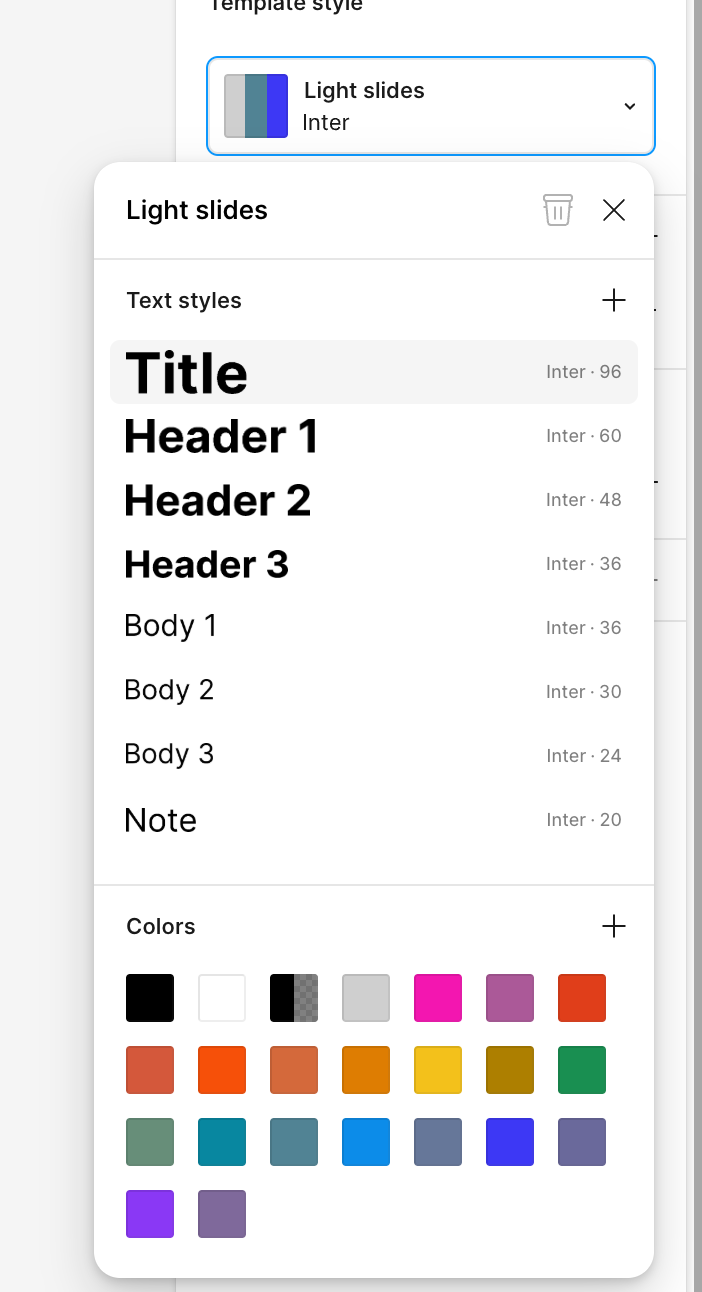
When I open the template selector, I can edit the styles there through a dropdown. Is that really the best or only way to manage styles in Figma Slides? I don’t think so.

Colors & Text Styles: I can delete them, but only through a pretty complex interaction — right-click?

Layout Grid: How can I set a default grid? Right now, I have to manually add my custom grid to every new slide I create. If we can't set a default, the feature kind of loses its purpose. :(


5 replies

Andy Lang
New Member
February 17, 2026

Yes, there is still no way to set a default layout for new slides (by pressing the + between two pages). But you can copy/paste the layout onto all slides. It’s just a bit annoying. 

ReginaMc
New Member
April 16, 2026

I too am struggling with lack of templating page options. 

Margot_Gabel
Active Member
July 3, 2026

Layout guides reset to default when creating a new slide, even if all the other slides are using a template, how silly is that? Figma Slides team, please fix this!

Using Figma since 2018.
LucasRhys
New Member
July 13, 2026

Again - stil lcan’t believe this isn’t fixed - Our decks are infested with these default gridded slides

waxles-ga
New Member
September 25, 2026

Yes, this is proving to be such a problem for my colleagues who do not have full design seats. 
Really need this fixed!