

Figma desktop app creates a new versioned folder on every update, breaking third-party app integrations (e.g. Logi Options+)
Hi Figma team,
I’d like to report an issue, or ask whether there’s a recommended solution, related to how the Figma desktop app updates itself on Windows.
What happens
Every time Figma updates, a new folder named after the version is created under C:\Users\<username>\AppData\Local\Figma\ (for example app-126.8.18, app-126.9.11, and app-126.9.13, as shown in the screenshot below).
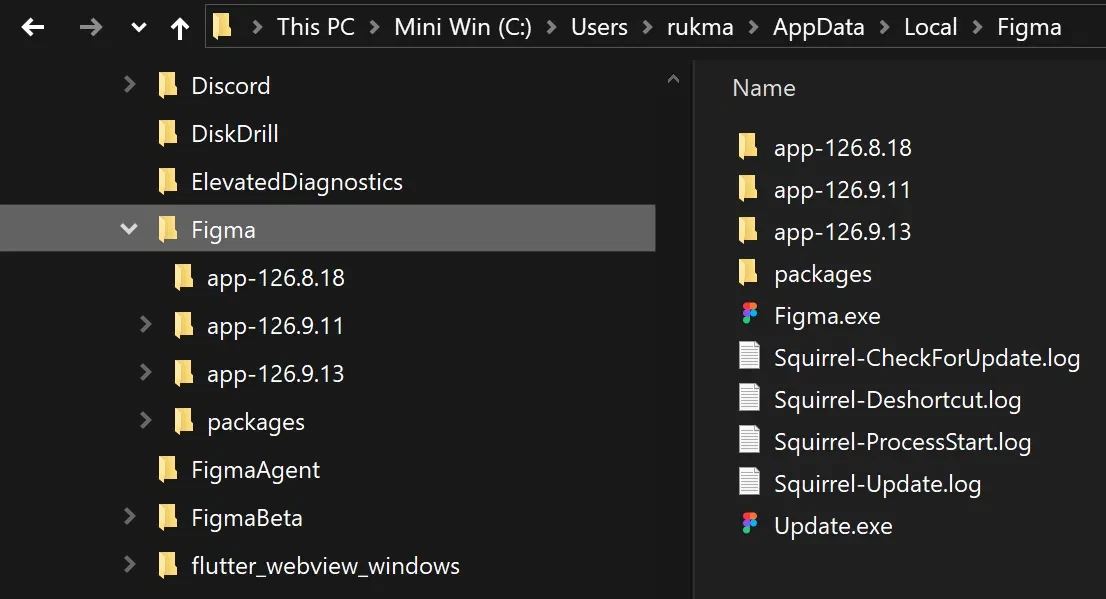
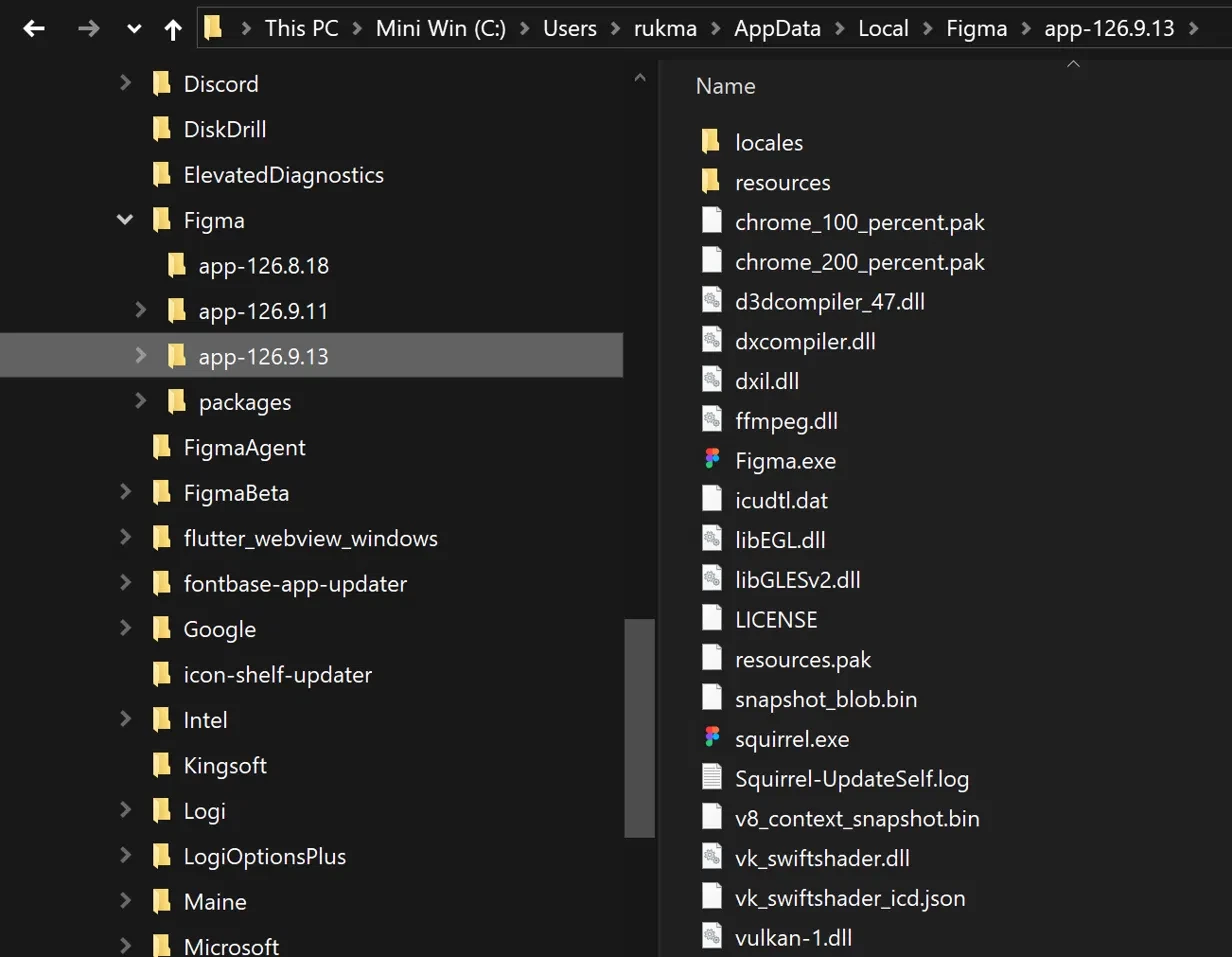
The Figma.exe that actually runs appears to be the one inside the newest version folder (second screenshot), so the path to the running executable seems to change with every update. However, I’m not entirely sure about this, because there is also a Figma.exe in the root folder (C:\Users\<username>\AppData\Local\Figma\Figma.exe, screenshot below).
Why this is a problem
Third-party apps that identify Figma by its executable path stop working after an update. Initially, the third-party app targets a Figma.exe in the root folder (C:\Users\<username>\AppData\Local\Figma\Figma.exe, screenshot above). However, it doesn’t work, I have to use the Figma.exe in the versioned folder.
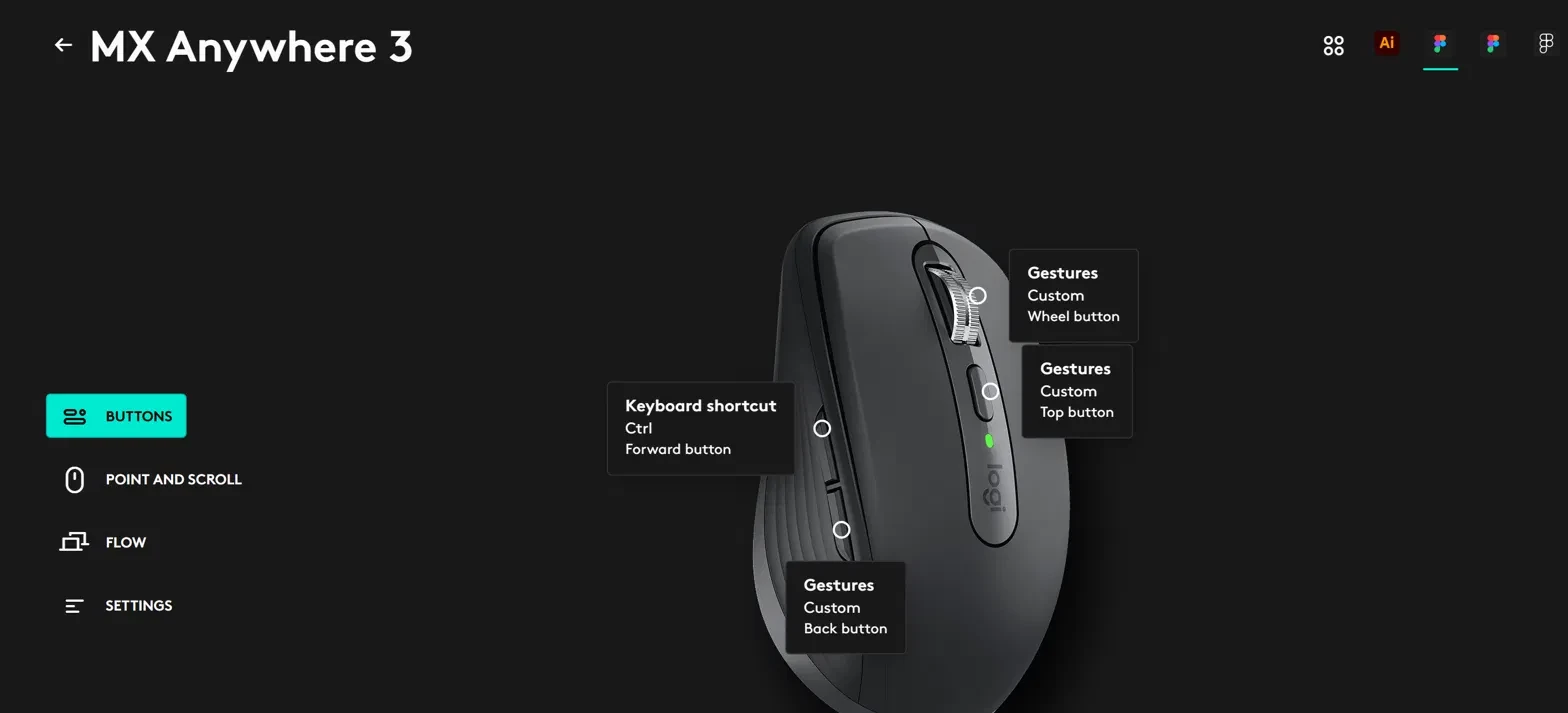
In my case, I use Logi Options+ with a Logitech MX Anywhere 3 mouse and have a Figma-specific profile with custom button assignments (gestures and keyboard shortcuts, screenshot below). After Figma updates, Logi Options+ no longer recognizes the new Figma process, so the app-specific profile and macros stop working until I manually re-add Figma. This will probably affect other tools that rely on a fixed path as well, such as macro software, automation tools, or app-specific profiles in other peripherals’ software.
Steps to reproduce
- Install Figma desktop on Windows and let it auto-update.
- In Logi Options+, create a custom profile for Figma and assign custom button actions.
- Let Figma update to a new version, which creates a new
app-x.x.xfolder. - Open Figma and use the mouse buttons. The Figma profile is not applied.
Expected behavior
The running Figma executable should keep a stable, predictable path across updates, or at least have a consistent process identity that third-party apps can detect.
Questions
- Is this versioned-folder behavior intentional (it looks like Squirrel-based updating)?
- Is there a stable path or process that third-party apps should target instead?
- Is there any plan to keep the executable path consistent across updates?
- Old version folders also pile up in the directory. Are they supposed to be cleaned up automatically?
Environment: Windows 10, Figma desktop v126.9.13, Logi Options+.
Thank you for looking into this.