

Joseph_Cooper
April 21, 2021

FigJam connectors in Figma

  • April 21, 2021
  • 162 replies
  • 18312 views

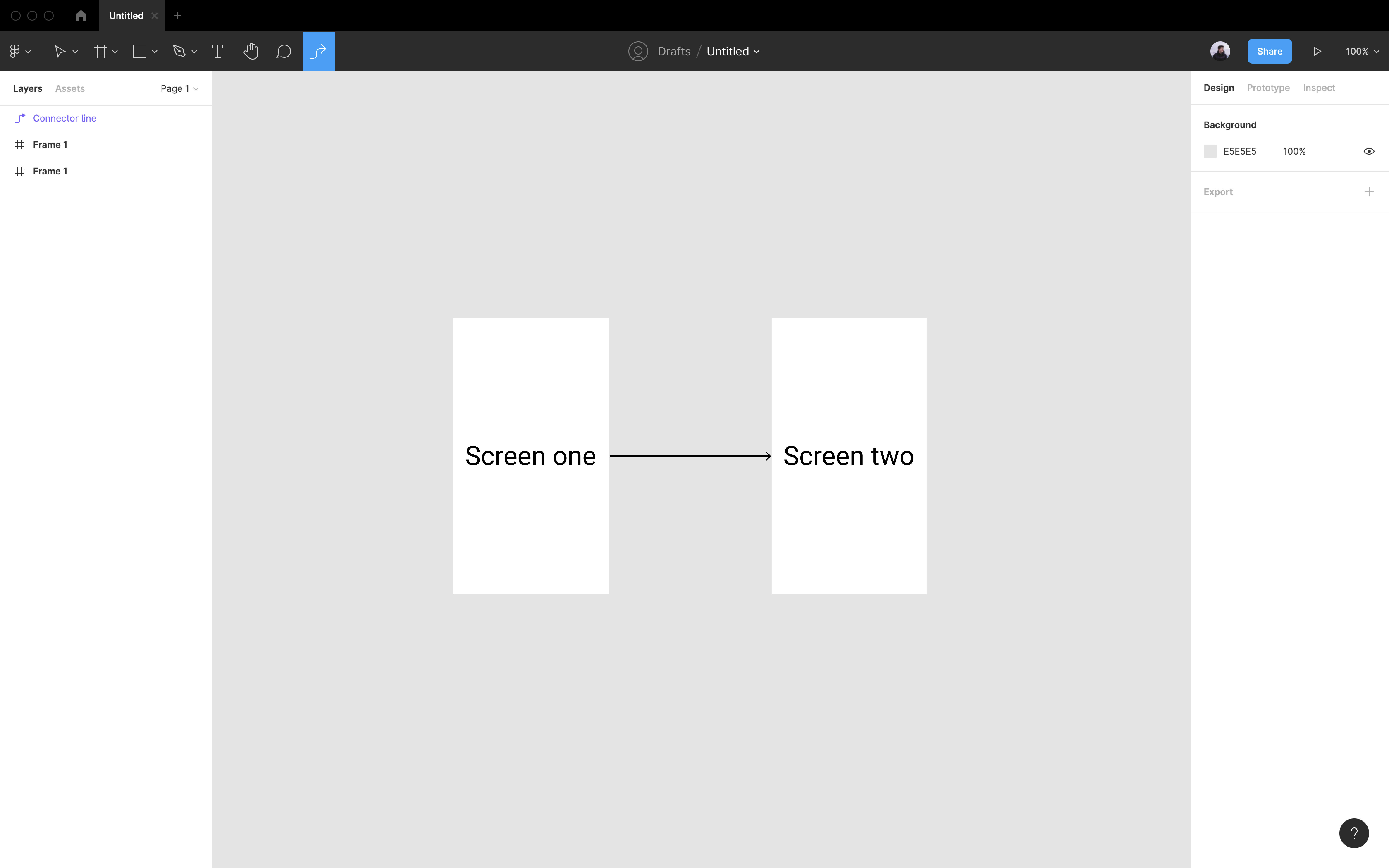
When creating hand-off documents I like to showcase user flows by using arrows between different UI elements. I have to use plugins to create these arrows at the moment. When playing with Figjam I notice it had a connector option - this is great. I would love it if we could also have this connector option inside Figma as it would be a HUGE timesaver for hand-off.

I would like to think this would be a super easy update given that we can already edit connectors inside Figma. We just need a connector button in the toolbar like so:
162 replies

Jordan_Wan
New Member
December 23, 2022

I wanted this to be great but it requires a “source” connector to be present in your Figma doc already and essentially copies/pastes it. The only advantage it has is automatically connecting two shapes you may have selected but the downside is the number of clicks for this is 3 clicks at minimum, copy/pasting your own on the page is just as fast and more straightforward. It’s good that people are looking to solve this problem, but I’ll be very happy if the Figma team itself sees fit to include the functionality, as it’s obvious that the underlying structure needed for it is already in place.

Karl_Mochel
January 6, 2023

When creating charts in Figma you want the connector behavior and…

  1. Need individual control over color and shape of end decorations.
  2. Need control over the line.
  3. Need to set whether the decorations and line scale or just the line length scales.

Lee_Gordon
January 7, 2023

Hello 2023! Can we please have this feature now-ish? 🙂

Randy_Hembrador
New Member
January 18, 2023

I’d love this + the ability to include connectors in components — this would significantly significantly accelerate my workflow for creating data visualization mockups!

Josh40
January 24, 2023

Agreed!!! We totally need this!

Tim_Print
February 1, 2023

Another vote for this. Would be super useful

RAES
February 17, 2023

The ability to save stylized dynamic sticky connectors as a component (accessible in Figma and Figjam) that can be used, reused, and edited globally would be the dream. Teams could develop their own branded UX flow connector kits and all of the labeling modules and activate them as a library item. Right now, it seems you have to use an assortment of workarounds that all come with downsides, no matter what method you choose. 🙏

RAES
February 21, 2023

Would love to see Figma adopt a fully integrated option to include connectors in a Figma design file without having to copy them from Figjam. This current method kills a lot of the features that the connectors can provide, and many of the plugins are also lacking. Has anyone figured out how (while using connectors in Figma, not Figjam) to replace objects, like screens/frames, that are currently connected using these dynamic connectors? Below is a list of some features that I think would greatly improve the use of those connectors and make them a powerhouse tool for any UX team.

  1. The ability to have the connectors natively within Figma without copy/paste.

  2. The ability to add styles and create component sets for these connectors that can be added to an asset library or design system for teams to use consistently. You currently have to copy/paste a frame of pre-formatted assets into every new file if you want to use the same set of connectors, and they remain unlinked from any consistent style.

  3. The ability to replace an object that is currently connected using these dynamic connectors without losing the original connections. Currently, when you paste to replace the connected object, it removes all connections to that object.

February 26, 2023

I’m considering switching away from FigJam to Miro because Miro’s Cards feature starts to provide the additional kinds of visualizations within connected boxes that I would typically want to create.

However, if I had the ability to add connectors w/ text directly in Figma I could create completely custom visualizations in connected boxes, and I would be more than happy to pay $3–$5/mo (the price of a FigJam seat) on top of the price of my Figma seat to have this feature.

Sophie_Freiermuth
March 14, 2023

+1 please - I’m an information architect and add sitemaps to figma files. Having clean, neat connectors that easily create beautiful architecture diagrams would mean I’d abandon my expensive LucidChart subscription and switch to Figma for all my architecture diagrams. As a note, Mural and Miro are really terrible at this, please do not look at them for reference - go straight to the best: MS Visio (old but golden), LucidChart for browser-based. Thank you!