

Joseph_Cooper
April 21, 2021

FigJam connectors in Figma

  • April 21, 2021
  • 162 replies
  • 18317 views

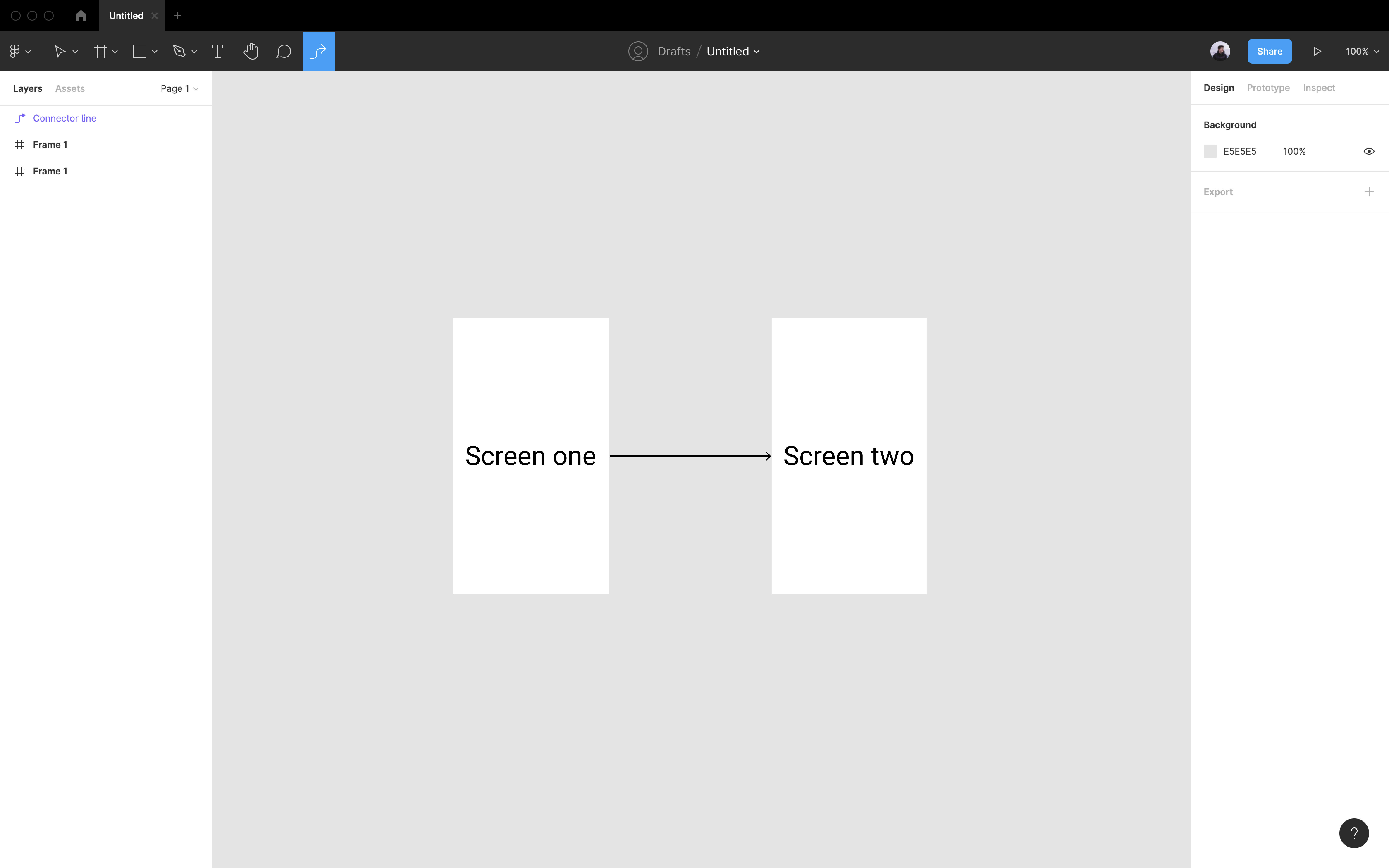
When creating hand-off documents I like to showcase user flows by using arrows between different UI elements. I have to use plugins to create these arrows at the moment. When playing with Figjam I notice it had a connector option - this is great. I would love it if we could also have this connector option inside Figma as it would be a HUGE timesaver for hand-off.

I would like to think this would be a super easy update given that we can already edit connectors inside Figma. We just need a connector button in the toolbar like so:
162 replies

Sergey_Tomashevsky
New Participant
August 7, 2026

Full disclosure: I build plugins, and this thread is basically why.


I got tired of waiting for native connectors in Design, so I built Flow Pro. It draws orthogonal arrows between frames (right angles, no diagonals), keeps them attached while you drag, and re-routes them live so they never cross or cut through a screen. Select your frames, press Connect, and the whole flow is wired at once. Labels, colour, thickness, corner radius are one style for the whole diagram.


It will not replace a native tool, and I still hope Figma ships one. But if you need working arrows in a Design file today: https://www.figma.com/community/plugin/1666194024247251759/flow-pro-arrows-connectors-user-flows


First 30 connectors are free, so you can check if it fits your flow before paying anything. Feedback is very welcome, I ship fixes fast.

Dung_Le
New Participant
August 27, 2026

Five years on and this still isn't native, so I'll add a workaround here for anyone landing from search.

Most connector plugins draw vector arrows and then recompute the geometry themselves. A different approach is to use the real FigJam connector node, where Figma's own renderer handles the routing and the plugin doesn't recalculate anything.

That's what I built Snapflow around: it places genuine FigJam connectors — plus shapes, sticky notes and tables — into a Design file. They anchor to objects, re-route on move, and survive the plugin being closed. Free, no account.

Snapflow

Disclosure: I'm the author. Still voting for the native feature.