Feature Request: Add “Copy SVG Code” Option in Export
Dear Figma Team,
I would like to suggest a useful improvement to the Export option in Figma.
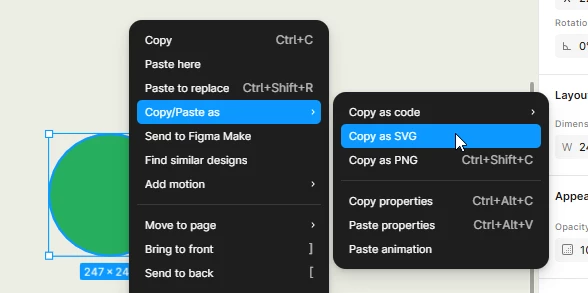
Currently, Figma provides export options such as PNG, JPG, SVG, and PDF, which are very useful. However, when working on websites, I often need only the SVG code rather than downloading an SVG file.
It would be very helpful if Figma could provide an option such as “Copy SVG Code” or “Copy as SVG” directly in the Export section.
For example:
Export → SVG → Copy SVG Code
This would allow designers and developers to quickly copy the SVG markup and paste it directly into HTML, CSS, or web projects without having to download the SVG file and then open it separately to copy the code.
I believe this would make the designer-to-developer workflow much faster and more convenient.
Thank you for considering this feature request.
Best regards,
Arvind