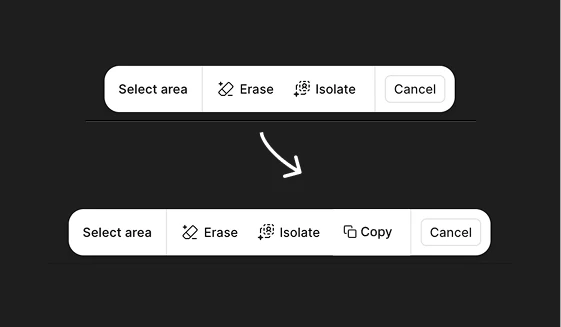
"Erase, Isolate + COPY" image with Figma AI
If you are using the “isolate” function on the Figma AI image Editor, you must have noticed that the image below it fills it in with an assuming background. Often, you need to copy that, and put the isolated part back into the original image, (I don’t always want the function to be destructive, nor do I like creating endless copies, just so I can isolate something) .
I am proposing a feature that lets you simply copy the “isolated” part of the image, allowing you to paste it somewhere while still keeping the original intact.
My current workflow: I am “isolating”, copying, and then undoing the action to get the “isolated” part back into the original image. Often, due to slight of hand, I undo the isolation faster than I copied it, and that leaves me with the option to do it again (if redo is not working) and wait for it to isolate. Sometimes I just want a part of the image without the original being destroyed.
What do you think about this feature?