

Do we need an pixel art features? What tools you need?

  • December 3, 2025
  • 1 reply
  • 43 views

Denis_Chikita

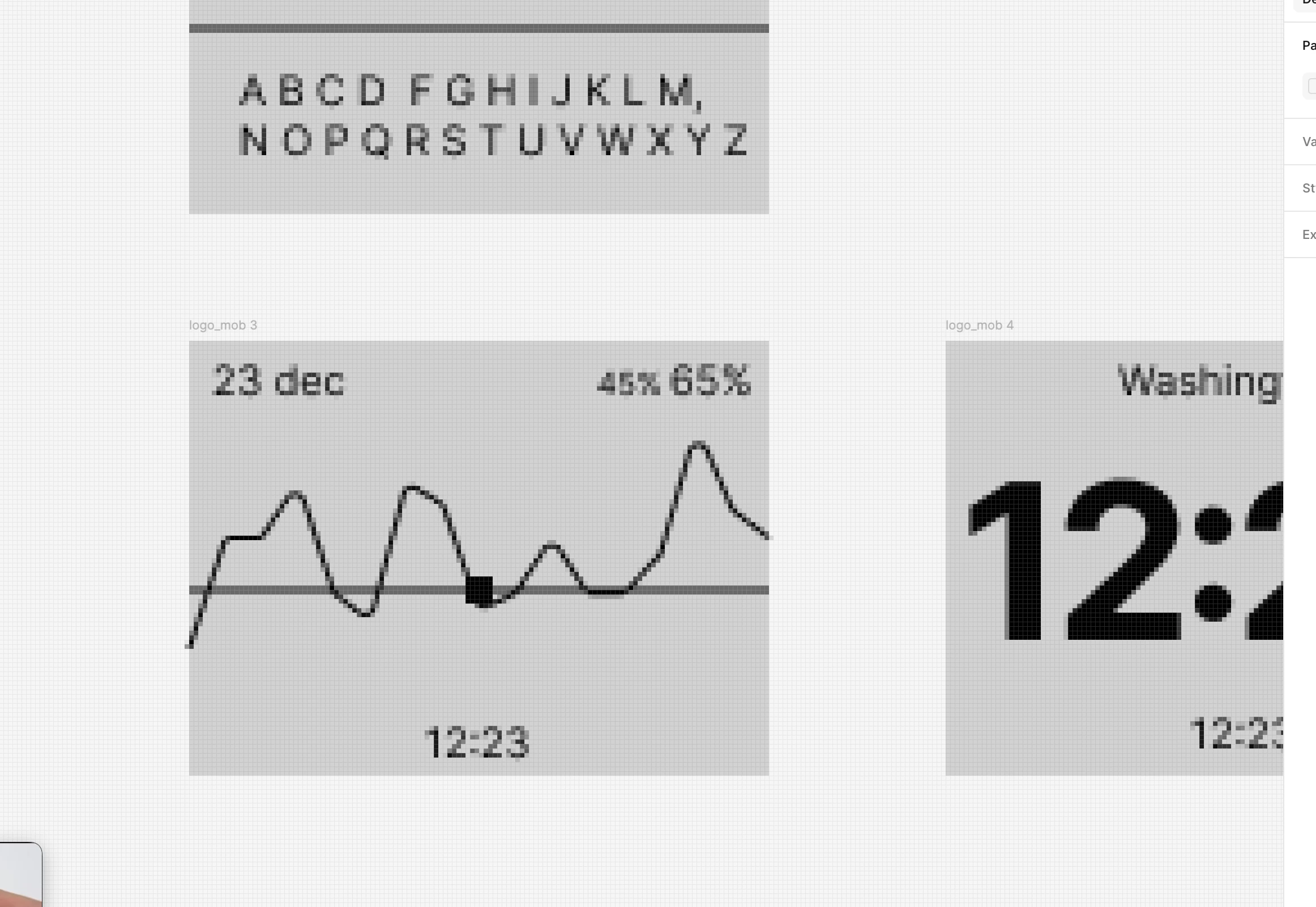
Hey, guys! Recently I start to prototype an UI for LCD display device. It doesn’t have any pixel opacity control, only pure contrast essentially. 

I discovered Figma doesn’t have any way to turn off anti-aliasing for vectors. So ofcourse I became frustrated. Such cool editor and still don’t have basic things. Guys, we need to cover this. 
 

1 reply

Aayushi
  • New Participant
  • June 30, 2026

Hi Denis,

Fair frustration. Prototyping a strict, pixel-by-pixel, all-or-nothing LCD UI in Figma is awkward when the editor is built around smooth vectors.

I do not think Figma will ship real pixel-painting or a global anti-aliasing off switch. That is basically what Aseprite and similar tools already do, and it goes against what Figma is for.

What I would do in your scenario is turn on Pixel Preview at 1x on your frame. That is the honest view. If you see gray or soft edges there, the physical screen will show the same thing at 1:1. If it is clean black and white at 1x, you are most of the way there.

But the gap was never really just seeing the problem in Figma. It was fixing it: getting every layer onto whole pixels. You can do that by hand or use community plugins that cover it now. Vector Pixel Art is one I find more detail-oriented if you want a grid pass on vector-heavy frames before export.

What pixel size is your LCD UI?