Copy Auto Layout Properties
When reusing Auto Layout across different frames or components, there is no way to copy and paste only the Auto Layout settings. Users have to manually recreate spacing, padding, alignment, and other layout properties, or use Paste Properties, which also applies changes they may not want.
Suggestion
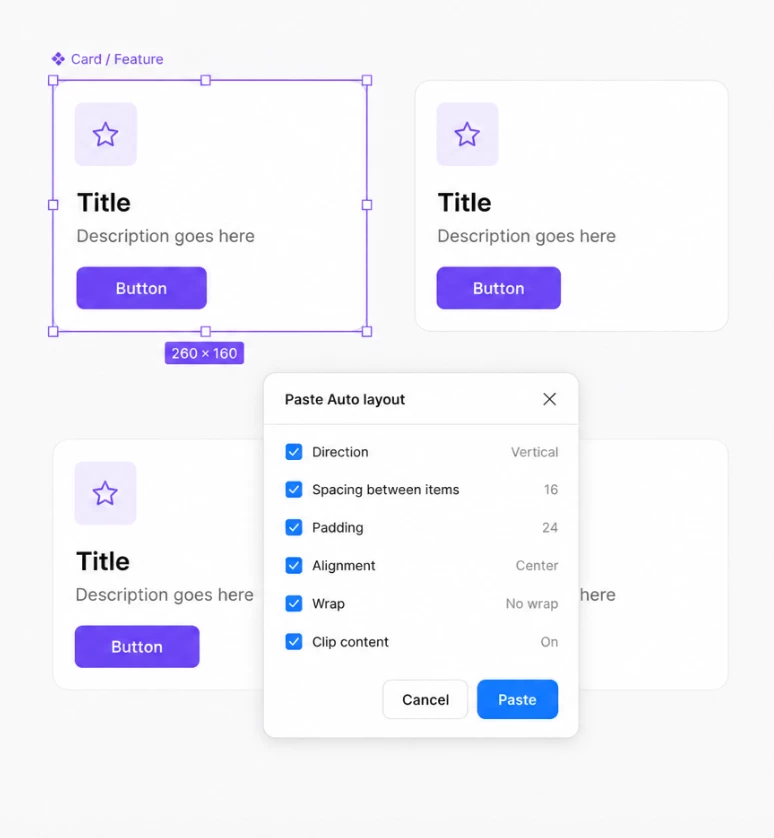
Introduce a dedicated Paste Auto Layout action that copies only Auto Layout properties. When pasting, a small dialog could let users choose which settings to apply, such as Direction, Spacing, Padding, Alignment, Wrap, and Clip content. This would make it much faster to reuse layouts while avoiding unwanted changes to fills, effects, typography, or other design properties.
Addition!
This could also work to fills, strokes, effects.
Example
Right click an Auto Layout → Copy Auto Layout → Paste Auto Layout on another frame. A dialog appears where users can select exactly which Auto Layout properties to apply before pasting.