Andy1
April 16, 2021

Color Styles – Opacity & Multiple Fills

  • April 16, 2021
  • 20 replies
  • 10713 views

If I apply a color style to an object as a fill (or stroke), I can’t apply any additional fills to that object. I also can’t change the opacity of that fill when it’s tied to a style.

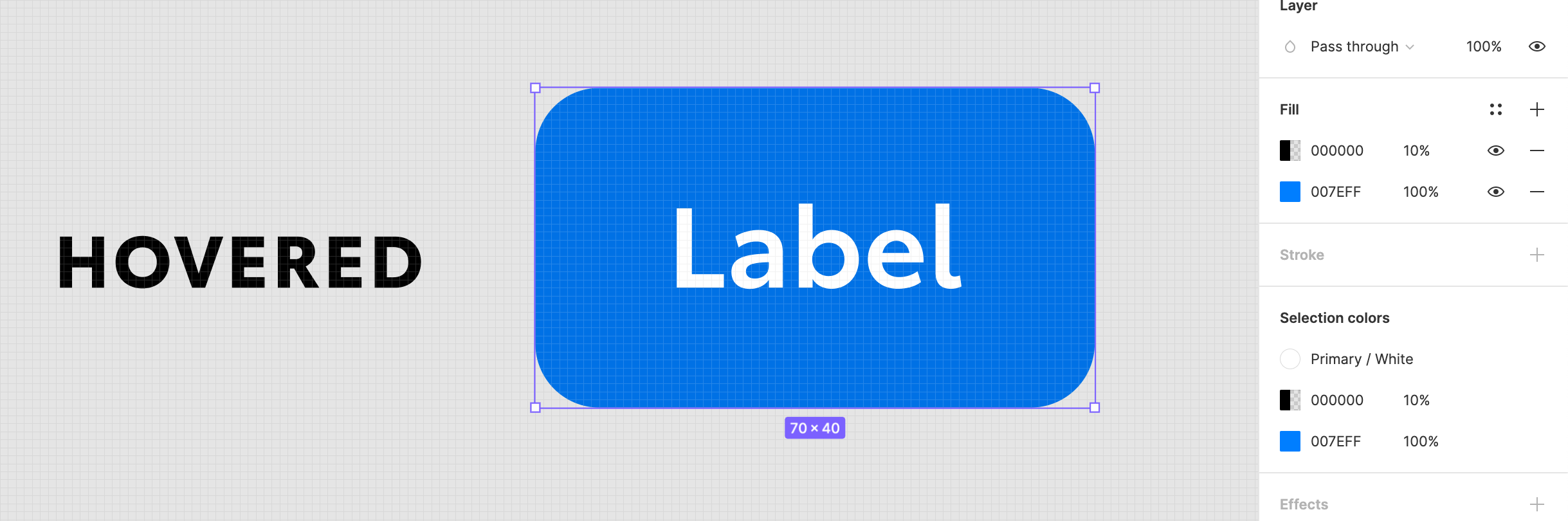
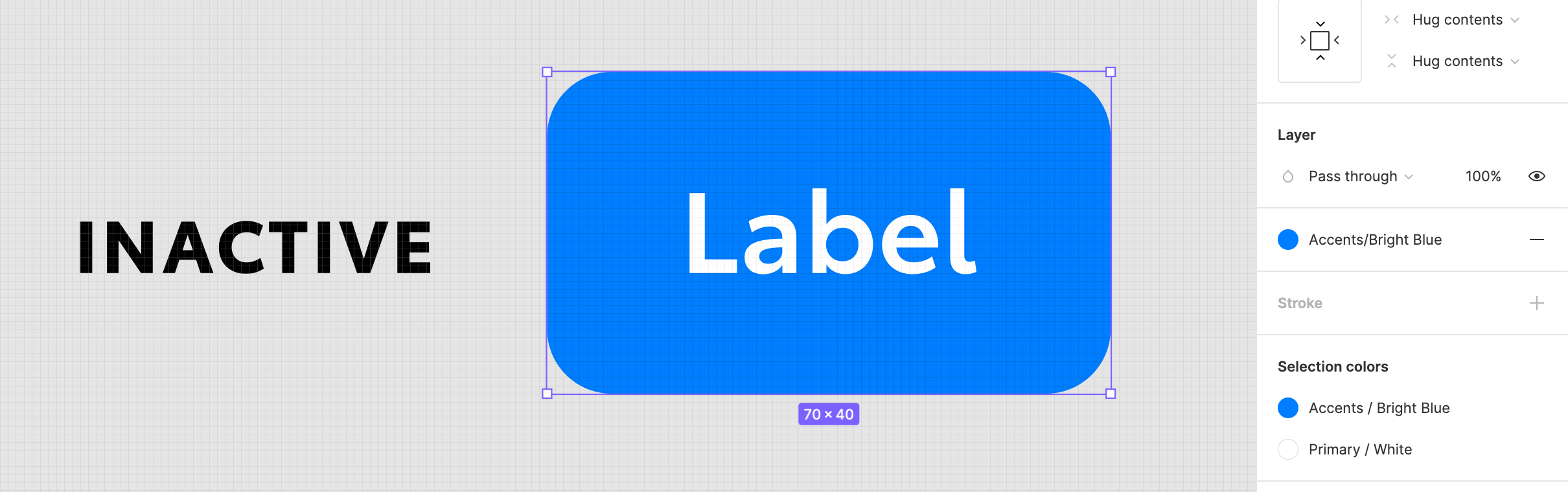
Example: I have a button that is a frame with a blue background which is tied to a color style. I want to create a hover effect for that button by adding an additional 10% black fill on top of my blue color. Currently to accomplish this, I have to detach the blue from it’s color style, then add an additional fill black on top of it and reduce the 2nd fill’s opacity to 10%. See example screenshots below.

This not only breaks my blue color style, but if I have black as a style in my design system, I can’t use that color style either.

Has anyone found a workaround for this that I’m missing?
20 replies

Amr.Kamel
December 27, 2022

This is extremely needed to reduce the number of color styles when working with large design systems. Every time I want to add opacity to a color style, I have to go and create a new color style for that opacity value. which totally overwhelms the color palette 😦

Pablo17
May 22, 2023

need this +1

Jamey
New Participant
May 24, 2023

Please, for the love of systems, can we adjust opacity on color styles. It’s probably a UI puzzle but this is a huge thorn in the side.

Joe_Robinson
New Member
May 25, 2023

Would love to see this! It seems like fairly core functionality for anyone working with color styles.

It reckon it would fit into the UI pretty easily but I guess it could well be a tricky update behind the scenes.

David_Praznik
June 28, 2023

+1 need this also

ROB002
New Participant
August 15, 2023

How is this still not implemented?

February 2, 2024

please this needs to be implemented, it’s driving mad!

Shamari_Cooper
March 15, 2024

The closest solution to this is that I used an inner drop shadow effect with the settings of

colour: white or black (your choice)
x: 0
y: 0
blur: crank it til it fills up the btn

Then you can save this as an effect style and reuse it throughout the document. So I essentially treat tints and shades as an effect.

Lucy
New Member
August 1, 2024

I have a different workaround. Admittedly, I don’t know how smart this is in development, but I’ve heard no comments from any engineering team that I’ve worked with.
I add an overlay with

  • Position set to Absolute
  • Constraints set to Scale both ways
    then add my fill variable and adjust the layer opacity instead of worry about the fill opacity.
Jeroen9
New Member
July 9, 2025

4 years later and no update… I wish Figma had more competition so that they’d start making useful updates instead of all the crap they are launching in beta.