Vitalii_Sologub
New Participant
January 22, 2021

Clip and ellipsize text in Fixed size text blocks

  • January 22, 2021
  • 25 replies
  • 26628 views
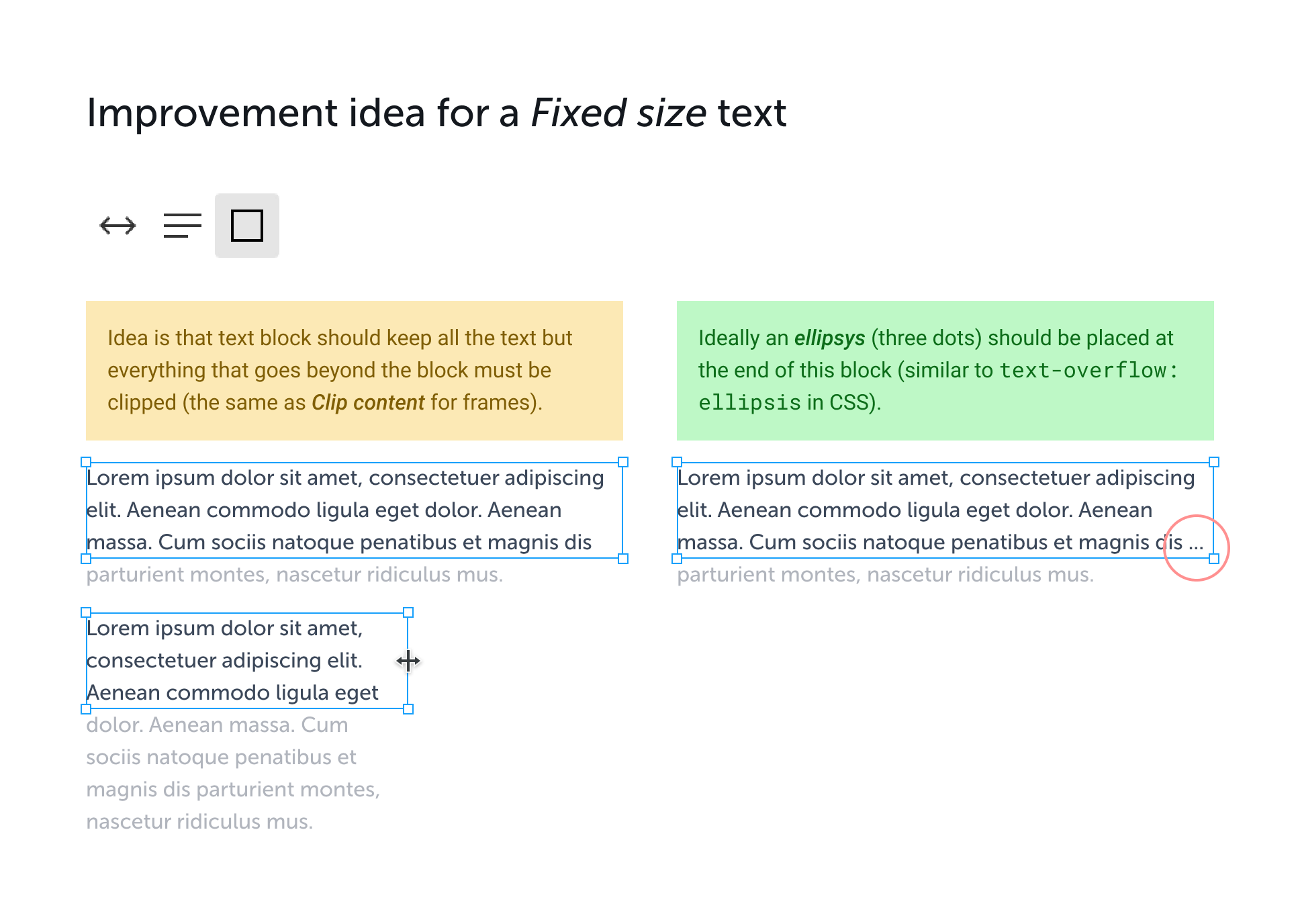
  1. Idea is that the text block should keep all the text but everything that goes beyond the block must be clipped (the same as Clip content for frames).
  2. Ideally, an ellipsys (three dots) should be placed at the end of this block (similar to text-overflow: ellipsis in CSS).

25 replies

Oliver_Fuchs
February 21, 2023

Great feature but it doesn’t work on “Text align justify”

Matt_Bolt
June 2, 2023

VERY NICE! This works great

Liza_Plotnikova
September 1, 2023

Hello! I love the Truncate text option in Figma, and I use it all the time. But my developers informed me that there is no equivalent CSS solution.

text-overflow: ellipsis;

Only works if there’s one line of text… it doesn’t add an ellipsis at the bottom of a block of text. Are we missing something? Please help

October 3, 2023

@Liza_Plotnikova

A bit late response, but a multi-line truncated text can be achieved like this:

    overflow: hidden;
    display: -webkit-box;
    -webkit-box-orient: vertical;
    -webkit-line-clamp: 2;

This will add ellipsis at the end of two lines of text.

For browsers-support check: "line-clamp" | Can I use... Support tables for HTML5, CSS3, etc

Sean_Morris
November 19, 2023

At least for me, as of November 2023, the option appears through the text sub menu.

  1. With the text selected, click on the three dots in the “Text” section of the right menu.
  2. Click “Truncate Text”.