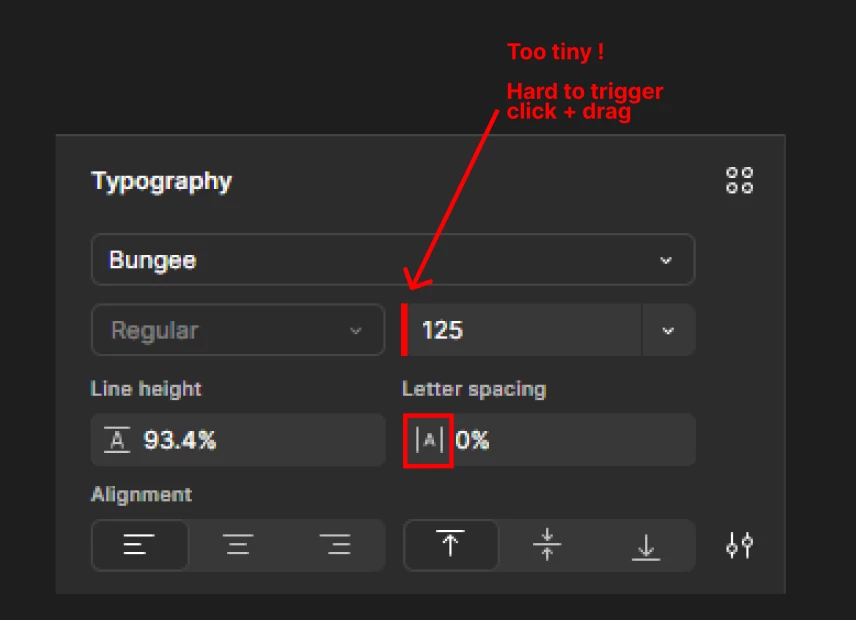
Better Click + Drag trigger zone on font size property
Hello everyone ! 👋
I’m surprised that no one has shared any frustration about the tiny click + drag zone for font size adjustments yet.
Currently, you have to hover the very small left edge of the font size input field to trigger the click + drag behavior. The issue is that this border is extremely thin—much thinner than other properties. For example, other input fields include an icon to make the click + drag action more intuitive, but the font size input lacks one.
A simple fix would be to add an icon (like in other properties) to the input field. Alternatively, if you prefer not to use an icon, adding some left padding to the input would also solve the problem.
Personally, it's not a day-to-day issue for me — it happens mostly during specific tasks, like logo ideation where there's a lot of text sizing work involved. Maybe that's why no one complains about it.