Annotations could be a great tool with proper filtering
I often have a need to annotate designs from different perspectives, like..
- Accessibility
- Analytics tracking
- Localization
...and the stakeholders have a need to easily find and check the annotations related to their responsibilities.
Currently in Figma I can create color-coded categories for annotations and use them to tag layouts, which is great. I can even filter them to some extent.
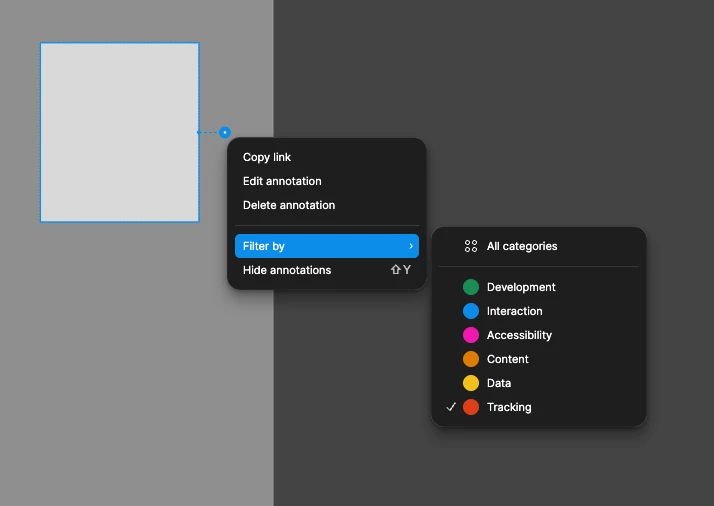
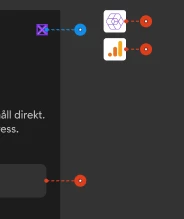
What makes the filtering almost unusable for me is that only ‘All categories’ or a single category can be chosen. ‘All categories’ is too much: layouts will get flooded with annotations. Unfortunately just selecting one (like ‘Tracking’ in the image below) Figma still shows all the rest as these reduced mode red things (see lower image).
What I’m getting at is that there should be a way to easily toggle any combination of categories visible/hidden. It’s weird that in the Filter by -list you can’t choose to display say “Accessibility” and “Interaction” and the rest would be hidden. Showing all those reduced mode annotations should be togglable too to make the views clear.