

Allow text layers to snap to glyph bounds (Horizontal Trim)
Right now, it's impossible to left-align stacked text layers with different font sizes inside Auto Layout.
Because Figma aligns to the text bounding box instead of the actual glyph bounds, font sidebearings create an awkward visual gap. For instance, if you place a heading above some body, the stem of the headline won't line up with the left margin of the body text. It works for letters like T and A, but not for letters with a flat vertical stem like L and B. See attached screenshot below.
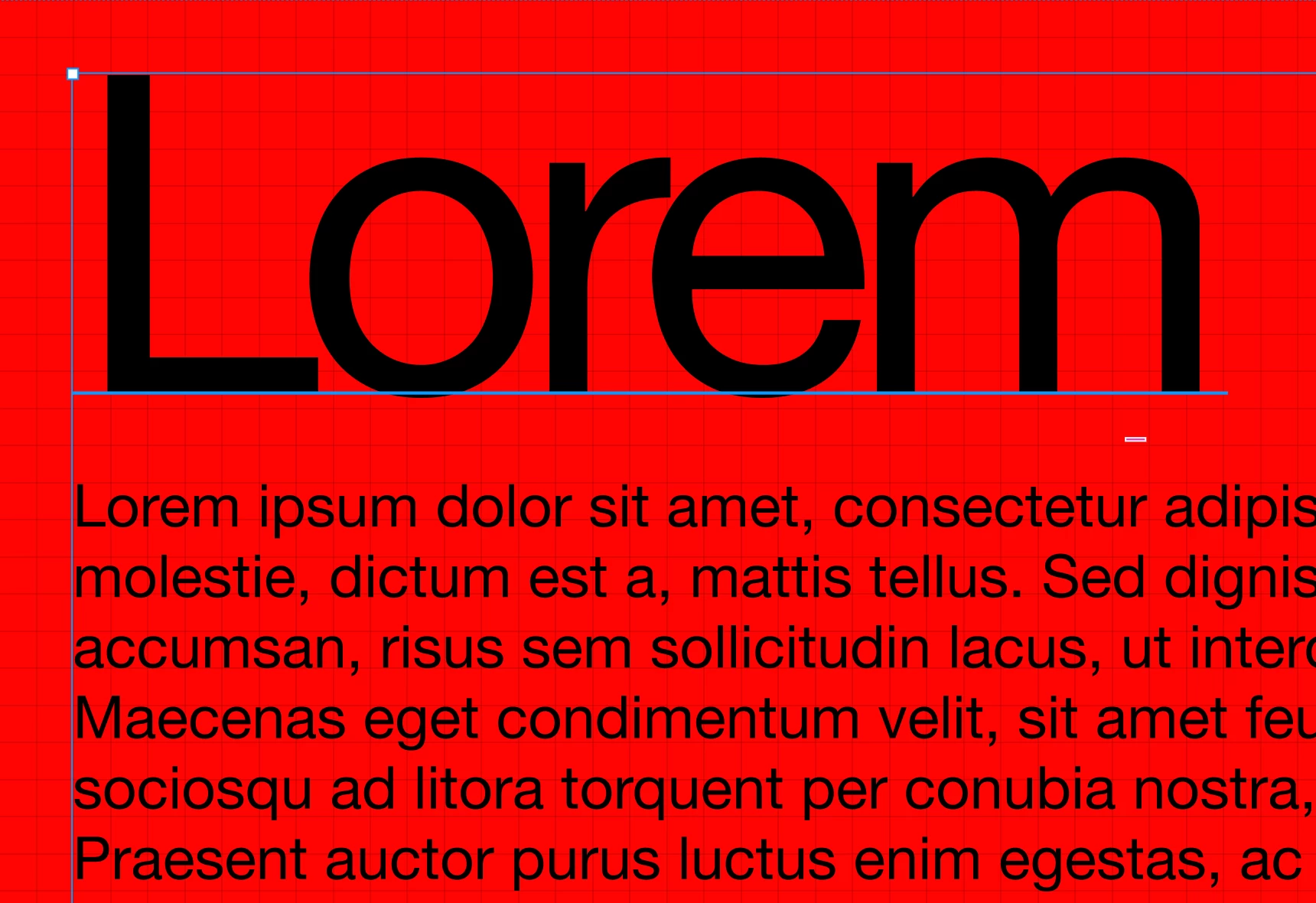
- You can't manually nudge text layers inside Auto Layout.
- Negative padding shifts the whole container, not individual layers.
- Community plugins like “Text Visual Alignment” don’t work with auto layout.
Suggested solution:
Add horizontal trim to type settings (right next to vertical trim) that crops the sidebearings to the outer edge of the glyph bounds.
This would be a massive improvement to type in Figma!