

Stephanie_Smith
November 12, 2021

Add the ability to wrap text around objects

  • November 12, 2021
  • 54 replies
  • 26430 views

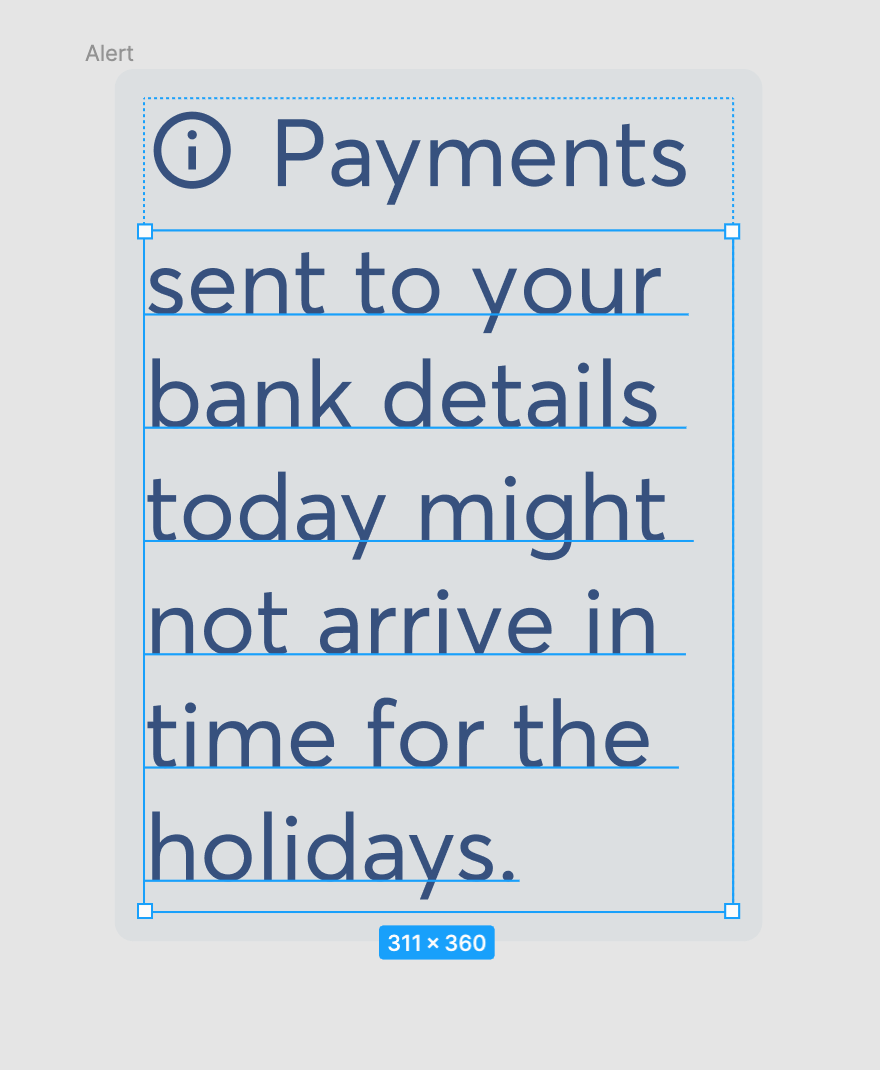
There’s currently no way to wrap text around an object like an icon, spot illustration, or image.

The only solution is to manually break the copy into 2 text boxes and add the second one underneath the icon.

We had big plans for our design system to include scaled variants of components where text would need to wrap around icons and spot illustrations to save screen space. So not having this feature makes it hard to design for accessibility and see how components will scale. It’s a little tricky to get the line height right, and also means we can’t easily add scaled variants to our existing design system library. It’s also stopping us from creating a plugin where designers could stress test their designs with larger accessible fonts.

Would be great if Figma could add this as a feature.

Has anyone else had this issue? Is anyone using a plugin or workaround to help solve this?
54 replies

Kate_Paullin
October 5, 2023

I really need this, but with the icon on the right, when I need to have text and legend icon(s)!

Buck
November 15, 2023

Can I vote for this again, somehow? 😆

Erika_Van_Der_Bent
New Participant
December 14, 2023

Would be so helpful to have this

oscargodson
New Member
December 21, 2023

With clip path you can wrap text around complex shapes on the web which I’ve done before especially to get a “magazine” style feel. It’s also helpful when creating PDFs and such as well such as 1 pagers and what not.

I know Figma isn’t built using HTML/CSS, but I mention it because Figma’s lack of that feature means I can’t really design in a way that let’s other non-Figma experts work with the design easily and swap in and out images or copy or create components. Today, I’ll make components and they can add text, swap instances, and such and create design around a framework I created. Unfortunately, in this case, they can’t and its hacky work arounds as described in the comments elsewhere on the forum.

+1 and voted!

Anne13
January 31, 2024

This would be so useful for inline icons!

Michael_Mike_Wang
February 11, 2024

This seems like a slam dunk item to implement. I have to hack this in almost every project and it’s currently hacked in our desgn system.

Promo Headline, Description (Left Aligned); Square Image (Right Aligned)

djv
Figmate
Community Support
February 12, 2024

Hey All, thanks for the feedback!

We’ll pass this onto our team for future consideration.

Ashlillings
February 15, 2024

This is the use-case I’m trying to solve for as well. In my case, I’m trying to pin a blinking text insertion cursor to the end of a text field that wraps.

Jason_Ladicos
February 16, 2024

This is a use case I struggled with today too. I want to create a component with two blocks of text that appear beside each other, with the latter wrapping underneath the first if it gets long enough. The first block of text is optional, with a boolean property to hide or show it.

The first block of text might vary in length, so using paragraph indenting would require manual overrides rather than working “automagically.”

February 19, 2024

If I have a Multi-line label I am not able to put a tooltip icon at the end of the Label
image