

Matty_Vazquez
Active Member
May 12, 2023

Add a Highlighter for Text to the Type Settings

  • May 12, 2023
  • 58 replies
  • 18897 views

Allow us to change the background color of text (not just the text fill color) to give a highlighter effect that stays with the words that the effect is applied to even when the size/shape of the text box is changed.

For example:
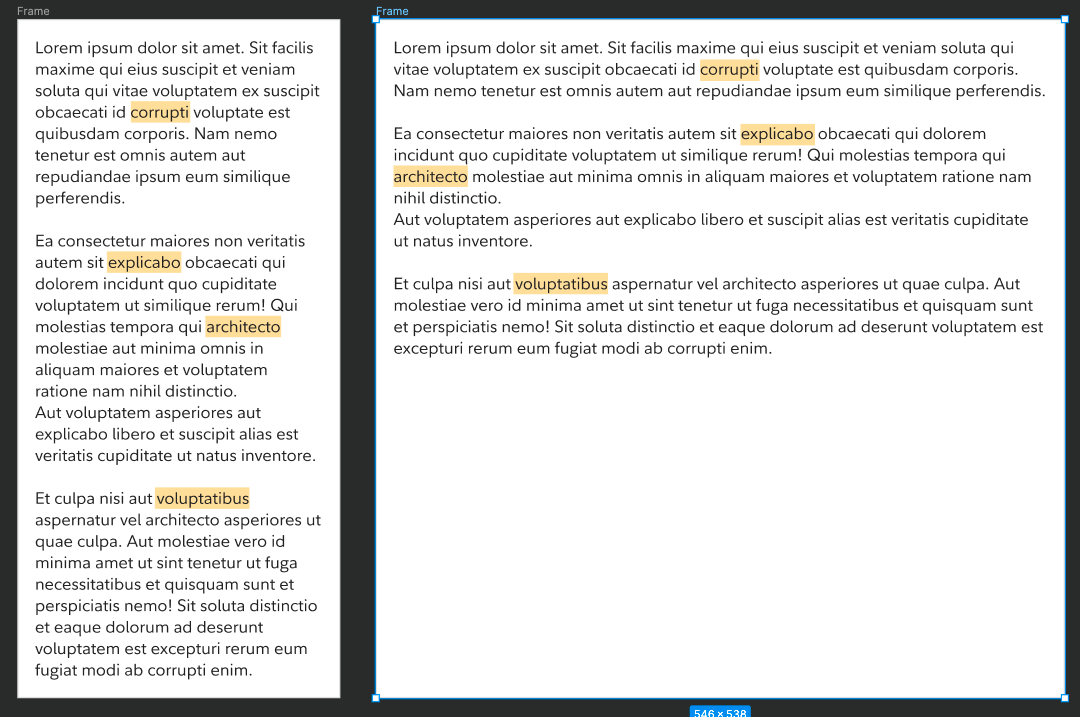

The above shows two examples of the same ipsum (left and right) where specific words are highlighted. When the size of the text box (the left example) is changed to accommodate a responsive layout (the right example), the highlighting stays with the selected words.

The way to add highlighting for the above examples could be included in the type settings pop-over:
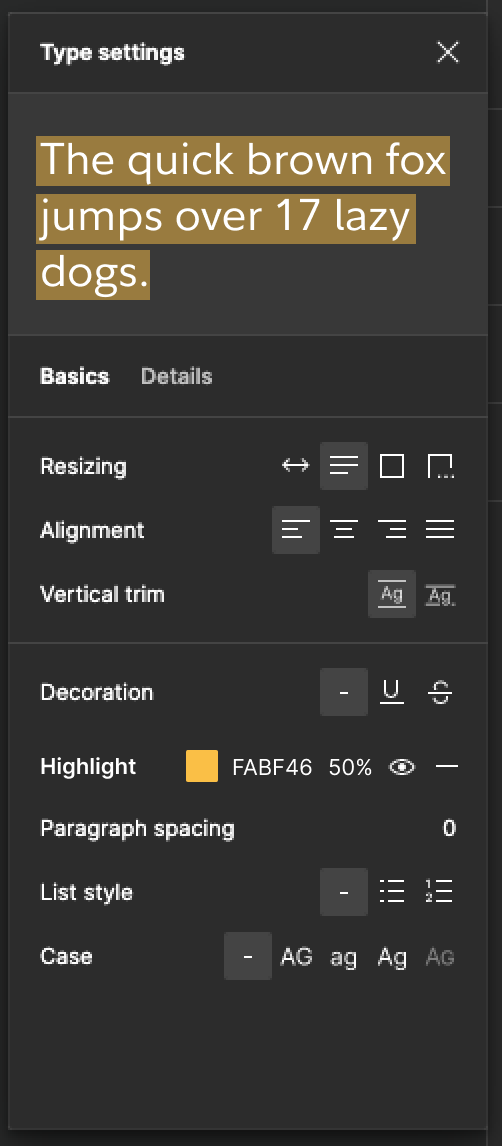
Note: the idea here is that the user can apply this to specific sets of selected characters within a text box or to the entire text box, just like how all of the other type settings already behave.

58 replies

Ana_Cervantes1
March 4, 2024

Please, this would be so helpful when it comes to presenting changes and note taking! I appreciate OP’s concept.

March 5, 2024

Yet another missing feature which forces me to use annoying workarounds

Matty_Vazquez
Active Member
March 6, 2024

Thank you!

April 19, 2024

Yes please add this and additional text underline style options.

April 25, 2024

yes please add this feature

April 25, 2024

Please add this feature with highlights

Julian_Ibanez
May 23, 2024

Please please please!

Roger1
May 24, 2024

So much wasted time using fiddly workarounds that need manual adjustment every time the text or the container changes. It can’t be rocket science to achieve this. It’s like the dark mode of Strava - and even they are going to get that!

July 1, 2024

This feature would be very helpful

tank666
July 1, 2024

Hi there, who is waiting for the text highlighting feature!

Although this feature has not yet been implemented, 2 years ago I found and published a hack in the Figma Community that allows you to achieve this. You can duplicate and explore the file from this link: Hacked Auto Layout with Multiline Text Highlighted file by Yury Zeliankouski | Figma Community.

There is also another way that I shared in this thread: How to have background colour for text only and not the entire container using auto layout - #4 by tank666.

Yes, this is not a solution, but very complex workarounds that are not stable enough and are error prone.

UX/UI designer. Figma expert. Creator and developer of plugins and widgets for Figma and FigJam. Check out my resources in Figma Community: figma.com/@tank