

We’re building an InDesign alternative for teams that already work in Figma
Your brand library is in Figma. So is the latest approved campaign.
Your team knows where to find the right logo and who signed off on the design. Then you’re asked to turn that work into a printed brochure.
If you’re a small team, “just use InDesign” can mean getting another software purchase approved and finding someone who knows the tool. You already have Figma seats, and the designer doing the work is comfortable there.
There’s also the second set of assets to maintain. Figma is your source of truth: the place your team keeps the approved brand assets. Moving to another layout tool means deciding which files to bring over and keeping track of later changes.
We think teams should be able to keep that starting point. The missing pieces show up when the design needs print setup or starts behaving like a publication.
I’m part of the team behind Printery. We started with Printery for Figma in 2025, adding print setup and export options such as bleed, crop marks and CMYK output. Other print plugins in the community address parts of that gap too; the options vary by plugin.
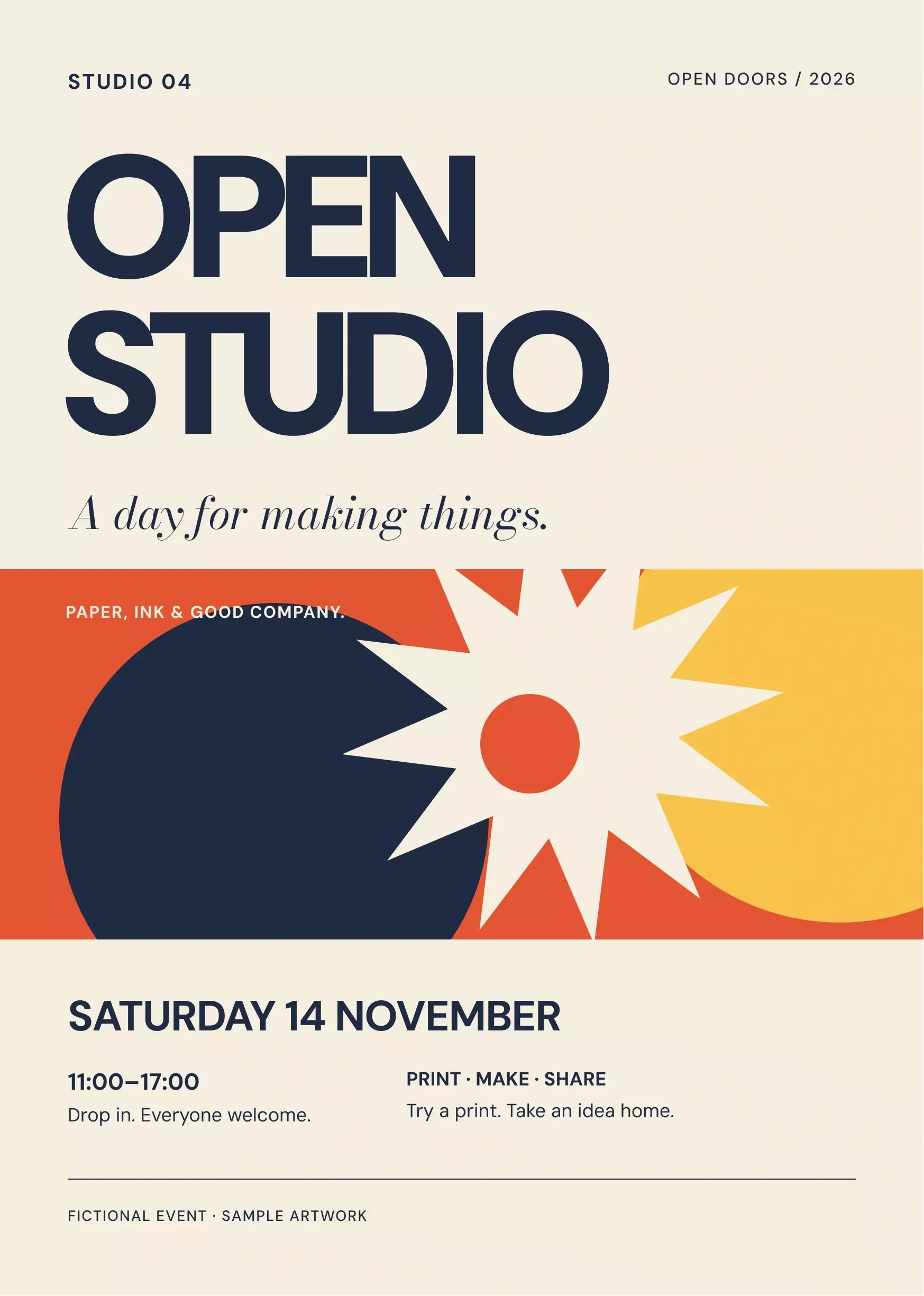
For a straightforward flyer or poster, that can be enough. The Open Studio flyer below is a fictional example we made in Figma, with editable text and vector artwork.
But suppose the next request is an event booklet. There are speaker biographies, images that belong beside particular paragraphs, and copy that keeps changing after you’ve laid out the pages.
An export plugin can prepare the output. It doesn’t, by itself, give you the linked text frames and pagination controls needed to maintain that booklet. That’s why we built Printery App, a browser-based publishing editor that takes designs from Figma and gives you room to continue the layout work.
How does the Figma handoff work?
You can select objects or a frame in Figma, copy them, and paste them onto an open document’s canvas in the app. You can also bring over an existing print document through our Figma plugin.
That lets you start with an approved cover or a set of branded elements, then build the publication around them. Supported text and objects remain editable; you can review compatibility messages and supply missing fonts or images where needed.
Your source assets stay in Figma. The imported or pasted content becomes an independent copy for the print project, so later edits don’t automatically sync in either direction.
What changes when you’re working on several pages?
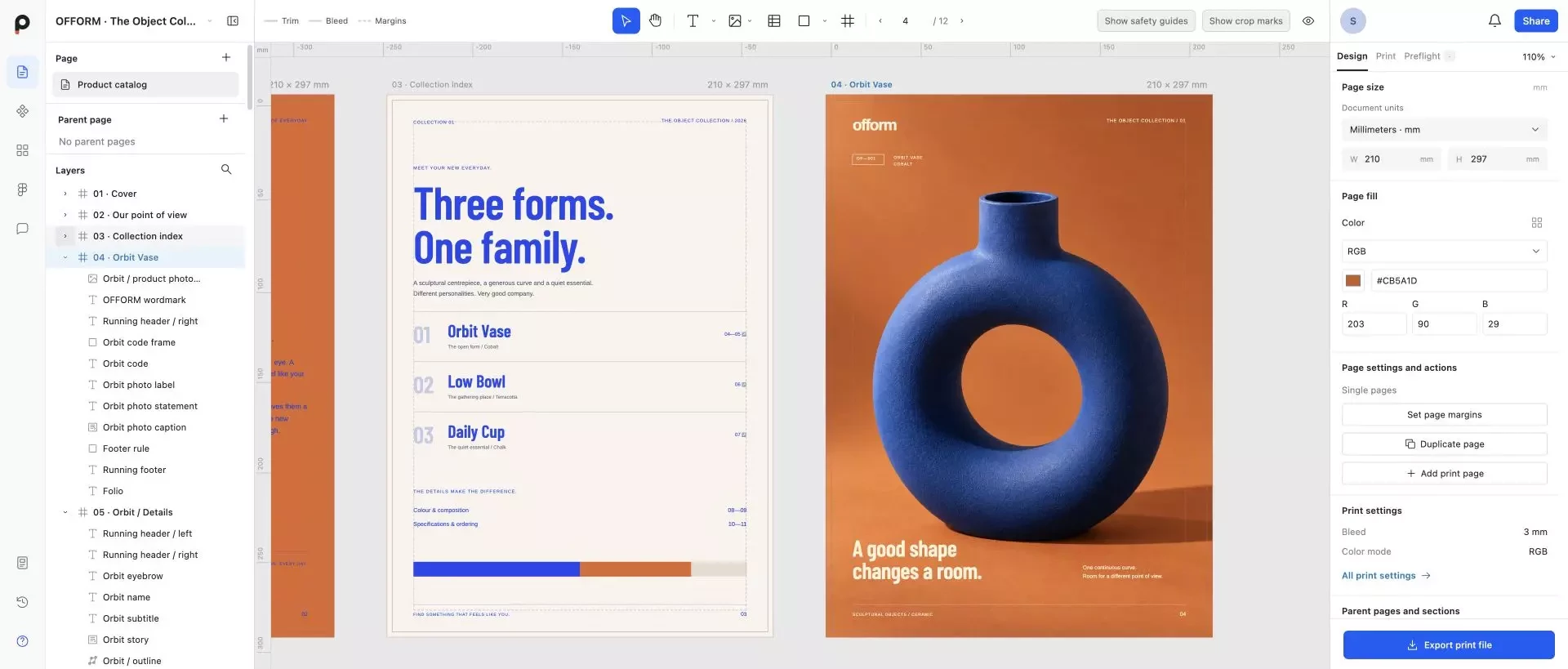
Take that event booklet. You add a paragraph to a speaker’s biography, and it no longer fits. Once you’ve connected the text frames, the story can reflow through them across columns and pages. You can add continuation pages instead of cutting and pasting the overflow into another box.
An image might need to stay beside a particular passage. You can make text wrap around its rectangular bounds, or anchor the image and its caption to a paragraph so they move with the story as it reflows.
Repeated page furniture needs its own rules too. Parent pages handle shared headers and footers, while paragraph styles keep headings consistent. Page numbering and an updatable table of contents help you maintain the document as pages change.
Then there’s the review process. You can invite colleagues with editing or viewing permissions, leave project comments, and send a fixed-version proof link for client feedback and approval. The link keeps the version they reviewed, so a later edit doesn’t silently replace the approved design.
When it’s time to deliver, preflight brings attention to issues such as missing fonts, overset text and low-resolution images. Export settings cover the print boundaries and colour output, with the final choices based on your printer’s requirements.
Where does this fit alongside InDesign?
For teams making brochures, reports or product catalogs from Figma assets, this is the alternative we’re building: keep the brand work where it already lives, then handle the publication in a browser. You can reuse the design work without redrawing every page just to start typesetting.
InDesign remains a strong choice for established publishing teams and workflows that depend on its specialist features. Complex packaging or demanding prepress requirements still deserve the right production tools; we’re focusing on the everyday publishing work that Figma-based teams otherwise have to move elsewhere.
You can try Printery App at printery.app.
Printery for Figma plugin: View on Figma Community.
Which part of a print project makes your team leave Figma today? I’d especially like to hear about the point where a simple layout turns into a document that’s hard to maintain.