

TokenIgnite – Live-stream Figma variables straight into your dev runtime (No build steps)
I wanted to share a project I’ve been building solo over the last 4 months: TokenIgnite.
It started with a simple question I asked myself: What if changes to Figma variables were visible in a running web app just as directly as tweaking CSS variables in browser DevTools? I built a proof of concept, but then had to ask myself an honest question: With Figma Code Connect, MCP servers, and Code Layers, who actually needs this?
The Shift: Making Design Decisions in the Runtime First
With AI-driven workflows, layout code is generated faster than ever—yet LLMs lack visual awareness of the running app, causing design drift. At the same time, traditional token pipelines force teams to wait on builds just to validate minor tweaks.
TokenIgnite introduces a paradigm shift: What if we make design decisions in the live runtime first before committing anything to a single source of truth? And what if we—and our AI agents—collaborate without any pipeline boundaries?
How TokenIgnite works:
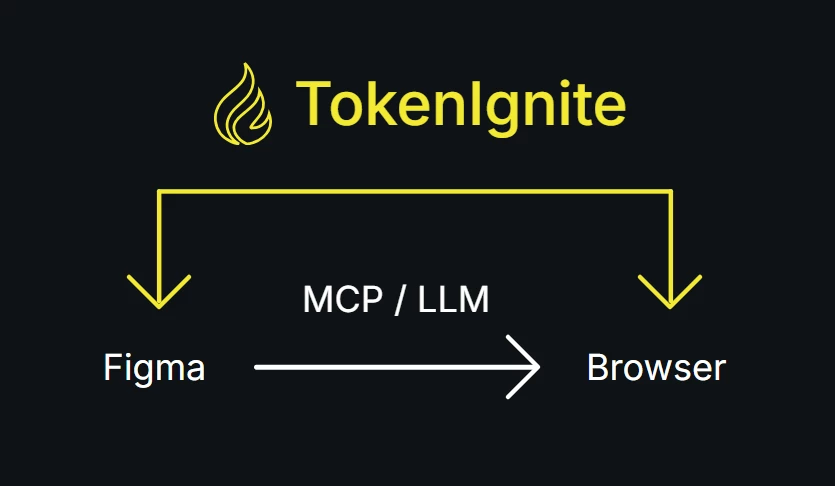
TokenIgnite replaces continuous integration for tokens with continuous injection, streaming Figma variables straight into your local dev environments or closed staging servers in near real time.
- Test Without Code Changes: Test updates live in the browser while local repository files remain untouched until you are ready to export.
- Live Safety Boundary for AI (Review-Free Code): It reads Figma Code Syntax, works alongside Figma MCP / LLMs, and injects variables into the root and theme scope. Stop auditing messy AI code for paddings or theme boundaries—design drift is instantly visible in the browser.
- Short-Circuit the Feedback Loop: Skip build pipeline boundaries entirely. One variable update streams instantly across all connected local and closed staging environments worldwide so designers, devs, and AI agents can co-iterate live.
- Clean Native CSS Export: When you are ready, Figma variables compile directly into clean CSS custom properties.
- Zero Footprint: It acts strictly as a dev-only dependency (npm i -D tokenignite) with zero impact or traces in final production builds.
Demos & Walkthroughs:
- Full Demo: https://youtu.be/L-oEhdSFxNU
- Quick Demo: https://youtu.be/rId2KuWvn4Q
- Playing Around (feat. Figma's Design Agent): https://youtu.be/-ah8FHZHORc
How to try it:
- Install the Figma Plugin & npm Package (npm i -D tokenignite).
- Connect your TokenIgnite File ID in tokenignite.config.json.
- Set your active design contexts (e.g. data-ti-context="color-modes:dark-mode") on your root element.
- Update variables in Figma or via Figma’s Design Agent -> Watch the live web app react instantly across all connected clients.
- Quick Setup Guide: https://tokenignite.live/#connect-figma-and-code
- Designer Docs: https://tokenignite.live/docs/en/designer-documentation
- Developer Docs: https://tokenignite.live/docs/en/developer-documentation
Public Beta & Feedback
I just launched the Public Beta to test whether this runtime-first, collaborative approach resonates with other designers, design system engineers, and developers.
- Website: https://tokenignite.live
- The Story: https://tokenignite.live/the-story
- Figma Plugin: https://www.figma.com/community/plugin/1663636009074823248/tokenignite
- npm Package: https://www.npmjs.com/package/tokenignite
Feel free to test it and share it with your team.
If you encounter any bugs or have feedback, feel free to reach out (bugs@tokenignite.live / feedback@tokenignite.live).