

Text to Checklist — Turn any text into interactive, trackable tasks

  • April 12, 2026
  • 4 replies
  • 40 views

Khoa Lam

Hey everyone,

Just launched Text to Checklist on Figma Community — a widget designed to turn any pasted or typed text into interactive, trackable tasks directly on your canvas.
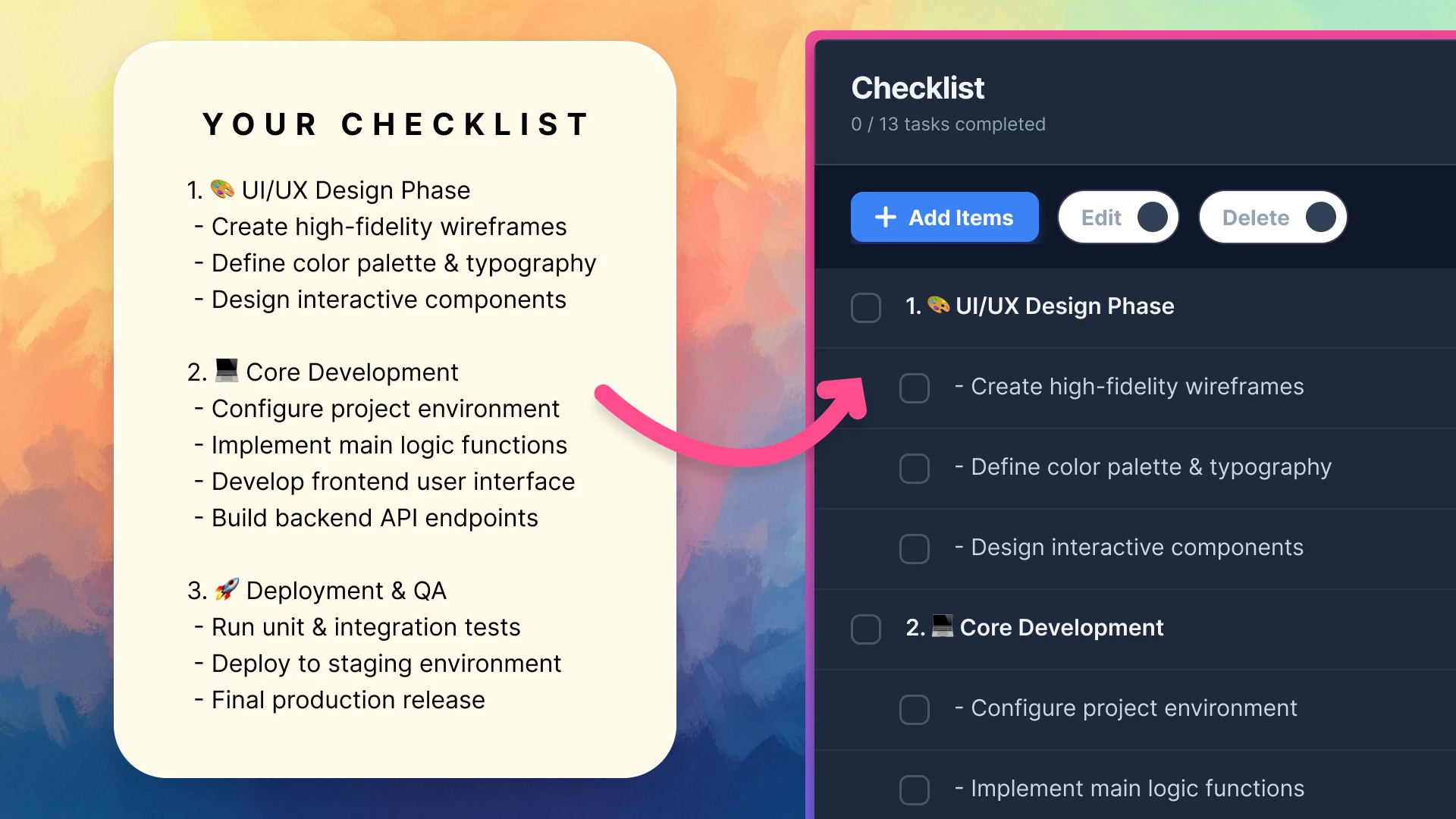
 

Key Features:

  • Text → Checklist in Seconds: Simply paste your text to generate a functional checklist instantly.
  • Progress Tracking: Check items off as you work.


Figma Community:

https://www.figma.com/community/widget/1607614671101354962/text-to-checklist


Try it in the browser:

https://inuris.github.io/figma-checklist


If you find it helpful, please leave a ❤️ on the widget!

4 replies

Deklotz Reena

Is this only avialable in a prototpye? I’m trying to do something interactive on the FIGMA overview page that shows designers all 7 levels of customer-design and then, if possible, they could check off each item as completed… but not as a prototype. (e.g., like how HTML can make an interactive slide vs a static powerpoint slide.)


Khoa Lam
  • Author
  • New Member
  • April 28, 2026

Is this only avialable in a prototpye? I’m trying to do something interactive on the FIGMA overview page that shows designers all 7 levels of customer-design and then, if possible, they could check off each item as completed… but not as a prototype. (e.g., like how HTML can make an interactive slide vs a static powerpoint slide.)

Hi Reena,

It works exactly how you want. Because this is a Figma Widget (not just a standard component), it is fully interactive directly on the Figma canvas / overview page. You and your designers can check off items, edit text, and track progress right there without entering Prototype mode.


Deklotz Reena

@Khoa Lam  Thank you for the information. I’ve requested add-in approval from my company admin. #fingerscrossed. Let’s say, its not approved. Do you have a step-by-step “how-to” guide? 


Khoa Lam
  • Author
  • New Member
  • May 1, 2026

Hi Reena,

To be honest, I built this widget mainly for my personal Figma workflow, so I'm not entirely familiar with how the Enterprise admin approval process works.