

Stop opening Photoshop just to put a design on a phone screen.
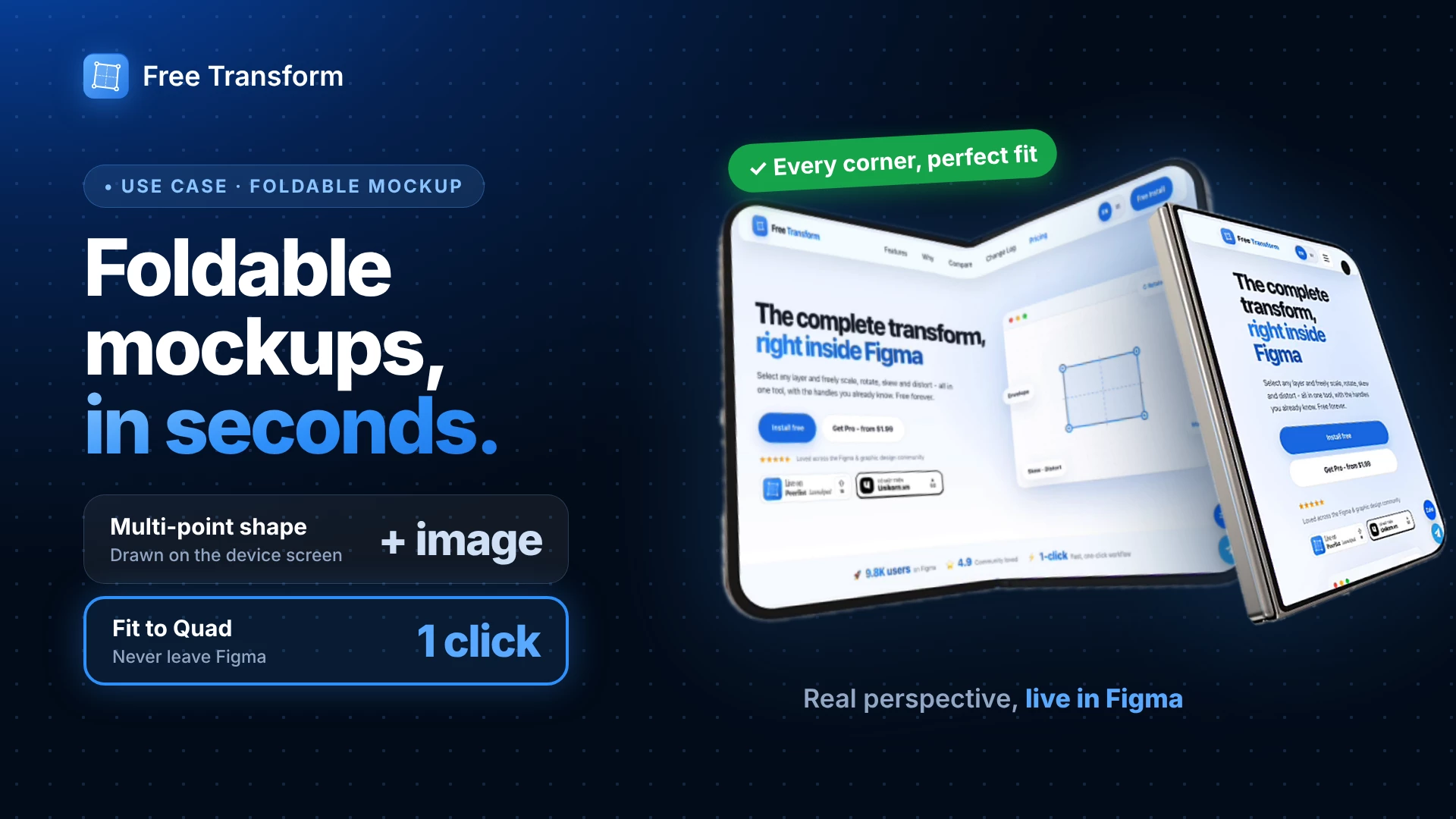
Putting a design onto an angled or foldable device screen usually needs Photoshop. Here’s how to do it without leaving Figma, using the Free Transform plugin.
What you need
- A device mockup image (foldable, tilted, anything)
- The design or screenshot you want to place on it
Steps
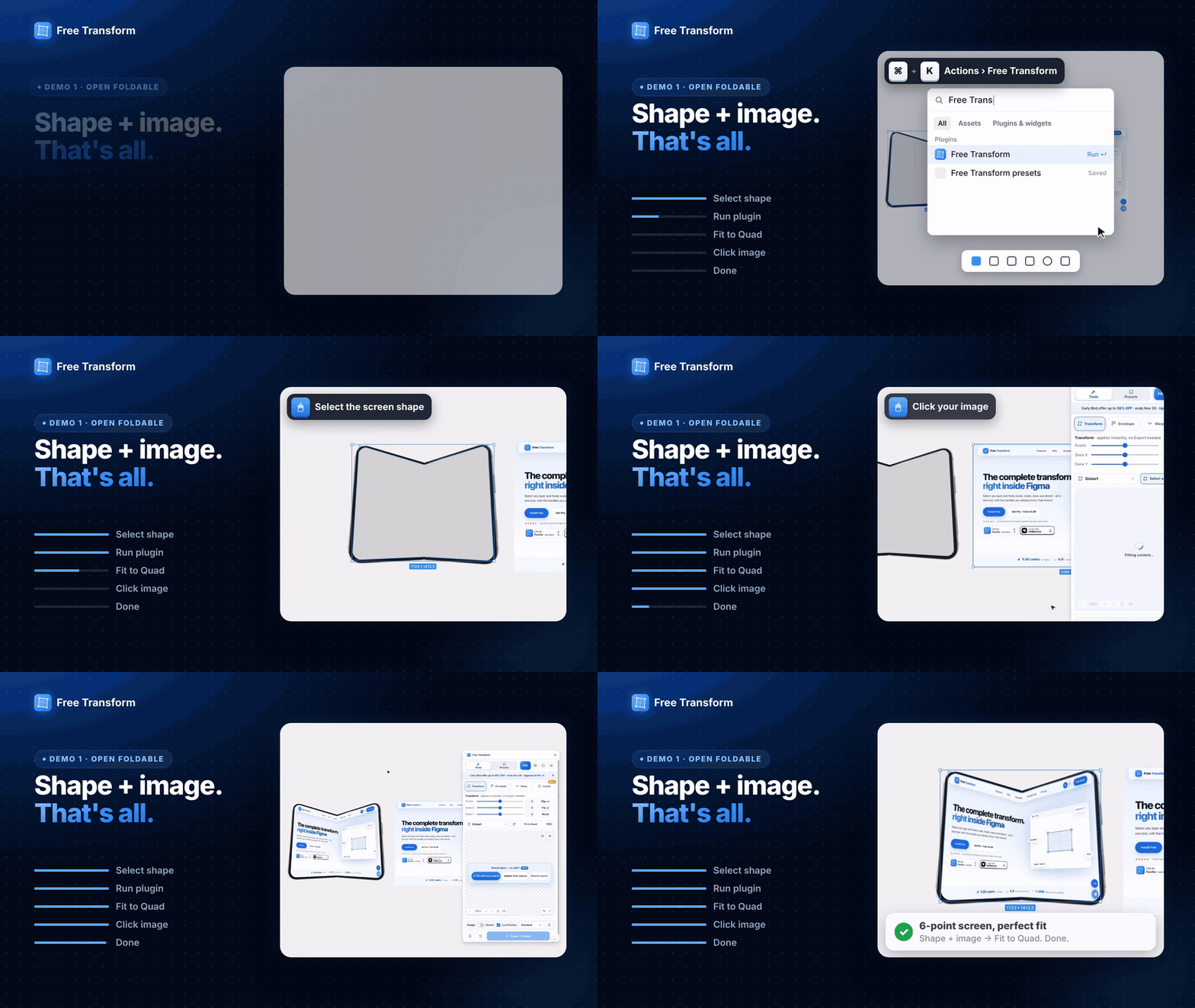
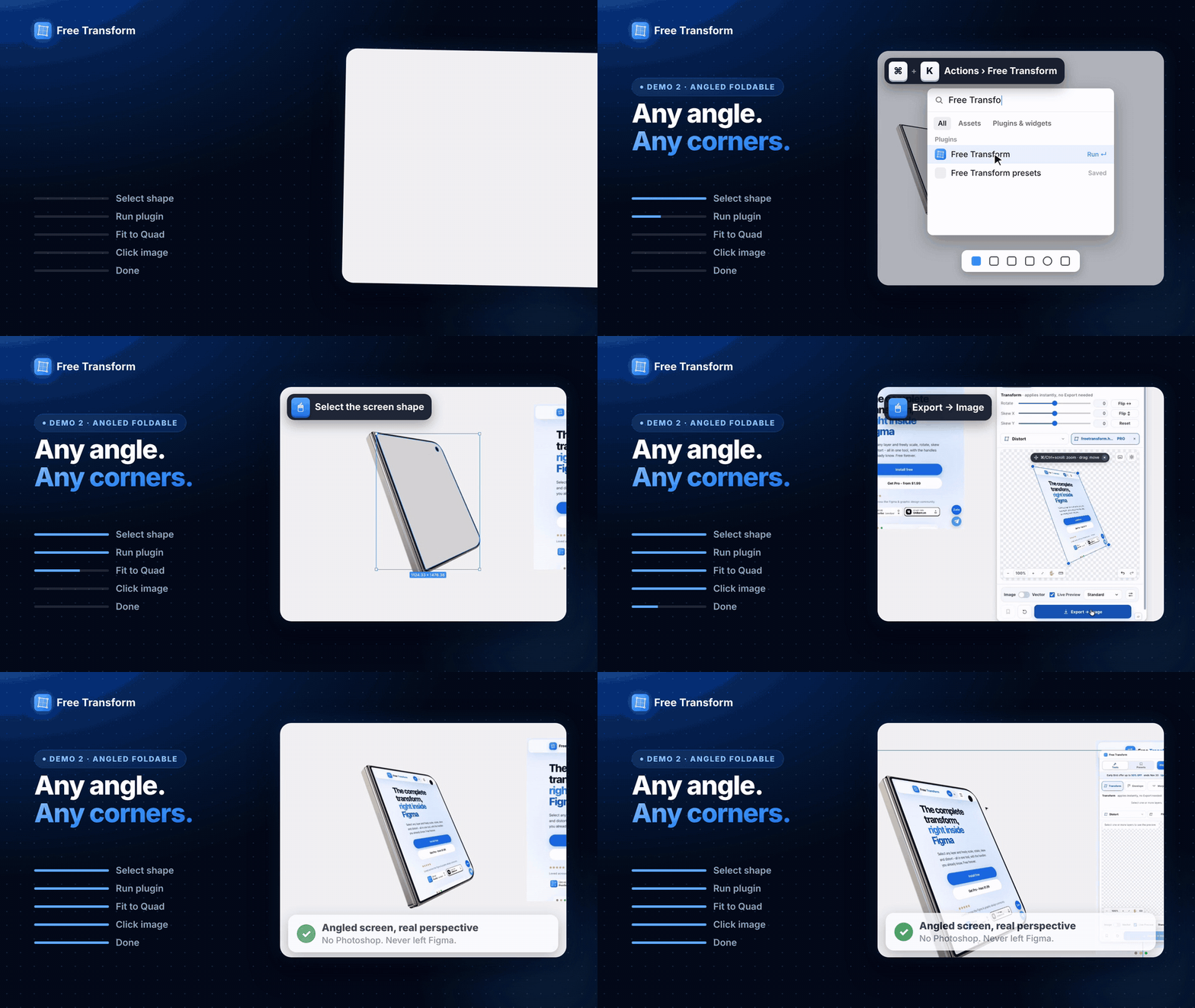
- Draw a shape over the device screen with the Pen tool, one point per screen corner. An open foldable needs 6 points; an angled one needs 4.
- Select the shape and open Actions (⌘K / Ctrl+K), then run Free Transform.
- In the plugin, choose Fit to Quad.
- Click your design. It’s warped onto the shape with correct perspective, and the preview updates live.
- Export as Image or Vector, or come back later and re-edit.
Tips
- Place the shape points exactly on the screen corners for a clean edge.
- Keep your design at the same aspect ratio as the screen to avoid stretching.
Free Transform is free on Figma Community. Fit to Quad is a Pro feature (Early Bird up to 50% off until Nov 30).
👉 Plugin: https://www.figma.com/community/plugin/1648207154922389186/free-transform