

Photogma: PSD to Figma and Figma to PSD, with editable text and shape layers
Hi everyone. I'm the maker of Photogma, a solo side project. Full disclosure: it's paid, with a free tier (details below).
I built it for Figma designers who still receive PSDs and don't want to rebuild them by hand.
The first two images are listing illustrations made from a demo file (a made-up serum ad): the headline comes in as a Figma text layer, gets rewritten, and goes back to PSD still as text.

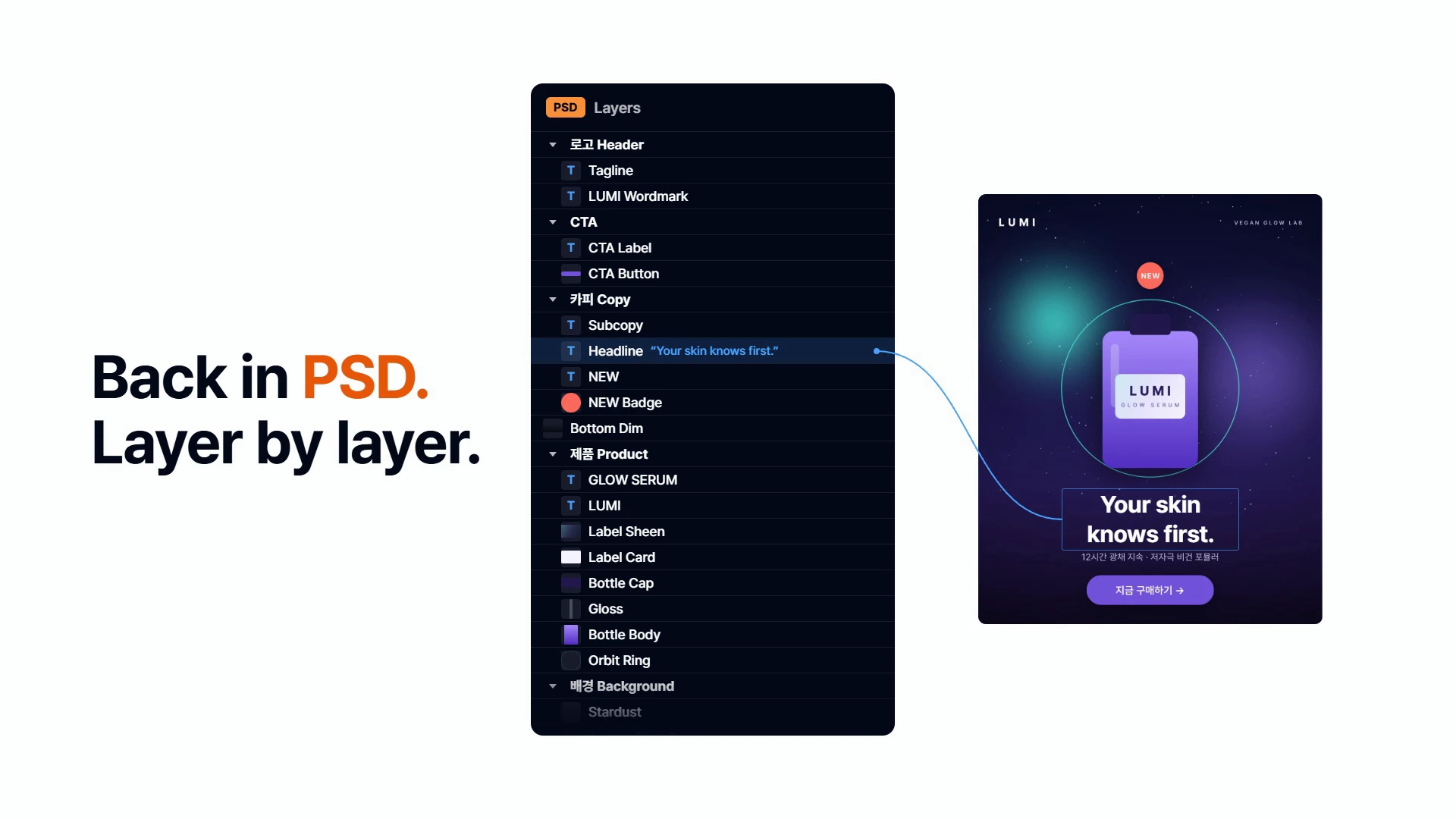
PSD/PSB → Figma
- Text: font, size, tracking, leading, mixed styles, point and paragraph text; rotated text stays editable
- Shapes: live rectangles (with per-corner radius) and ellipses, pen paths, gradient fills, dashed strokes
- Layer, clipping and group masks, plus vector masks on shape layers; blend modes Figma also has (others, like Dissolve, fall back to Normal); each artboard as its own frame
- Drop/inner shadows become Figma effects; color/gradient overlays become fills on text and shapes and are baked into image layers; glows are approximated with shadows
- Layer-style strokes become editable strokes on text and most shapes; on image layers and masked shapes they're drawn as pixels the way Photoshop draws them (outside, inside, center)
Figma → PSD
- Rasterized by default. Turn on "Keep text editable" / "Keep shape layers editable" for real text layers and shape layers with editable paths. Layers that can't stay editable (e.g. multiple fills, dashed strokes) are rasterized and listed with the reason
What it doesn't do (yet)
- Warped and vertical text come in as images
- Bevel & Emboss and Satin are approximated or baked in
- On groups, only shadows are applied; other group layer styles (strokes included) are skipped. Pattern strokes and gradient strokes on image layers aren't drawn yet
- Smart filters come in as Photoshop's rendered result, except a plain Gaussian blur, which becomes an adjustable layer blur in editable imports (not on layers with a mask, clipping or stroke)
- Only levels, curves, brightness/contrast and hue/saturation (master only) adjustment layers are applied, baked into image layers; editable text and shapes under them keep their original colors, and other types are skipped
- CMYK is converted approximately; Lab, Duotone and Multichannel aren't supported
- Figma → PSD: a nested frame or instance with its own fill, "Clip content" or a blur becomes one image with everything inside it, and that isn't listed in the report yet
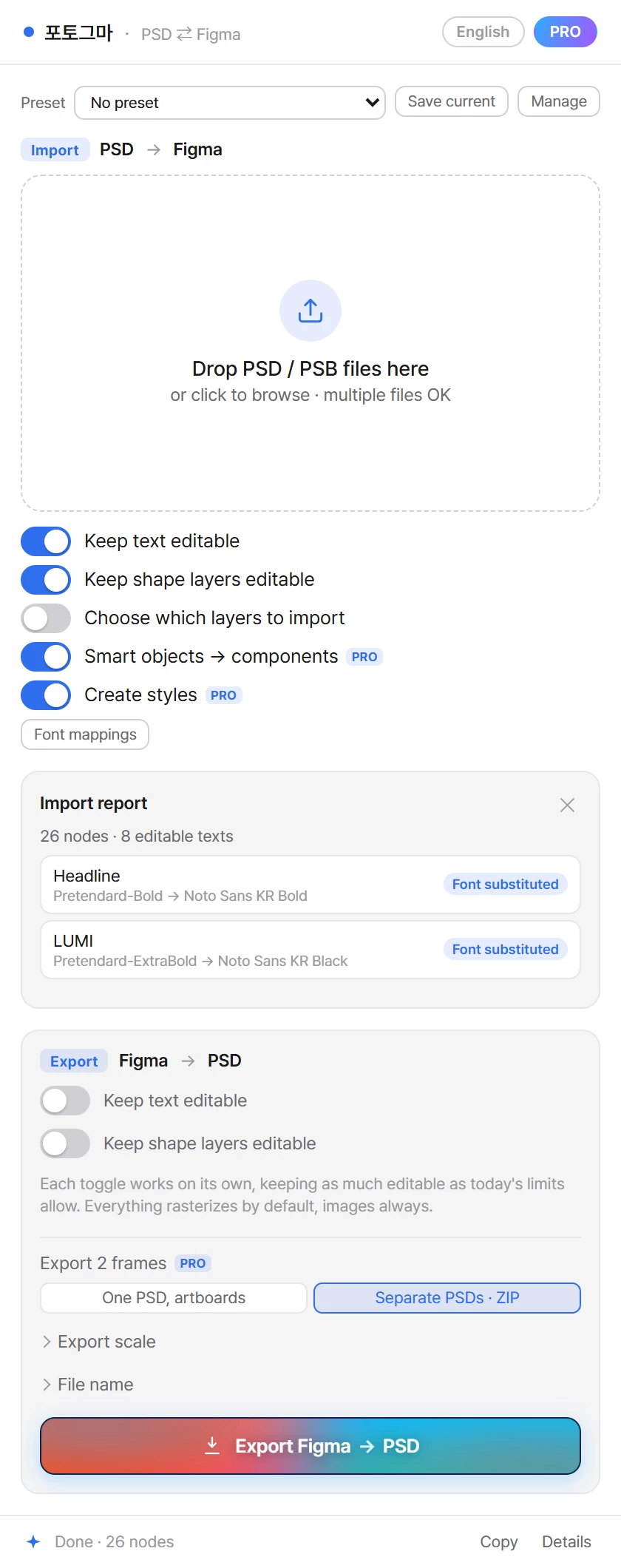
An import report lists text that became an image and font substitutions (click a row to select the layer), plus a summary of the effect types it couldn't reproduce. It doesn't flag everything yet (e.g. glow and Bevel & Emboss approximations, vertical text, skipped adjustment layers and group styles), so check the result. Last image: the demo's report, panel in PRO mode.
The plugin can't make network requests (Figma enforces "networkAccess: none" from its manifest). Your PSD is parsed inside the plugin on your machine, and the result is written into your Figma file, which Figma saves like any other file.
Pricing: raster conversion is free and unlimited (layers and groups are kept; text and shapes come in as images), plus free editable conversions every day. PRO is $19 one-time (early-access price), no subscription, through Figma's checkout. It adds unlimited editable conversions and layer picking, several PSDs or artboards at once, many frames to one PSD or a ZIP (or a whole section to one PSD), @2x/@3x export (raster only), repeated smart objects as components, auto-created styles, presets and remembered font choices.
If a PSD breaks it, tell me what came out wrong, here or in the plugin comments (a description or a stripped-down test file is plenty; please don't post client work). If you paste the plugin's copied log, delete the "user:" line first. Which Photoshop feature breaks most often in your handoffs?
Photoshop is a trademark of Adobe Inc. Photogma isn't affiliated with Adobe.