

ired of Figma API limitations? Solve the "Pull" problem with MKitFlow + n8n or other workflows
Are you struggling to connect Figma to external APIs like n8n or Make for recurring tasks like reporting and design audits?
The biggest hurdle is usually the "Pull" problem: external automation triggers can’t "reach into" Figma to start a plugin or modify a canvas without an active user session.
MKitFlow fixes this by using a "Push" model.
Instead of waiting for an external trigger, you initiate the workflow directly from Figma, pushing specific data (text, layer properties, or JSON structures) to any REST API you define.
Why this is a game-changer:
- Selective Data Transfer: You don't have to send the whole file; just select the frames or nodes you need.
- Bidirectional Intelligence: It doesn't just send data—it can receive messages, documents, or direct commands to modify your Figma design in real-time.
- Deep Analysis: It extracts granular node metadata (colors, text, constraints) for advanced consistency checks.
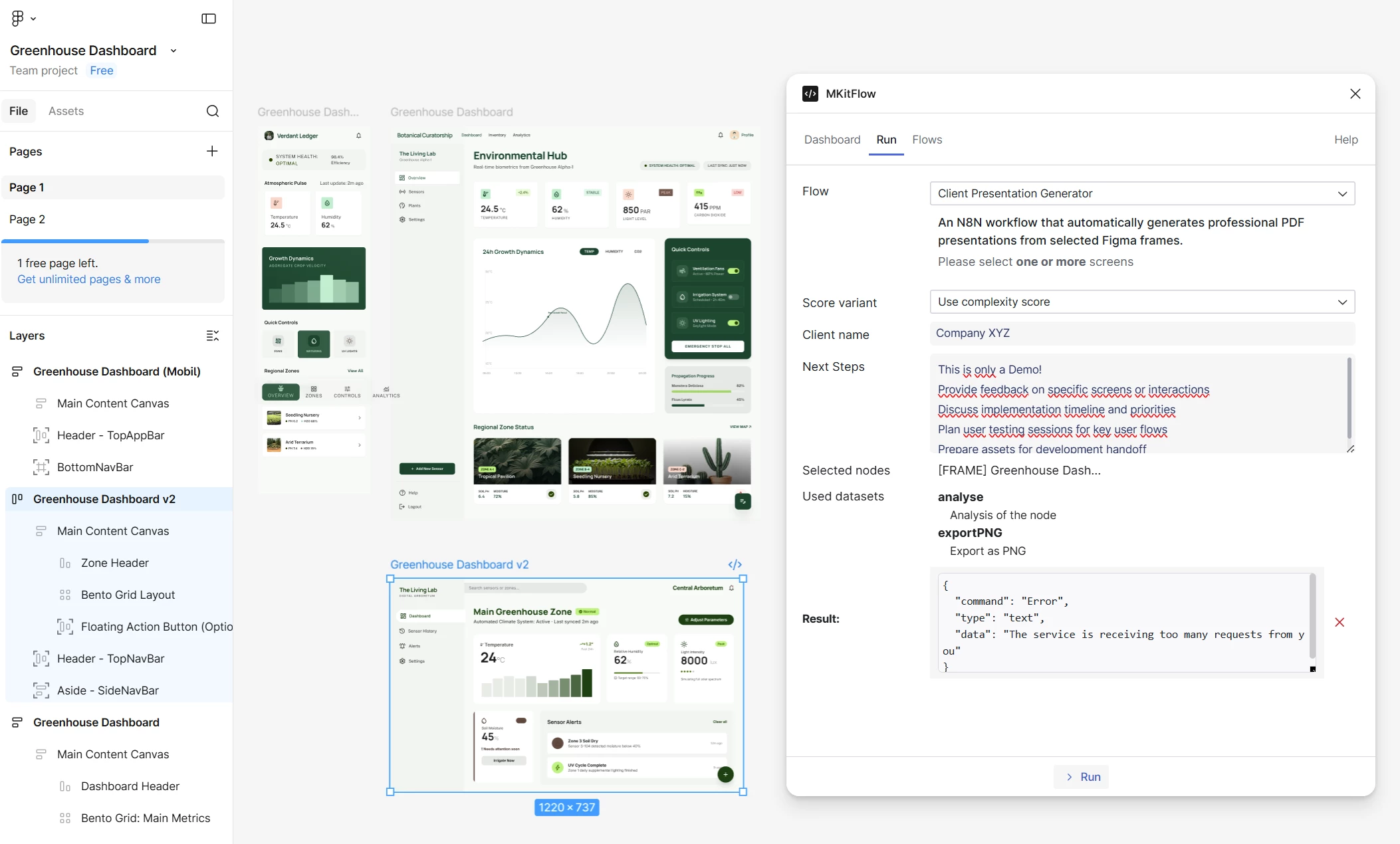
Check out the workflow in the video: I’m using MKitFlow to trigger an n8n workflow for a "Greenhouse Dashboard" project.
- The Trigger: I select 3 design screens in Figma.
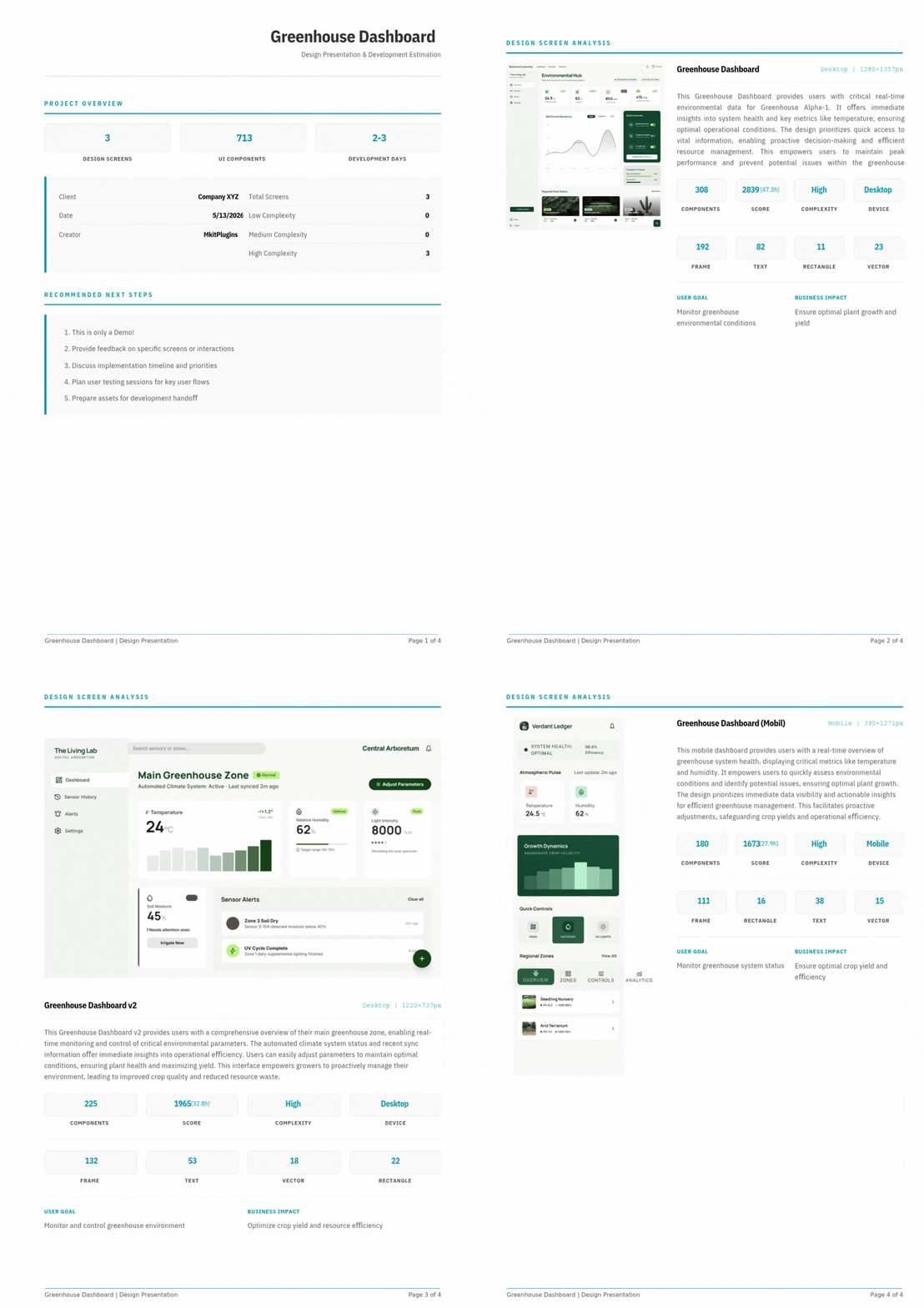
- The Analysis: The plugin pushes the data to n8n, which identifies 713 UI components.
- The Result: An AI analyzes the complexity and instantly returns a professional PDF report, complete with an estimated 2-3 development days based on the design's complexity.
This turns hours of manual documentation and handoff preparation into a 10-second automated task.
Result:
MKitFlow is available under a Community license, making it perfect for agencies and freelancers looking to professionalize their client communication.
Need support setting this up or have a specific automation idea? Let’s discuss it in the comments!