

How to make a perspective mockup in Figma (no Photoshop needed)
Putting a design onto a tilted laptop or phone screen usually means leaving Figma: export, open Photoshop, Free Transform, export, re-import… and repeat every time the design changes.
Here’s how I do it now without leaving Figma, using a plugin I built called Free Transform.
What you need: a mockup photo, your design (any frame or image on the canvas), and the Free Transform plugin.
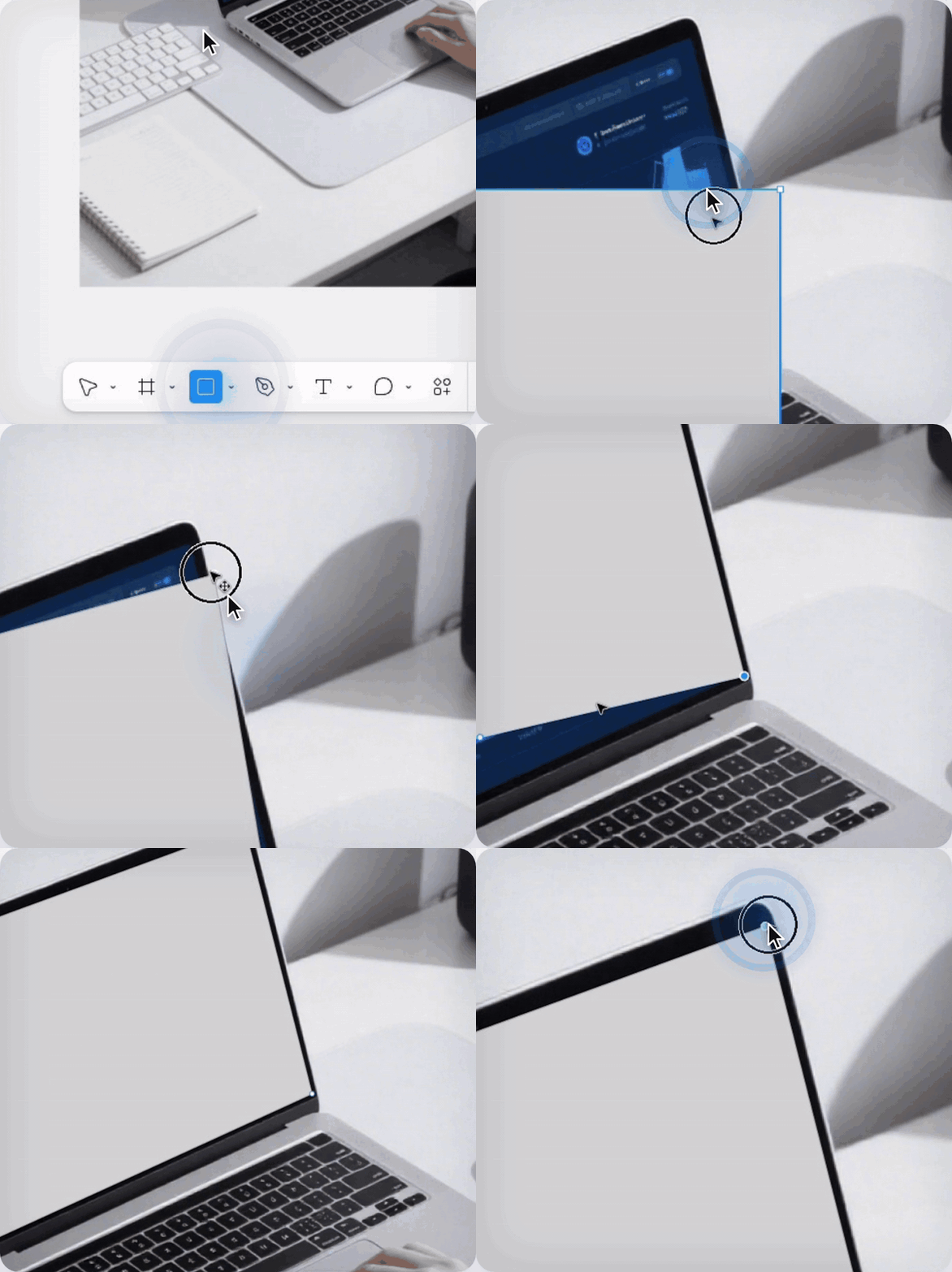
Step 1: Draw the screen shape
- Pick the Rectangle tool (R) and draw a rectangle roughly over the laptop screen.
- Double-click the rectangle (or press Enter) to edit its points.
- Drag each of the 4 corners onto the matching corner of the screen in the photo.
You now have a 4-point shape that follows the screen’s perspective.
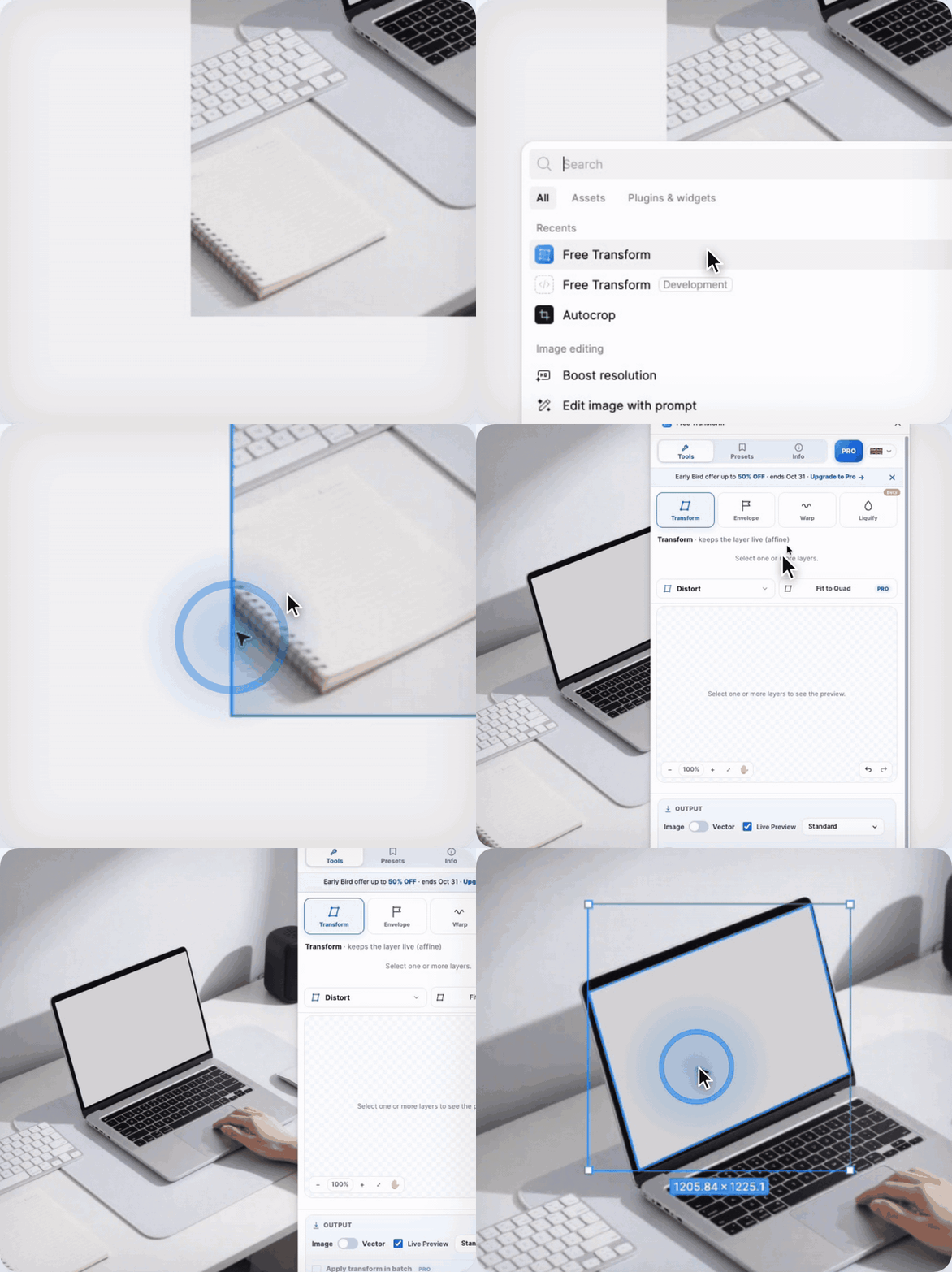
Step 2: Open Free Transform
Keep the shape selected, open Actions (⌘ / Ctrl + K) → Plugins & widgets → Free Transform.
Step 3: Fit to Quad, then click your design
- In the Transform tab, click Fit to Quad (next to Distort).
- The button changes to “Select a top object…”. Now click your design on the canvas.
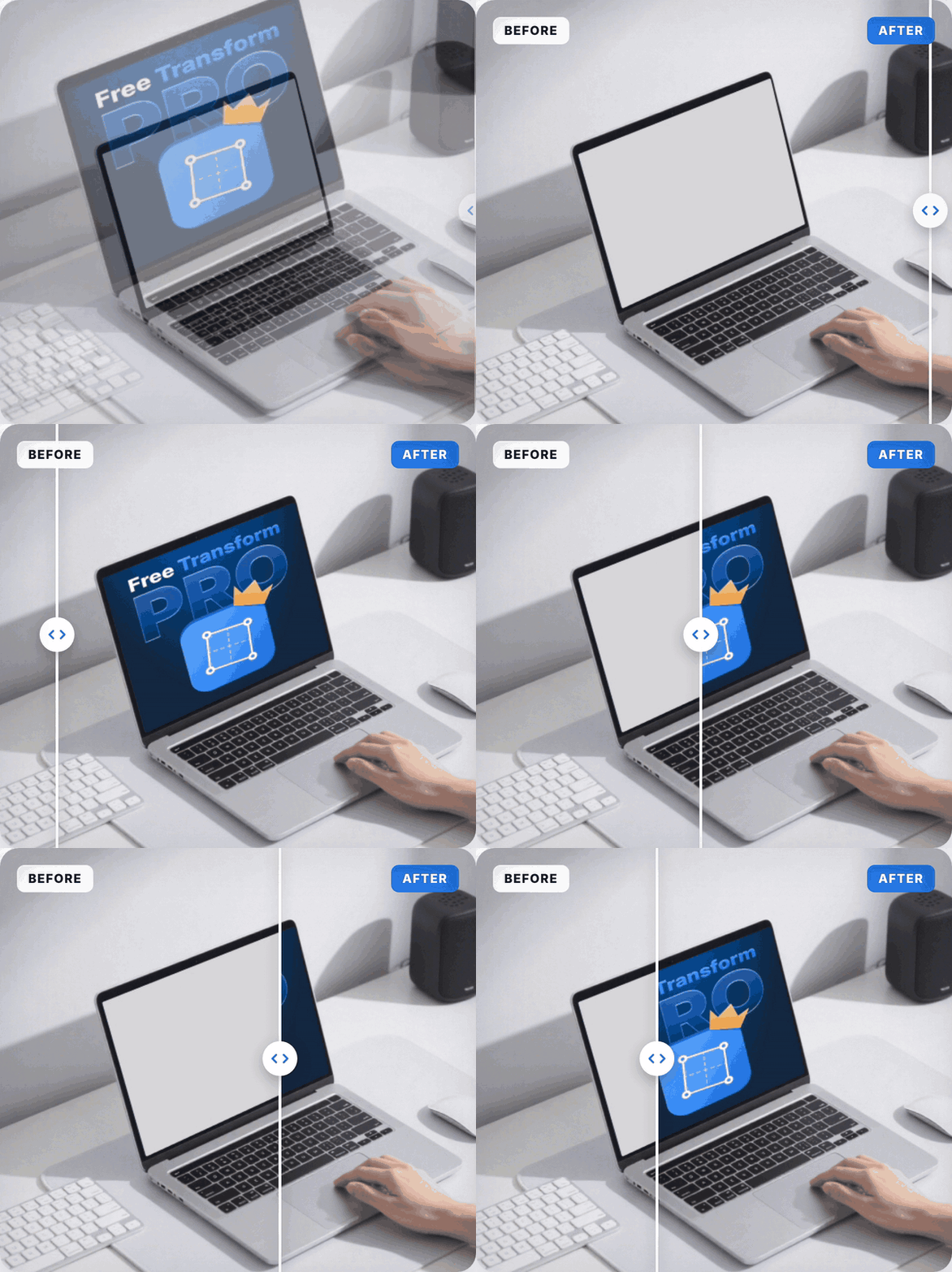
- The plugin fits your design onto the screen shape. This takes a few seconds.
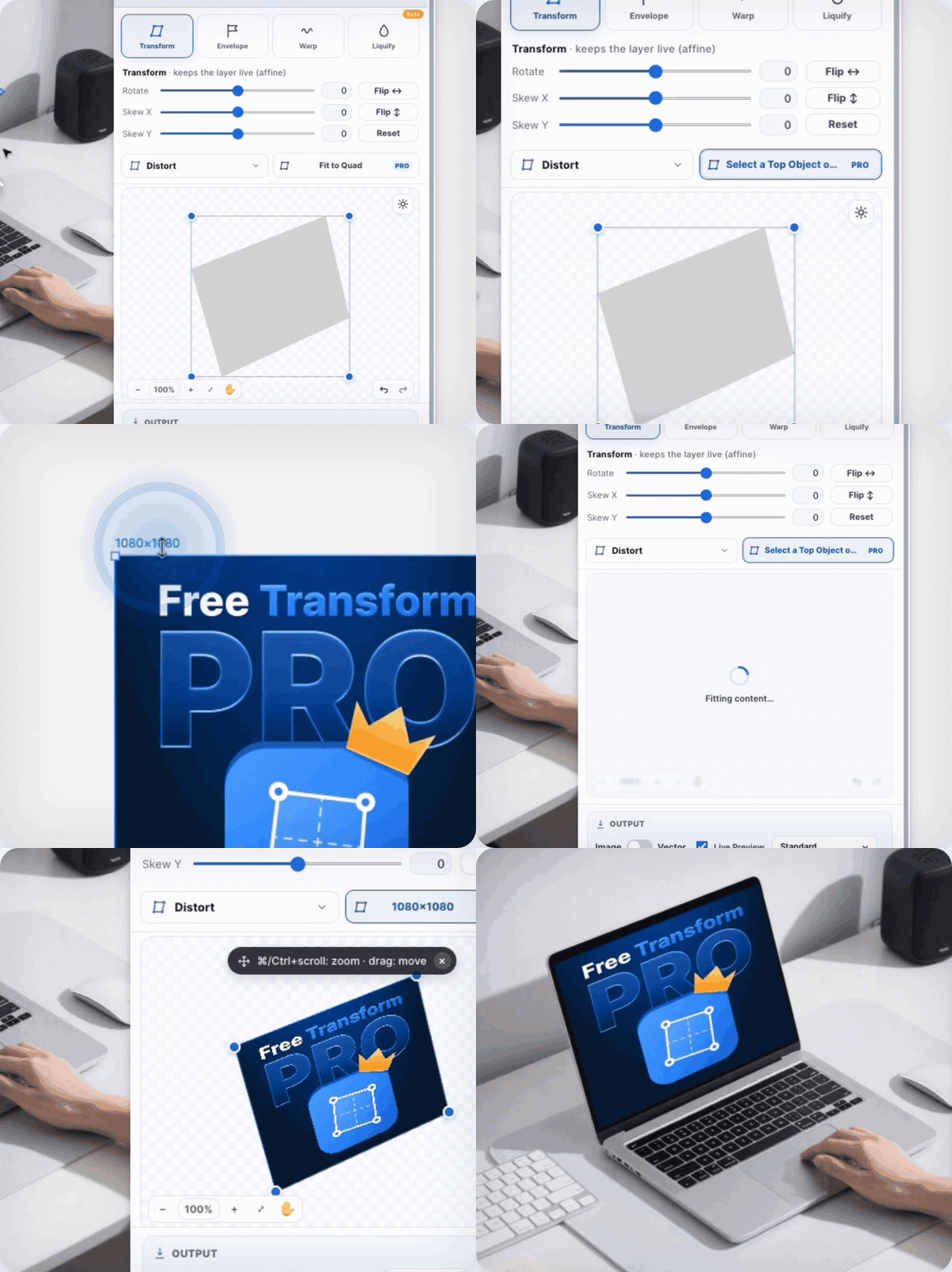
Step 4: Done
Your design sits on the screen in correct perspective, live in Figma. If the design changes, just run it again.
Tips
- Zoom in close when placing the corners. The more precise the corners, the more believable the mockup.
- Works on any 4-sided surface: phones, tablets, posters, billboards, packaging.
- Add Lighting (light angle, shadows, glare) so the screen matches the photo.
- No Pro? Use Distort (free) to drag the 4 corners of your design onto the screen manually.
It does more than mockups
Free Transform also covers Envelope (Arc, Wave, Bulge, Flag…), Warp (Custom Mesh, Plane, Pin), Liquify (beta), Rotate / Skew / Flip, and Vector output that keeps editable paths.
👉 Free Transform on Figma Community: https://www.figma.com/community/plugin/1648207154922389186/free-transform
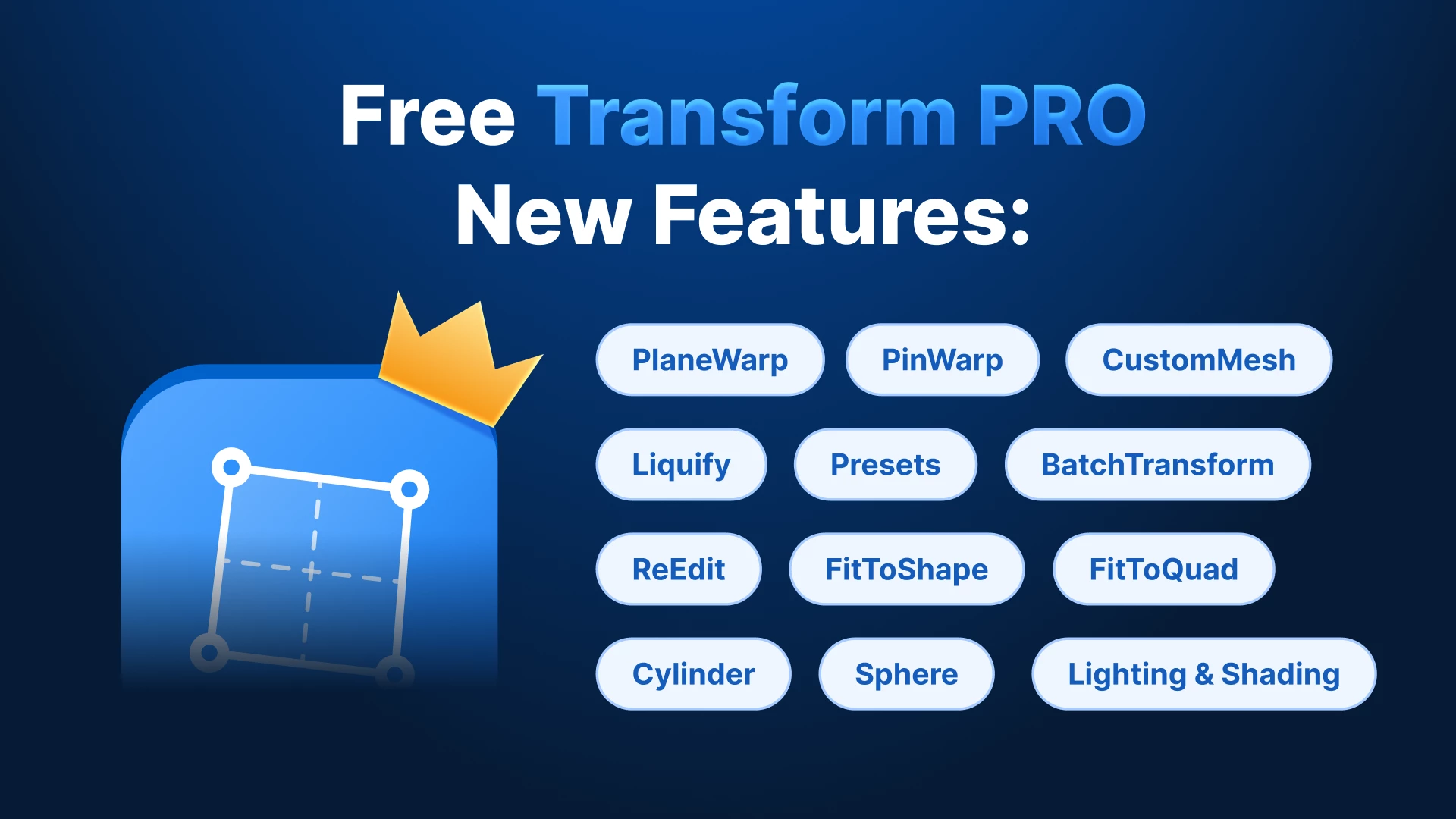
Fit to Quad is a Pro feature (Early Bird up to 50% off until Oct 31). Distort, Envelope presets and Custom Mesh are free.
What do you still leave Figma for? I’d love to hear what to build next.