

Figma UI to editable 3D — Layer3D vs Jitter, Spline, Blender and Figma Motion
Hi Figma Community — I’m building Layer3D, a free Figma plugin that turns selected frames into editable 3D scenes in the browser.
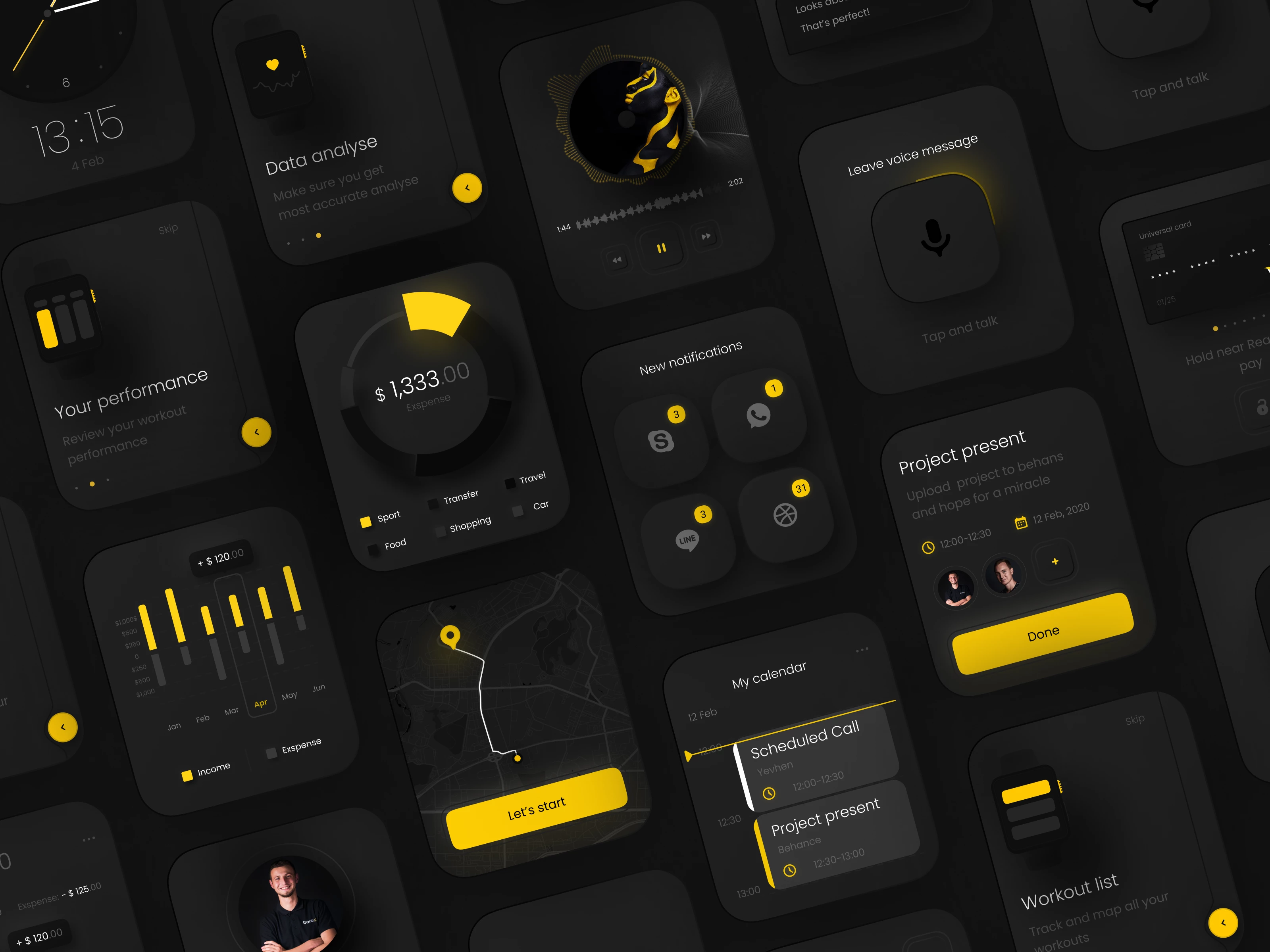
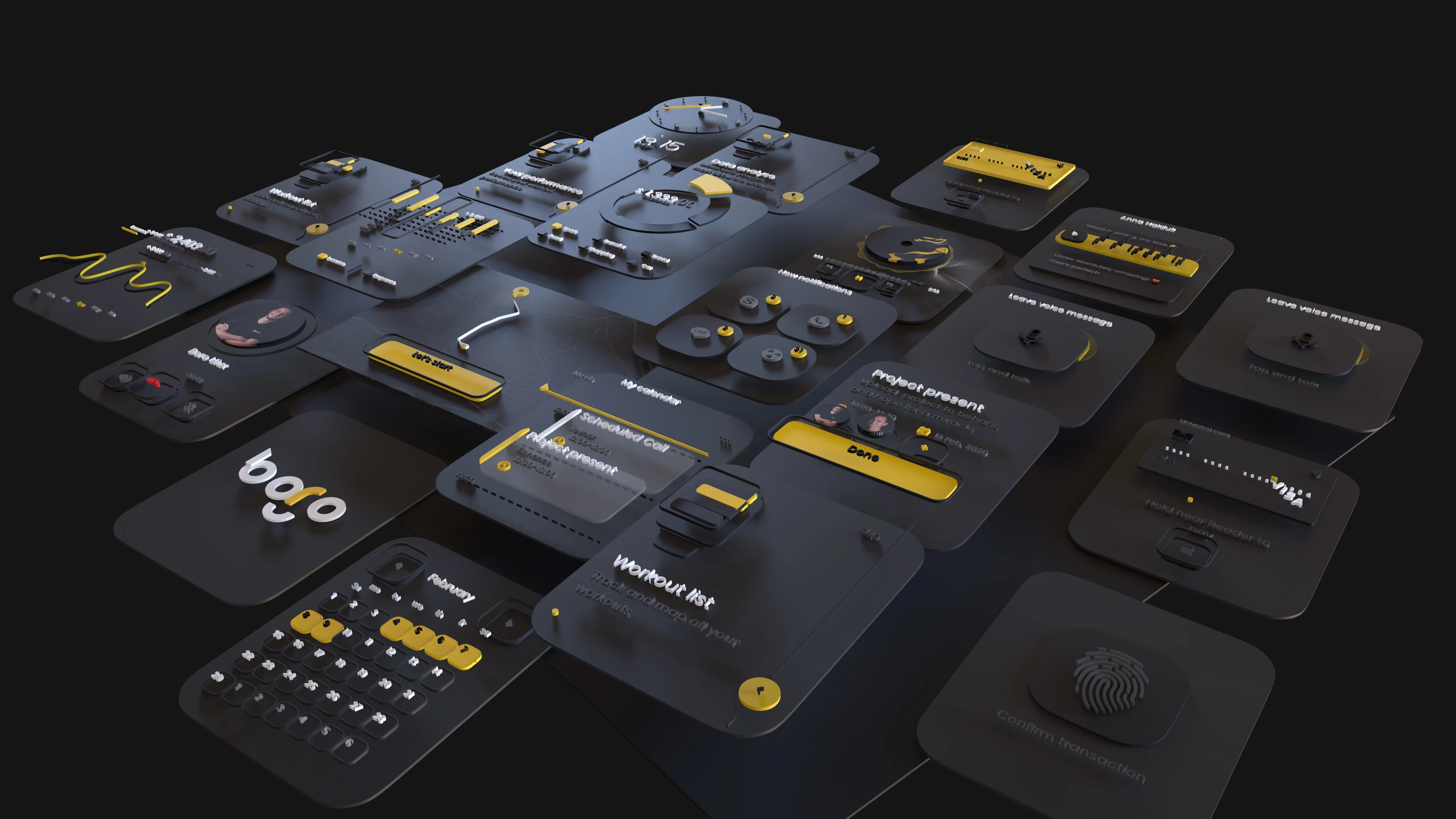
Below is a direct before-and-after example using the same UI kit.
BEFORE — flat UI kit in Figma
AFTER — editable 3D scene in Layer3D
HOW LAYER3D COMPARES
JITTER
Jitter is a strong choice for fast, polished 2D motion design. It imports Figma layers, offers animation presets plus timing and easing controls, and exports formats such as MP4, WebM, GIF and Lottie. I would choose Jitter when the goal is a UI animation, social post, product demo or motion graphic and I do not need a real 3D scene.
Layer3D focuses on a different step: converting the visual hierarchy of an existing Figma design into a spatial composition. I would choose Layer3D when I want to separate interface layers in depth, move a camera around them, add lighting and materials, and create a dimensional product visual without rebuilding the design in a traditional 3D tool.
FIGMA MOTION
Figma Motion is the most natural option when the animation should stay inside the original Figma file. It provides a native timeline, keyframes, presets, reusable motion systems and developer handoff. At the moment, Figma lists native 3D transforms as coming soon.
Layer3D is useful when the design needs more than timeline motion on a flat canvas. It takes selected Figma frames into an editable 3D workspace today, with scene depth, cameras, lights and materials. Figma Motion is better for motion systems tied closely to components and code; Layer3D is aimed at spatial presentation and 3D animation.
SPLINE
Spline is a broad browser-based environment for creating interactive 3D and 2D experiences. It includes modeling, materials, lights, cameras, state and timeline animation, physics, particles, collaboration and web or code export. I would choose Spline when the 3D scene itself is the main product, especially for an interactive website or app experience.
Layer3D is narrower and starts from a different place: an interface that already exists in Figma. Its goal is to shorten the path from a Figma composition to an editable 3D scene, instead of asking a UI designer to reconstruct every card, panel and visual layer as new 3D content.
BLENDER
Blender is the right choice when maximum 3D control is required. It covers modeling, sculpting, rigging, simulation, animation, rendering, compositing and scripting. For character work, complex geometry, simulations or high-end rendering, Blender goes far beyond Layer3D.
Layer3D is for the earlier and simpler case: a product or visual designer already has a Figma file and wants a dimensional result quickly in the browser. It trades the breadth of a full 3D production suite for a shorter Figma-to-3D workflow.
THE FOCUS
Layer3D is not trying to replace Jitter, Figma Motion, Spline or Blender. It is a focused bridge between interface design and 3D presentation:
Figma selection -> editable spatial layers → camera, lighting, materials and animation -> video or image output.
Layer3D keeps the visual layers separate so you can add depth, materials, lights, cameras and animation, then export the result as video or images.
Figma plugin:
https://www.figma.com/community/plugin/1675462833299395359/layer3d-after-effects-for-figma
Free playground file:
https://www.figma.com/community/file/1678854781919224416/3d-saas-dashboard-hero-layer3d
I’d especially value feedback on:
• which kinds of Figma files you would want to turn into 3D
• where the import or first-use flow feels unclear
• what output format you need most
Thanks — Chenguodong