

Color Scales I/O: create, edit, and export accessible palettes for design systems
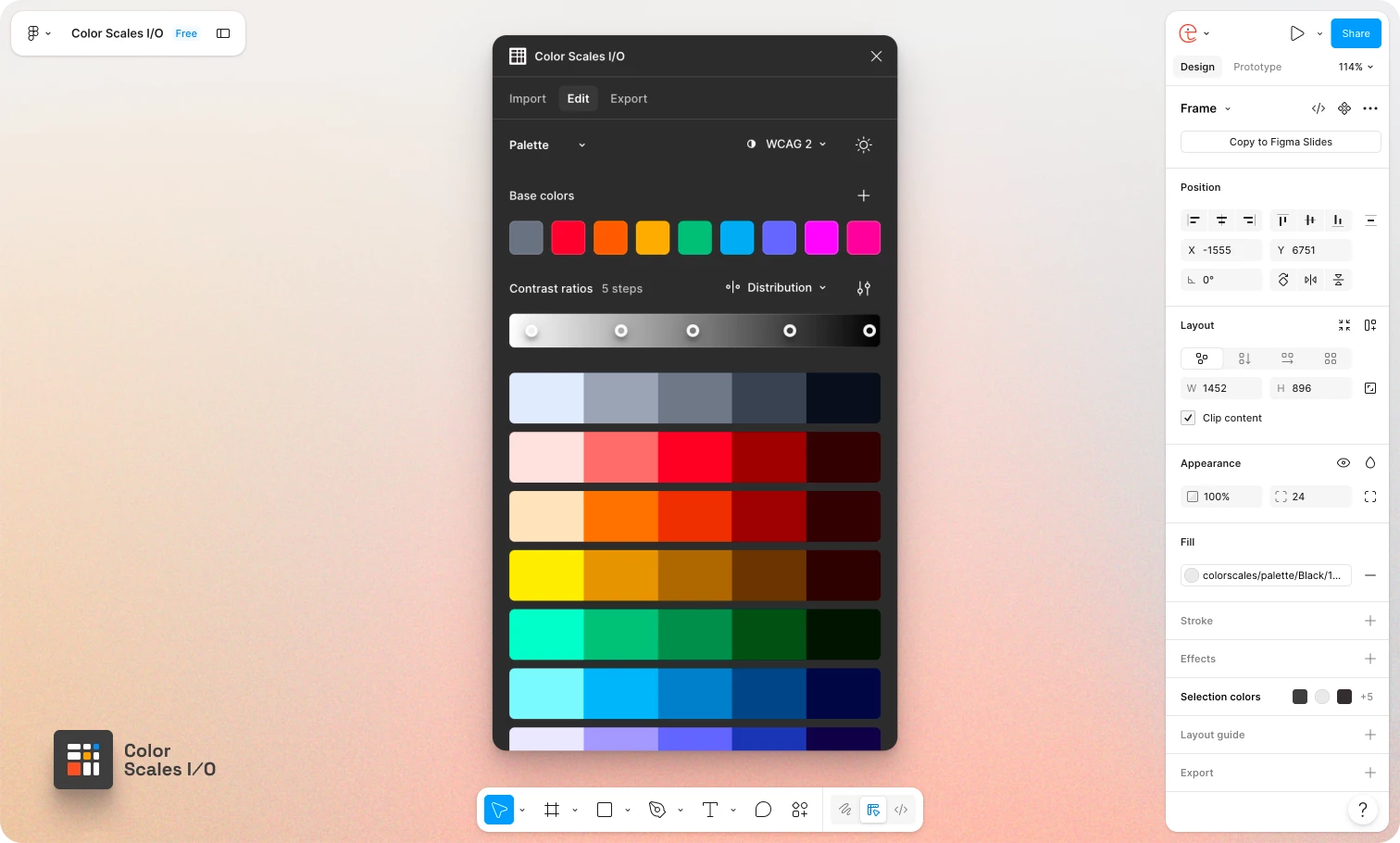
A few months ago I published a Figma plugin to help designers, design system folks, and engineers work faster with colour in Figma.
Colour is one of the hardest parts of a design system to get right and accessibility still tends to be guess-and-check: tweak, export, audit, repeat.
Most of us are still stuck between two bad options:
- Manual tweaking: beautiful ramps in Figma, then hours checking pairs, fixing dark mode, re-exporting variables, and hoping nothing drifted.
- Industry-standard tooling: tools like Adobe Leonardo are powerful, but they were not built for day-to-day Figma work. Personally, it took me years to discover Leonardo's key colours. Worth it, but slow and complicated.
What I tried to solve
Most plugins and tools hand you a bunch of nice colours and walk away. Or they ask you to do the maths. I wanted to give designers time back to experiment, iterate, and play inside a system that is:
- Safe: accessibility handled by a proper engine, not eyeballing every stop
- Non-destructive: tune ramps, themes, and modes without rebuilding from scratch
- Extensible: grow from one brand colour into a themeable system
- Portable: one workflow to Figma Variables, W3C tokens and Dev Mode code
What the plugin does
Color Scales I/O integrates Adobe Leonardo contrast colour engine under the hood.
Start from your base colours.Import from:
- Figma selection: select frames with your base colours and hit import
- Design token files: paste or drag-and-drop your JSON
- Leonardo theme URLs: paste a theme URL to import an existing Leonardo theme
- Image extraction: upload an image and extract dominant colours
Generate accessible palettes. You can add or remove stops for APCA (WCAG 3.0) and WCAG 2.1 contrast targets. For each scale you can work in 12+ colour spaces (OKLCH, LCH, HCT/Material 3, HSLuv, Display P3, and more) with Tailwind, Material-style or your custom ramp distributions and curves.
Edit visually. Drag contrast stops, adjust curves, preview changes live on your canvas. Switch formulas, tune global lightness/contrast/saturation, and build adaptive themes (light, dark, high contrast, or custom modes) without rebuilding every ramp by hand.
Export as your pipeline, not as an afterthought:
- Figma variables and styles
- W3C design tokens (DTCG JSON/YAML)
- Leonardo theme URLs (Pro)
- Dev Mode CSS/JS snippets (Pro)
The core features of the plugin are free forever: editing, import, APCA/WCAG, curve editor, theme adjustments, and colour spaces are available without paying. Exports to variables/tokens are usage-limited on the free plan (3 exports per 30-day rolling window). A Pro version ($49 one-time) unlocks unlimited exports, persistent themes in the file (next time you launch the plugin you continue from where you left), multi-mode setups, cross-file theme copy/paste, Dev Mode snippets, and more.
Give it a try, play with different workflows, import colours, preview and export your theme in light or dark modes. I'm especially curious from people working on UI kits, design systems, or even brand palettes. Any bugs, sharp edges, or "this makes no sense" feedback is very welcome.
Plugin: https://www.figma.com/community/plugin/1564367214330636618/color-scales-i-o
Learn more: https://colorscales.io
Thanks for reading.