

Built a tints and shades generator Plugin that creates Figma color styles automatically
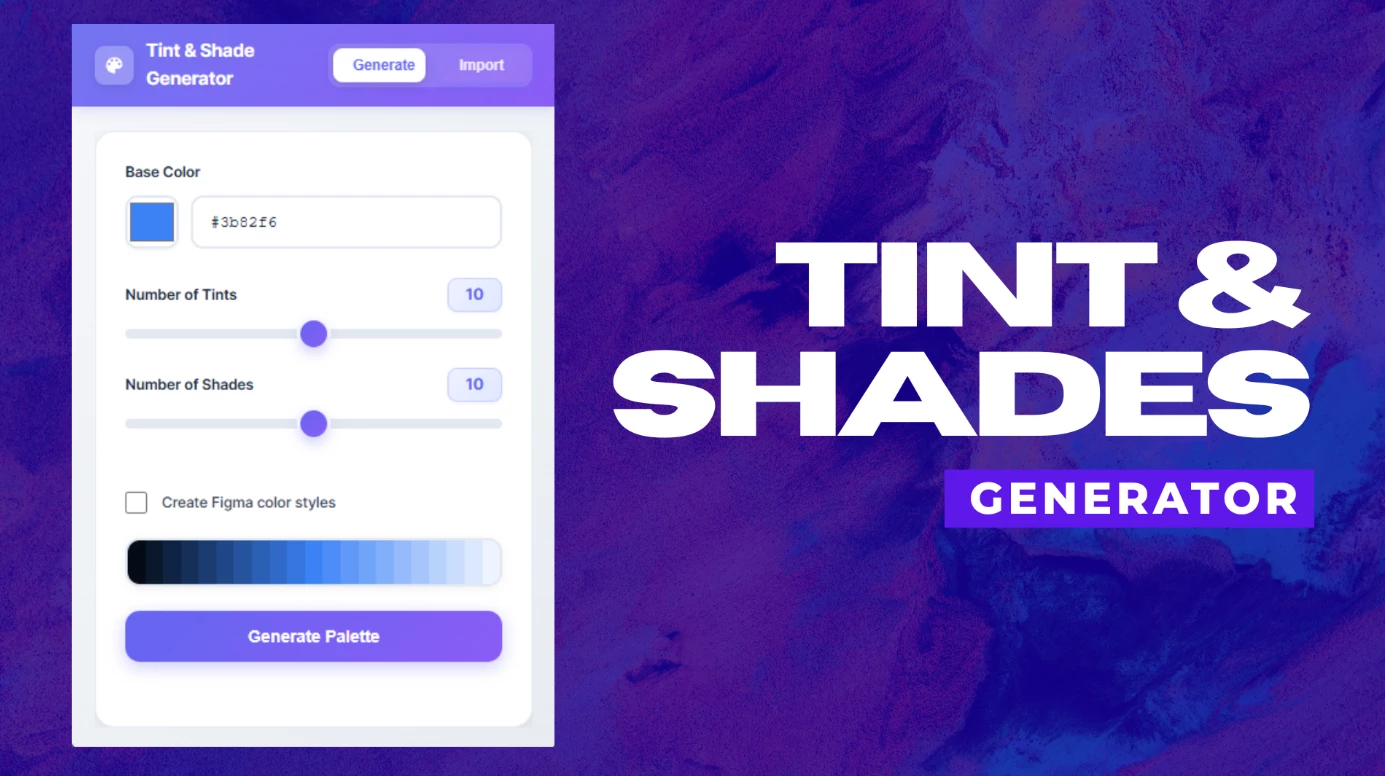
As someone who works on design systems, I kept wasting time on something that should be instant: generating a full color palette from a single base color.
The Real Problem
Here is what building a color palette actually looks like without a proper tool:
- You pick a base color
- You manually create 8 to 10 lighter and darker variations
- You eyeball the steps and hope they look consistent
- You create each color style in Figma one by one
- A week later the brand color changes and you redo all of it
- Your design tokens are now out of sync with what is in Figma
This is the part of design system work nobody talks about because it is unglamorous. But it eats real time.
What the Plugin Actually Does
One thing that is different: it does not just show you the colors. It creates the Figma color styles for you in one click. You go from a single hex value to a complete, named, production-ready palette inside your Figma file without touching the styles panel.
Everything else:
Color Math
Tints and shades are generated using proper color math, not random lightness jumps. The steps are consistent and predictable, which matters when you are building semantic color scales.
Web App with JSON Import
There is also a companion web tool. Generate your palette there, export as JSON, and import it directly into the plugin. Useful if you want to build palettes outside Figma first or share them with developers.
Auto Layout Frames
Results are presented in clean auto-layout frames on your canvas. Easy to review, easy to share with stakeholders.
What It Is Best For
- Design system builders who need consistent color scales
- Product teams setting up brand colors and semantic tokens
- Anyone who has changed a brand color and had to manually update 40 styles
- Developers and designers working together on design tokens
Where It Falls Short
It generates tints and shades from a single base color. It is not a full color theory tool, so it will not suggest complementary or analogous palettes from scratch. If you need perceptually uniform color scales like those used in some advanced design systems, you may need to fine tune the output manually.
My Experience
I built this because I was spending too much time on palette work that felt mechanical. The part that changed my workflow most is the automatic style creation. What used to take 20 minutes of clicking through the styles panel now happens before I finish my coffee.
The JSON import has also been useful when handing colors off to developers. They get the same values I am using in Figma without any copy paste errors.
The Bottom Line
This is not trying to replace color theory or creative palette decisions. It solves one specific problem: once you have a base color, getting a complete consistent palette into Figma should not take more than a few seconds.
Plugin and web app are both free. Link Here: Tint and Shade Generator
How are others handling color palette generation in their design systems right now?.
Curious if there are approaches I have not considered.