

Why does Figma deliberately add friction to the account upgrade process?
BLOG POST:
Why does Figma deliberately add friction to the account upgrade process? 🤬
So I’ve been building start-ups for over 15yrs and the holy grail of any app is to convert a non-paying user into a paying one. But Figma has gone out of its way to deliberately make upgrading your account harder than it needs to be and violates every principle of UX in the process.
The Problem:
To use Dev Mode in Figma you must have a Full or Dev account. When I click the button to access Dev Mode I get a dialog that pops up that says “Upgrade to work in Dev Mode” and a button that says “Learn More” and a secondary button that says “Back to Design Mode”.
Now if you’ve used the internet ever, you’d assume that the “Learn More” button will put you into a user flow where you can enter your billing info and access the premium feature you had just tried to access. But no, the geniuses at Figma have decided that this page should link to a support page!?!?
*Blood pressure rises…
On this support page no buttons or links allows the user to add their billing info to upgrade their account. It’s just a UX dead end. The user signaled they wanted to access a paid-for feature but instead of putting the user into a flow to upgrade their account it just goes to a support page. Figma has a market cap of nearly $20Bn, who the f**k signed off on this shit design?!
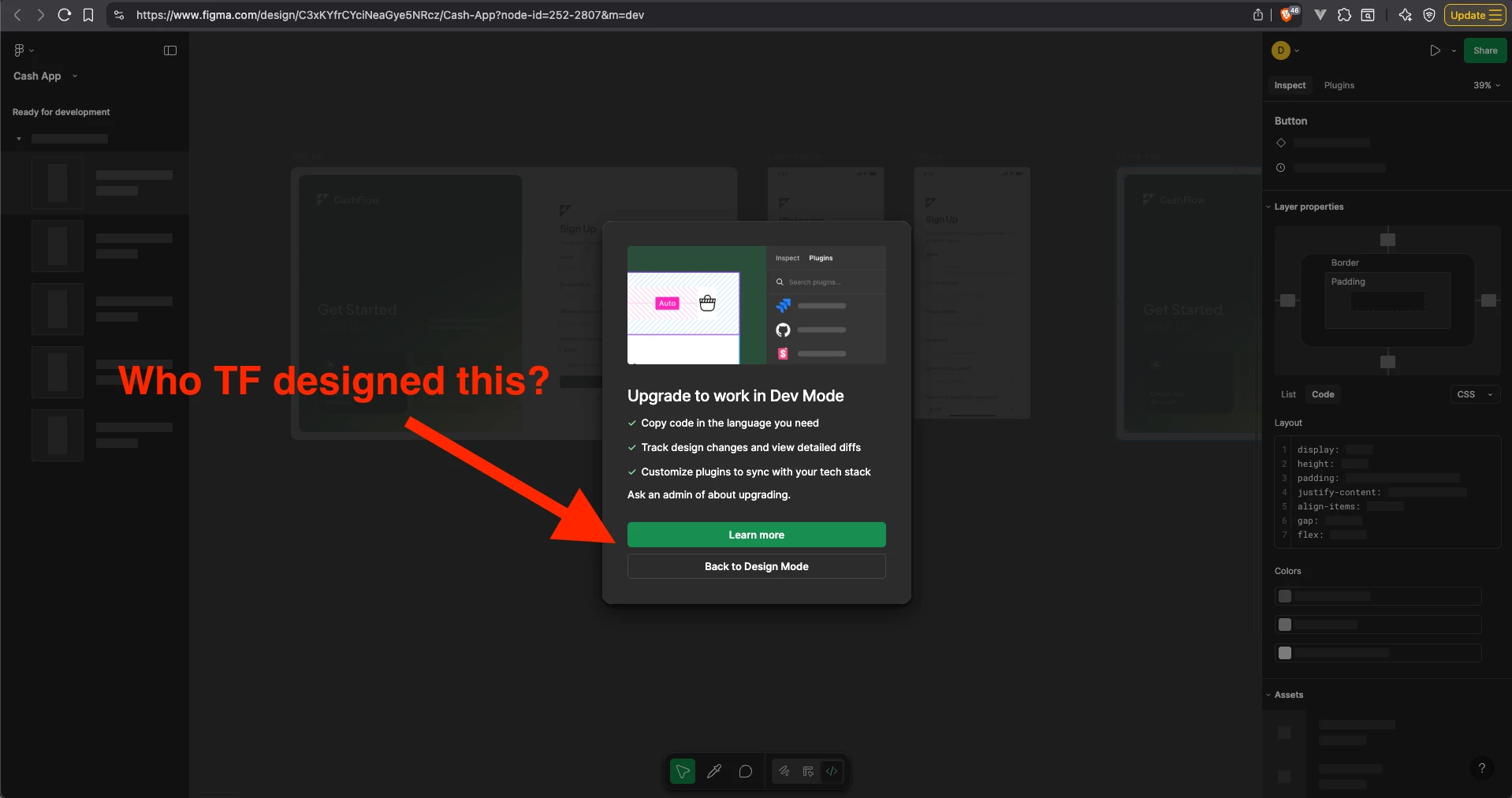
It gets worse:
So after going back to the design view, I figure I can probably upgrade my account somewhere in the account settings page, thats how I’d upgrade my account on literally every other app. I click on the Figma Icon in the top left of the design screen, Account, then Account Settings. Lo and behold, the big brains at Figma are out to f**k-up my day once again by not allowing me to upgrade my account here either.
It gets even worse:
So after 20mins of aimless clicking around I figure how to upgrade my account, you need to go back to the “home page” that shows all of your recent designs, and then click on your user icon from the top left, then settings. This renders THE EXACT SAME ACCOUNT DIALOG BOX that you see in the design view, except this has a section titled “Upgrade Figma Plan” and a (honestly too small given its importance) blue button that says “view plans”. This button allows you to upgrade your account.
It absolutely incenses me that UX/UI designers get paid what they get paid when it’s so blatantly obvious that most of them are out to f**k-up every app they touch. There should be NO FRICTION WHATSOEVER when getting a user to upgrade to a paid account. Non-paying users should only ever be a single click away from a dialog box with a Stripe card entry form, anything short of this is objectively bad UX.