
Margot_Gabel
Active Member
Sep 4, 2025 10:32 AM UTC

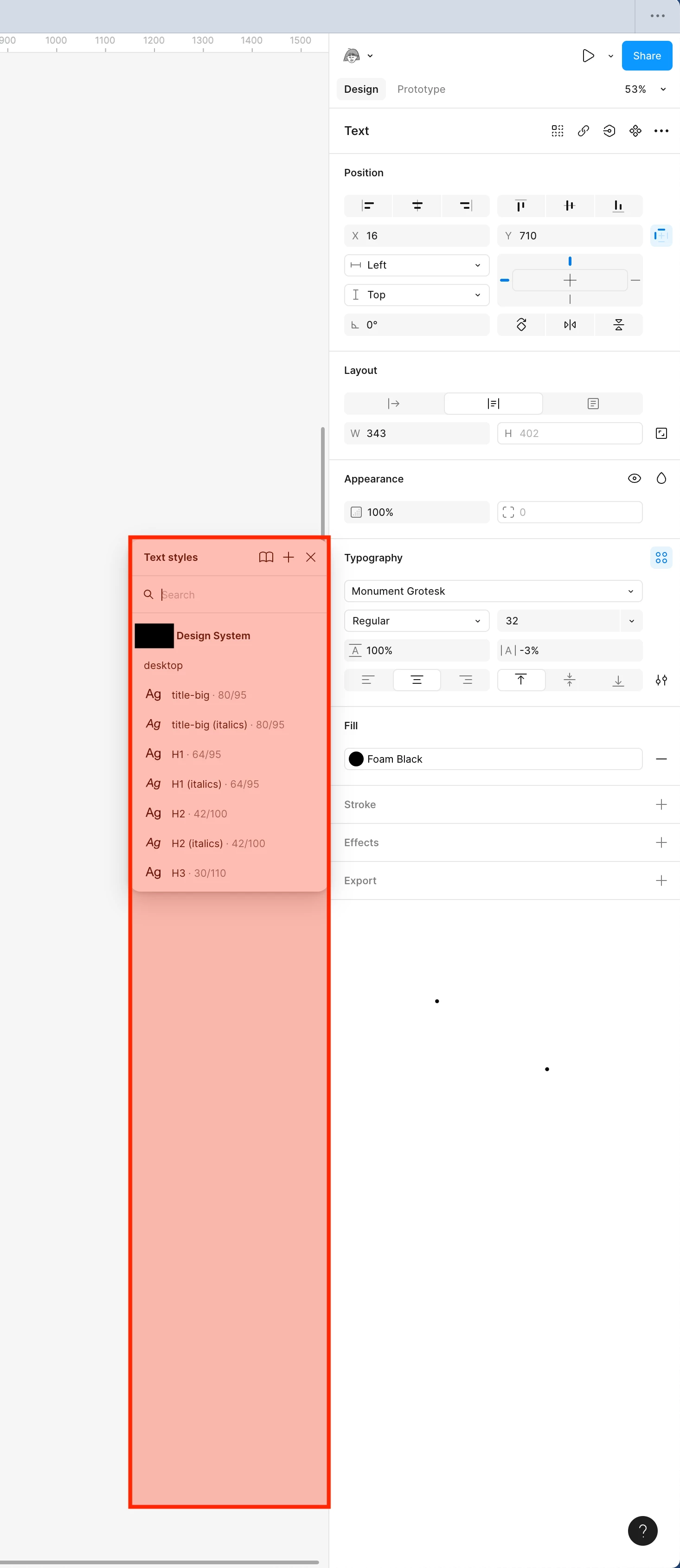
Why are panels SO SHORT?!

We work on large display but Figma UI doesn’t adjust and shows minuscule panels for Text Styles, Library, Font lists, etc…. 

See related post below:
 

4 replies

M_Y
New Member
Feb 12, 2026 3:50 PM UTC

And too narrow with no means of making the menu wider. I just want to read my Text style labels without having to hover over each one if the name is long. I have the screen space for it.  


Margot_Gabel
Active Member
Mar 3, 2026 1:53 PM UTC

I am so surprised to see this has still not improved. It would save us hours to NOT have to scroll each time we select a text style in this panel that is just too narrow and too short… It is simply bad UX. Let us resize these panels to adapt to our screens! 

Using Figma since 2018.
Connor McNally
New Member
Jul 2, 2026 1:22 AM UTC

Running into this ‘quality of life’ issue right now… searching/scrolliong for the style every time I open the libraries panel is quite repetitive.

More to this, the panel closing every time when I select a colour is quite annoying. Every time I assign a colour style/variable to an element I have to click ‘Fill → Library → Search/scroll → select my colour’. It would be great if this panel was detachable (to stay active) to the main UI and height adjustable.

Margot_Gabel
Active Member
Jul 2, 2026 7:47 AM UTC

Running into this ‘quality of life’ issue right now… searching/scrolliong for the style every time I open the libraries panel is quite repetitive.

More to this, the panel closing every time when I select a colour is quite annoying. Every time I assign a colour style/variable to an element I have to click ‘Fill → Library → Search/scroll → select my colour’. It would be great if this panel was detachable (to stay active) to the main UI and height adjustable.

This! ☝️

Using Figma since 2018.
