Vickie Carvalho
New Member
Nov 19, 2026 4:35 PM UTC
Solved

Update to Figma Motion timeline properties

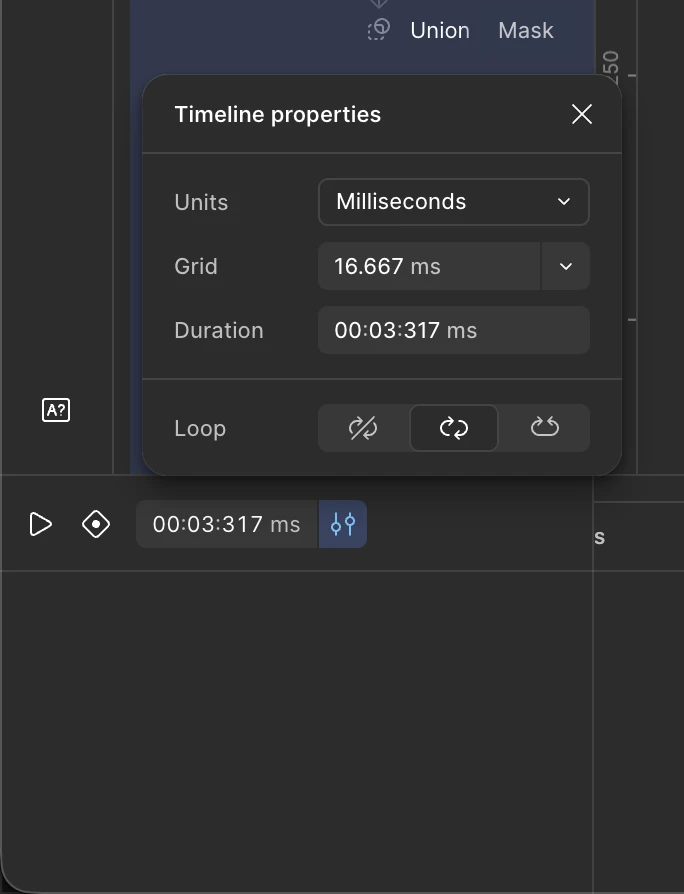
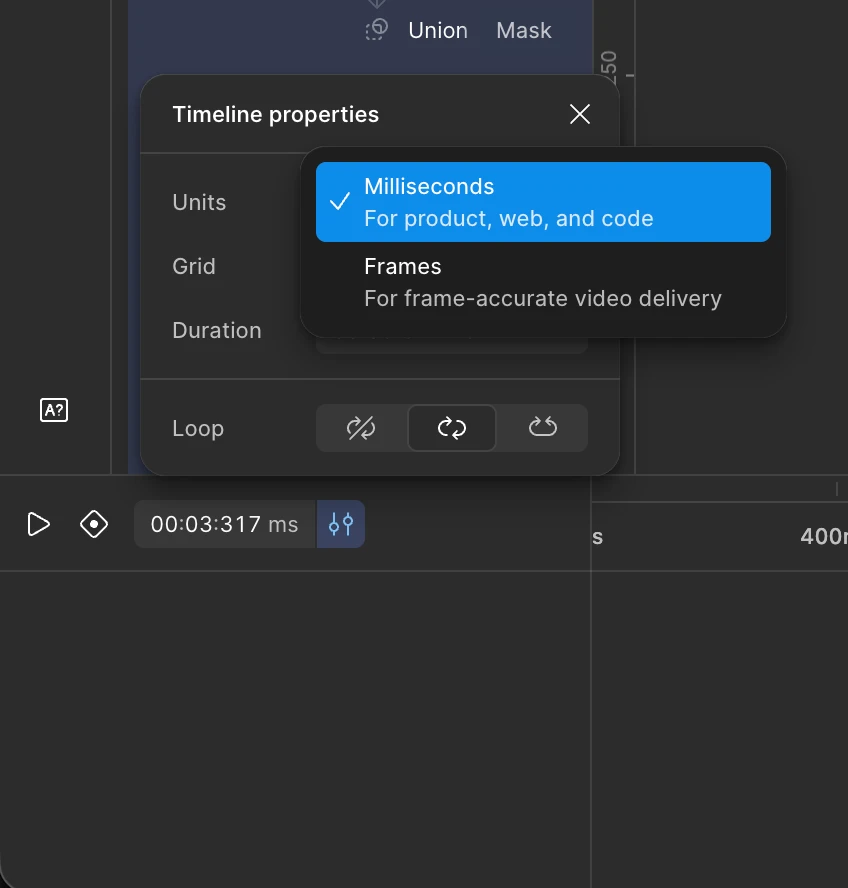
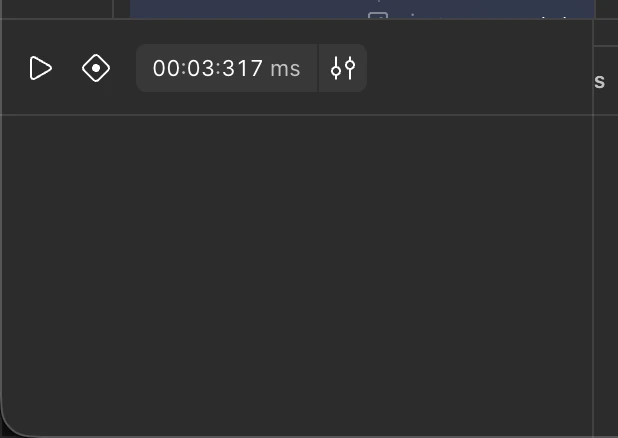
So as of today I noticed an update to the UI of the Figma Motion timeline. Aaaand I hate it. I don't know why the option to have the timeline set to seconds instead of milliseconds is gone now. To extend the duration of the timeline you simply had to type it in the box next to the current time. Now it requires like three extra clicks to get to it.

Am I the only one who thinks this update is creating unnecessary friction to the motion workflow?


adamsmasher
adamsmasherSolution
Figmate
Nov 19, 2026 7:47 PM UTC

Hi ​@Vickie Carvalho! Thanks for posting about this - I can definitely understand how this affects working on the timeline for you. Fortunately, we didn’t remove the option and just moved where you find it.


Duration is now under Timeline settings > Duration, and the unit choices are Milliseconds and Frames per second. You can still type a duration like 10s into the Duration field, or drag the timeline’s right edge to extend it.


Let me know if you have trouble, or if you have any other feedback about the change - happy to share that with the team.

1 reply

adamsmasher
Figmate
adamsmasherSolution
Figmate
Nov 19, 2026 7:47 PM UTC

Hi ​@Vickie Carvalho! Thanks for posting about this - I can definitely understand how this affects working on the timeline for you. Fortunately, we didn’t remove the option and just moved where you find it.


Duration is now under Timeline settings > Duration, and the unit choices are Milliseconds and Frames per second. You can still type a duration like 10s into the Duration field, or drag the timeline’s right edge to extend it.


Let me know if you have trouble, or if you have any other feedback about the change - happy to share that with the team.