

Bethany_Rockney
New Member
May 23, 2026

The icon for the new Figma Agent is in the worst spot

  • May 23, 2026
  • 25 replies
  • 656 views

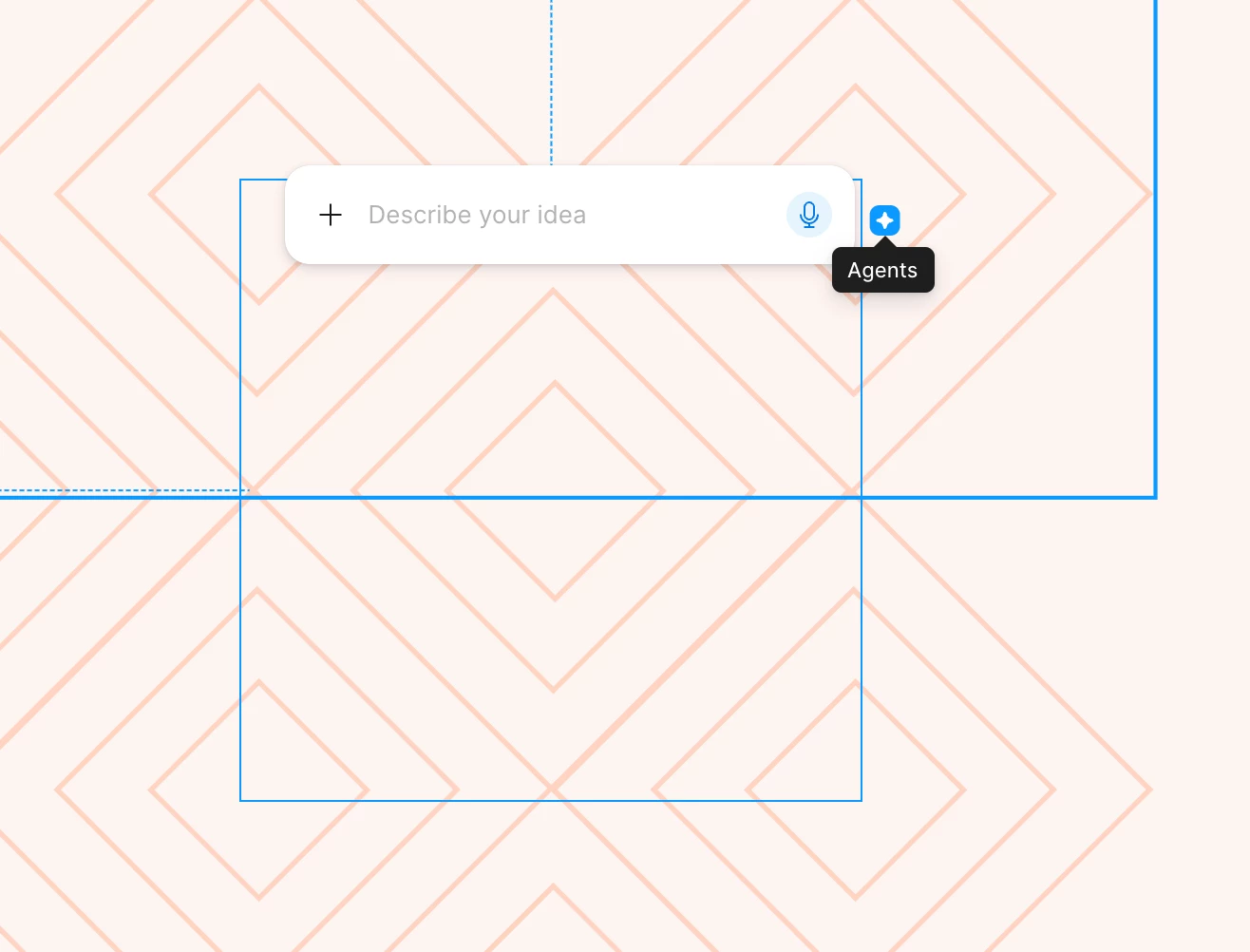
Whose idea was it to put the little icon for the new AI agent so close to the upper right corner of an object? I can’t tell you how many times I’ve gone to adjust the size of an object and accidentally opened the agent. Each instance doesn’t take that much time, but when you do it countless times a day, it makes work that normally feels fluid feel disjointed. If I want to open the agent, the option in the left nav panel is super easy to access. I don’t need the agent connected to every object I touch. I’d like to see the user research (or lack thereof) that made team Figma think this was a good idea. You’re assuming the agent is so helpful and so needed that people need it right there. That’s confirmation bias at it’s finest. Please take this away or at least move it! 
 

25 replies

Celyn_L
Figmate
Figmate
July 3, 2026

Hi ​@Eli_Lozovyagin, we really appreciate you taking the time to share this. It genuinely means a lot to hear.

Thank you as well for being part of the Figma community since 2019. We truly value your continued feedback as we keep improving Figma.

As Jaycee mentioned above, our team is actively rolling out a fix for the missing "Show AI chat on canvas" setting, so you may or may not see the option back in your Preferences menu just yet.

For anyone else following along, as the rollout continues, please try refreshing or reloading Figma, as that may help once the update reaches your account.

Thanks again for your patience while we work to get this resolved as quickly as possible. We truly appreciate your support 🙌

JoeGarner
New Member
July 6, 2026

I agree 100%. Glad to see others are already talking about it. Hopefully it gets removed soon. 

As an aside, I think this erodes trust in the platform. As digital designers, we understand how these tricks work. We know that putting the Figma Agent icon where we would constantly see it is a form of "deceptive design" or a "dark pattern" approach to advertisement. I don’t believe this was unintentional. There are much better ways to promote a product that don’t annoy users and damage trust.

Andrey_Sergeev
New Participant
July 6, 2026

I agree 100%. Glad to see others are already talking about it. Hopefully it gets removed soon. 

As an aside, I think this erodes trust in the platform. As digital designers, we understand how these tricks work. We know that putting the Figma Agent icon where we would constantly see it is a form of "deceptive design" or a "dark pattern" approach to advertisement. I don’t believe this was unintentional. There are much better ways to promote a product that don’t annoy users and damage trust.

I agree completely, the fault is the lack of feedback between those who take responsibility and those who use the product.

Figma, which was originally created by a team inspired by simplicity and convenience, speed of development and minimalism, before our eyes, becomes a fattened product in which changes are created for the sake of changes.

“We pay these people, let them do something all the time”
 

When I saw a photo of Dylan Field 6 years ago, I was shocked, a young guy made such a timely luxury product, and now I’m looking for an alternative because objectively the product is becoming overloaded, what was done quickly takes longer to do, the cursor constantly trips over unnecessary functions (which you also don’t allow to disable, oh gods).

What would Dylan have said 5 years ago when he saw that AI icon constantly creeping into my eye? I think he would have vomited)

ilil_hitin
New Member
July 26, 2026

hi,

I insert a frame and want to resize it by dragging the right edge. the Agent icon is too close, every time instead of dragging to resize- its being clicked. a dropdown open and another click is needed to close it. 


The agent hover and in the way of dragging the frame to resize it

on click it opens this menu, and I need another click to close it.
adamsmasher
Figmate
Figmate
July 26, 2026

Hi, ​@ilil_hitin - thanks for your feedback regarding the placement of the agent icon. I’ve merged your post into this thread regarding the topic so we can keep all the conversation around it in one place.


As with the other feedback in this thread, it’s easy to understand why this is impacting your workflow. Have you disabled showing the agent on canvas? Like my colleagues have mentioned in some previous replies, disabling the setting found via Figma menu > Preferences > Show Agents on canvas will hide the icon for you. The agent is still accessible in the left nav panel, so this is just hiding the icon.