Missing width/height dimensions for nested objects in Auto Layout grids
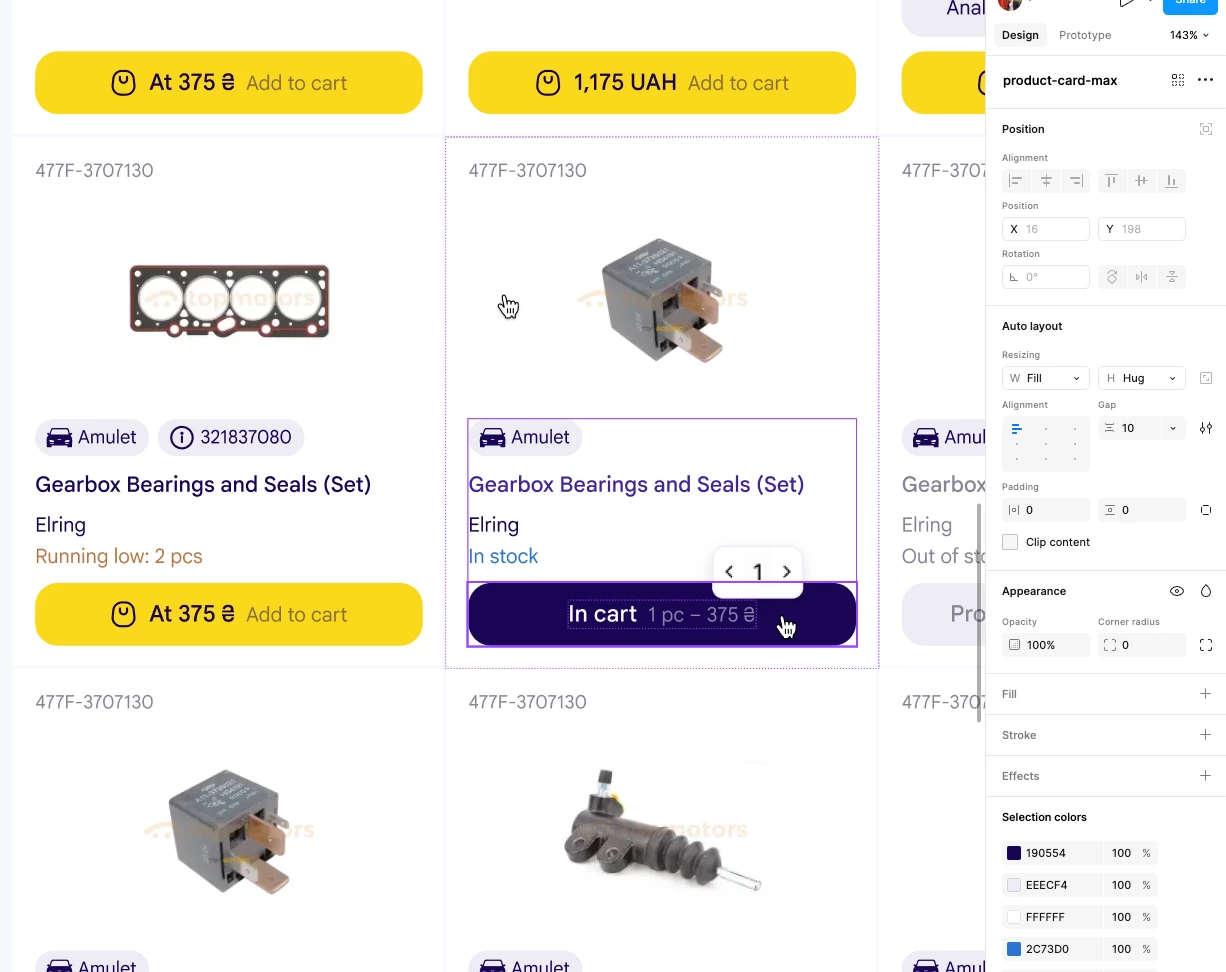
The Problem: When using the Auto Layout grid feature (e.g., creating a 3x3 product card layout), the actual dimensions of nested objects like buttons or text layers are hidden in Design mode. To see the exact width or height, you are forced to hover over the resizing dropdowns in the right sidebar.
When a nested element is set to Hug or Fill, its absolute W and H values disappear from the right sidebar entirely, leaving only the X and Y coordinates visible. Furthermore, the dimension tooltip does not appear under the object on the canvas.
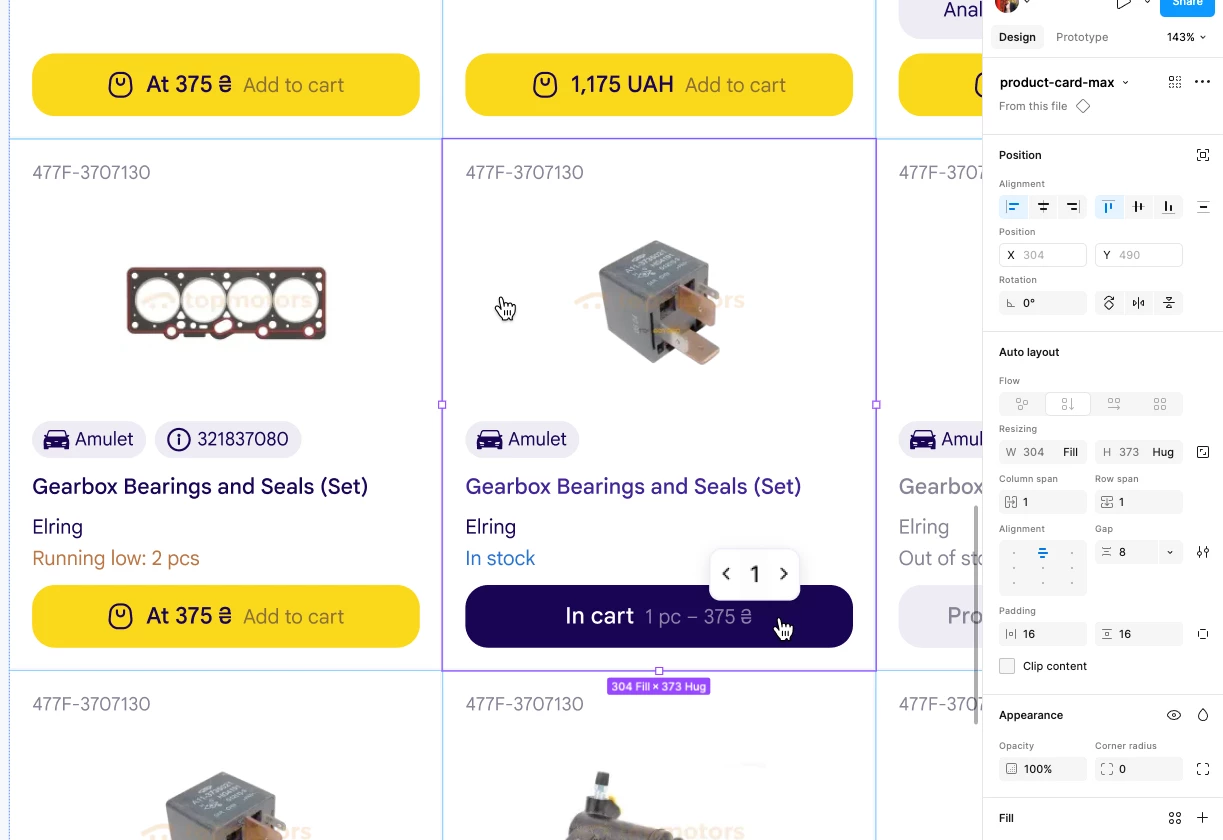
Why this is an issue: It disrupts the workflow and feels inconsistent. The dimensions of the parent grid container are clearly displayed right below the bounding box on the canvas when selected, but for any item nested inside, this information is completely hidden. It would be much more convenient if the actual rendered dimensions of "Hug" and "Fill" elements remained visible at a glance.
Here I can see sizes:
Here cannot: