Inconsistent variable binding for dimensions + icon confusion after recent UI updates
Hi Figma team,
I’d like to share some feedback on recent UI changes that affect everyday workflows.
1. Inconsistent way to apply number variables to Width / Height
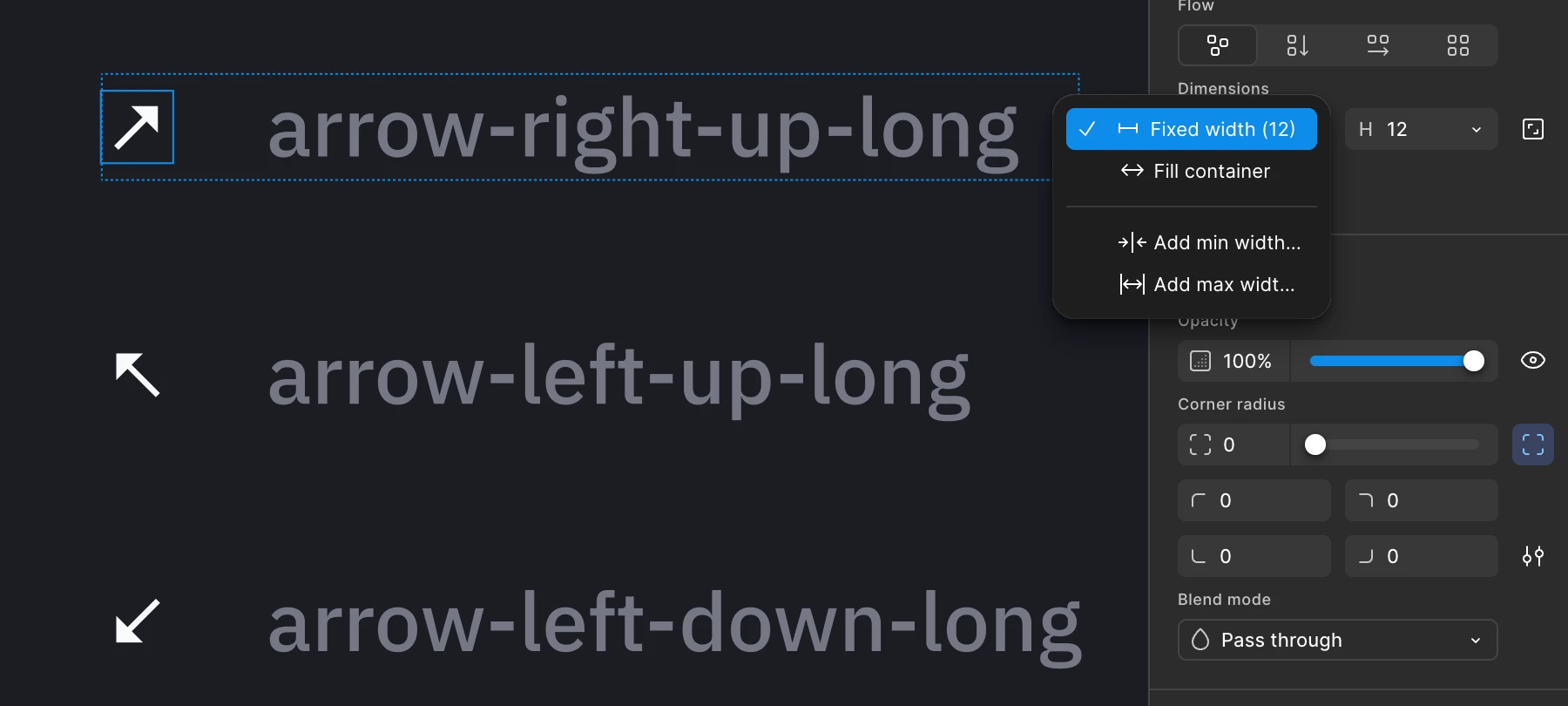
Previously it was easy to bind a variable to dimensions. Now the behavior is inconsistent:
- For Width and Height the only reliable way I’ve found is to click into the number field and press =.
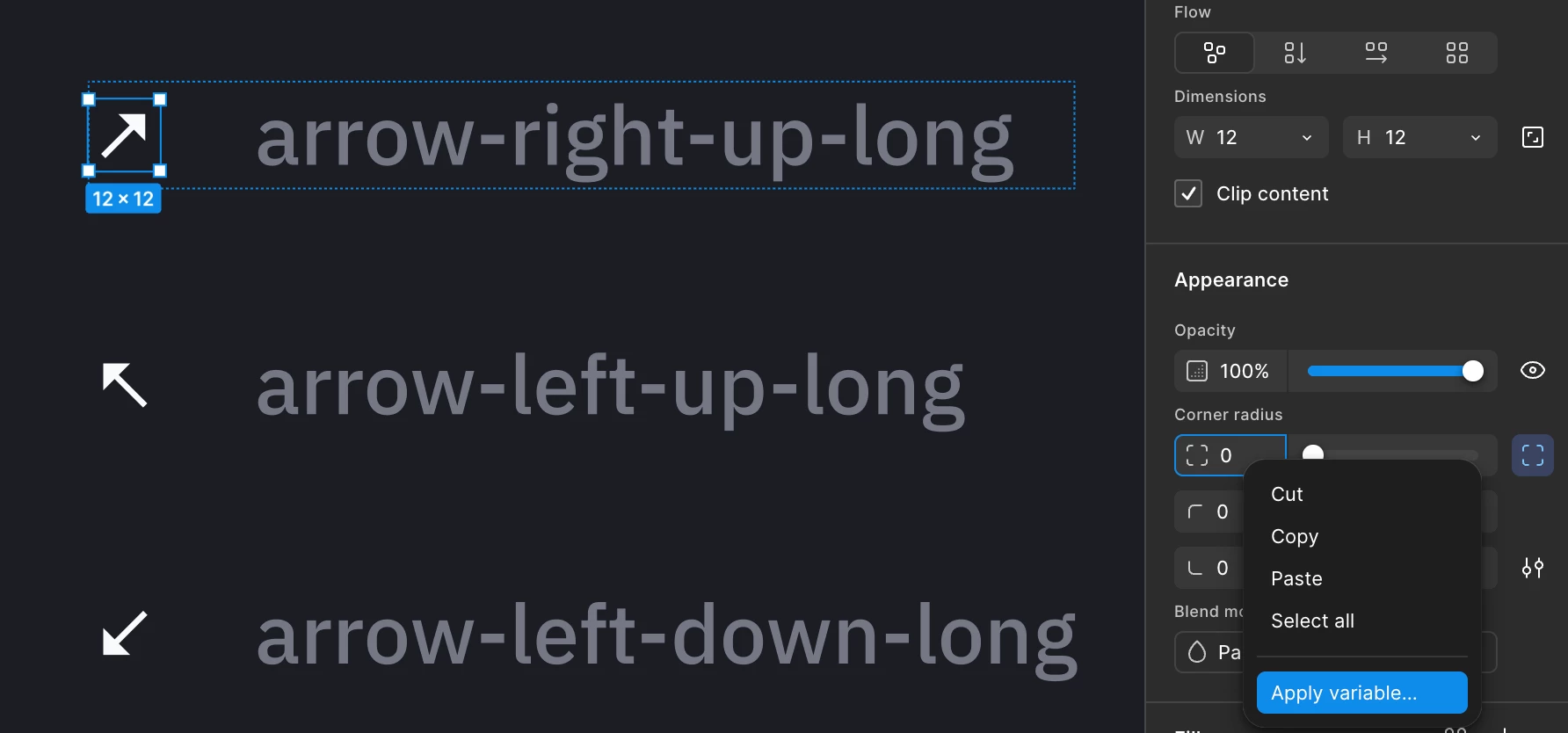
- Right-click on the Width/Height field does not offer “Apply variable” (quick btn was the best).
- At the same time, at least right-click on Corner radius still shows “Apply variable”.
The old quick affordances (variable icon / Apply variable in the dropdown) seem to have been removed from Dimensions and Corner radius, which makes the action much harder to discover. The = shortcut works, but it feels like a hidden workaround rather than a clear primary method.
It would be great if Width/Height and Corner radius had the quick btns or at least the same right-click / hover affordances as Corner radius (and other numeric properties).
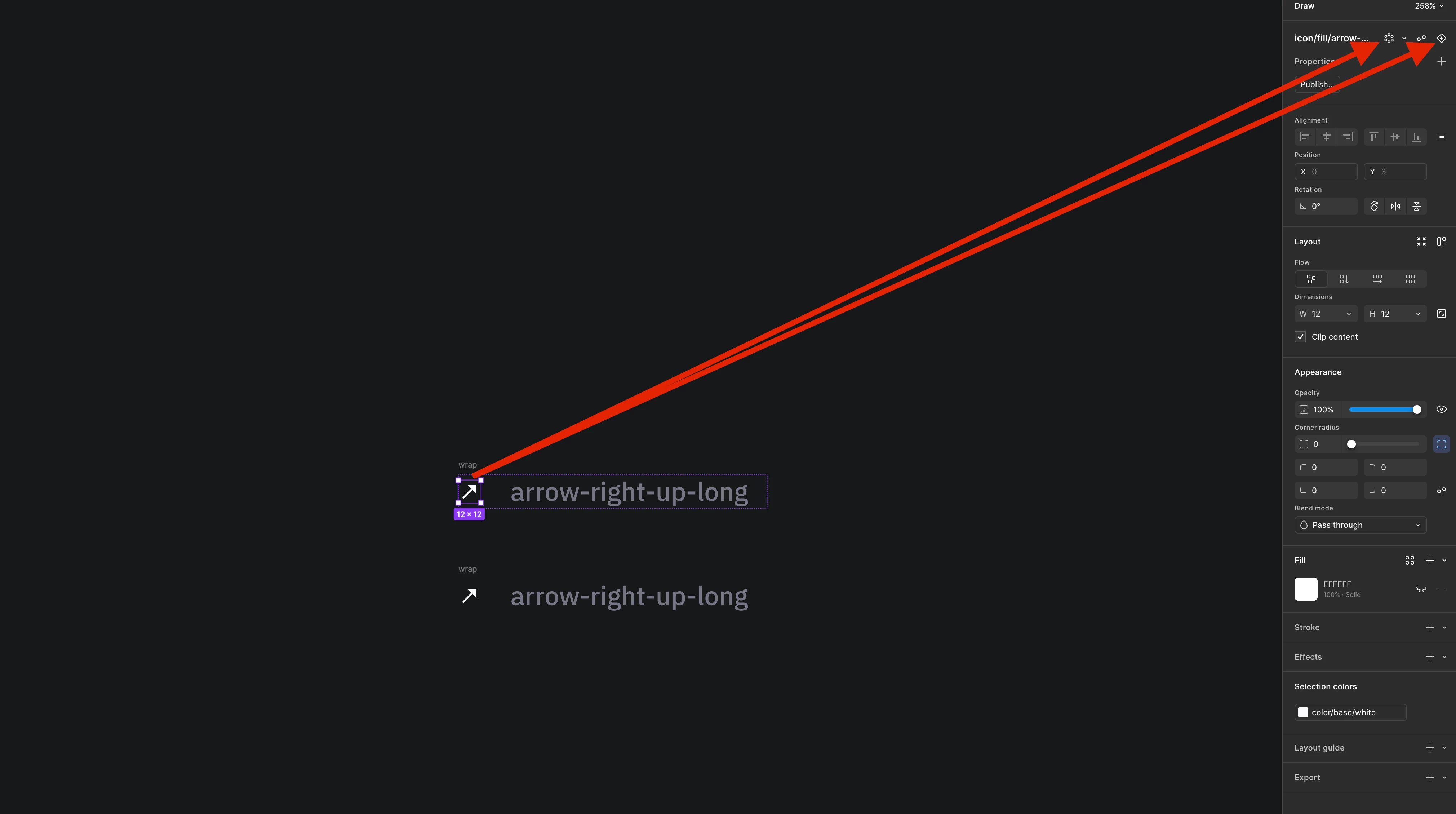
2. Create Component vs Radial Repeat icon confusion
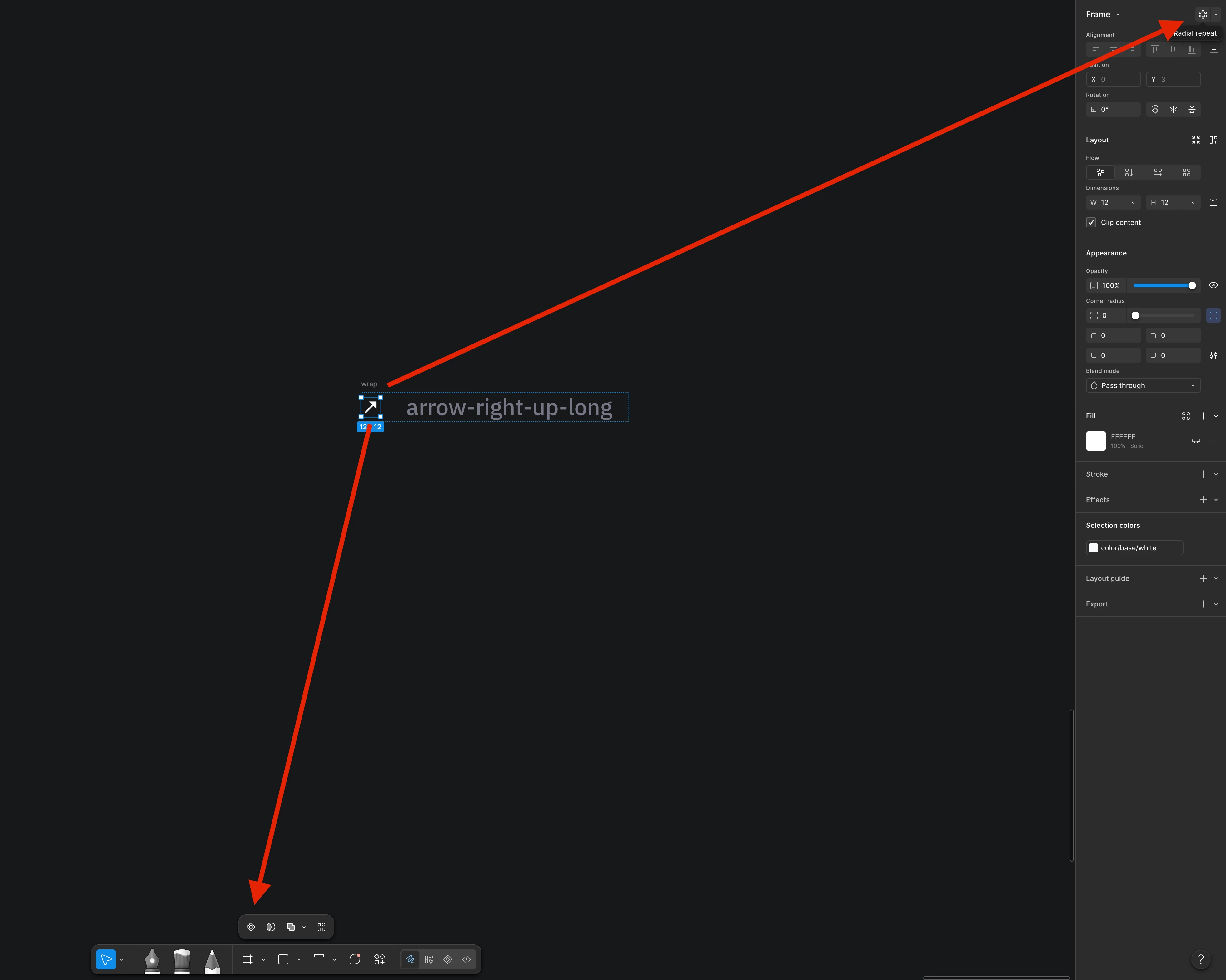
The Create Component action was moved, and Radial Repeat was placed in a position that many users still associate with “Create Component” by muscle memory.
The two icons are also quite similar in appearance. As a result, it’s easy to accidentally trigger Radial Repeat when intending to create a component.
Create Variant stayed roughly in its previous location, while Create Component moved significantly. This split makes the toolbar feel less predictable.
Could the icons be made more distinct, or could Create Component return to a more familiar location (near “Add variant”)?
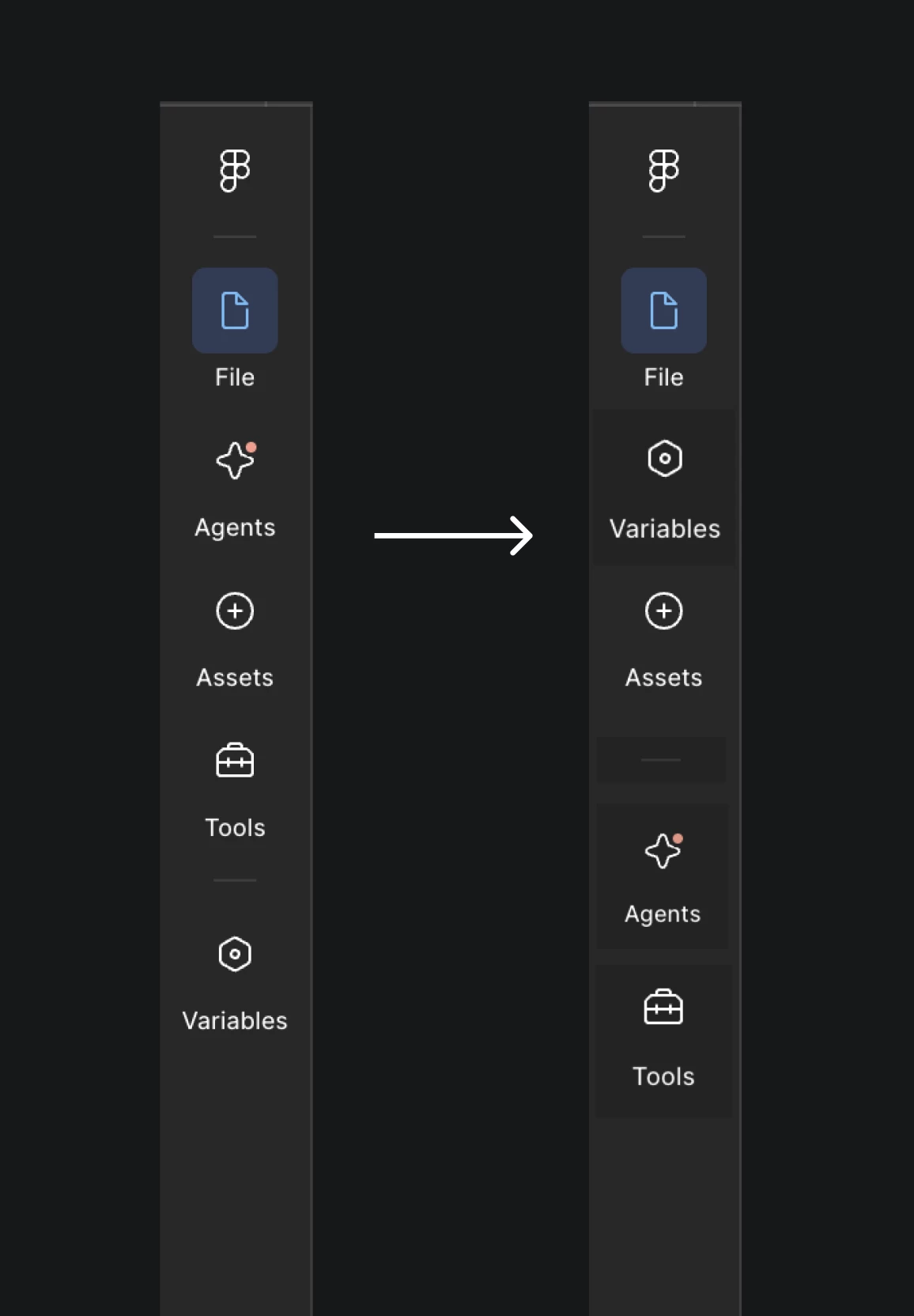
3. Left sidebar order (File / Agents / Assets / Tools / Variables)
The current order of items in the left rail feels a bit random for day-to-day design work.
A more natural sequence would be something like:
File → Variables → Assets then a visual divider Agents → Tools
This groups the most frequently used design-system related panels together.