
Question
Image action bottom bar: option to minimize or disable?
I noticed that when I select images in Design mode, a new floating menu shows up above my toolbar with image-specific actions (see screenshot for reference).
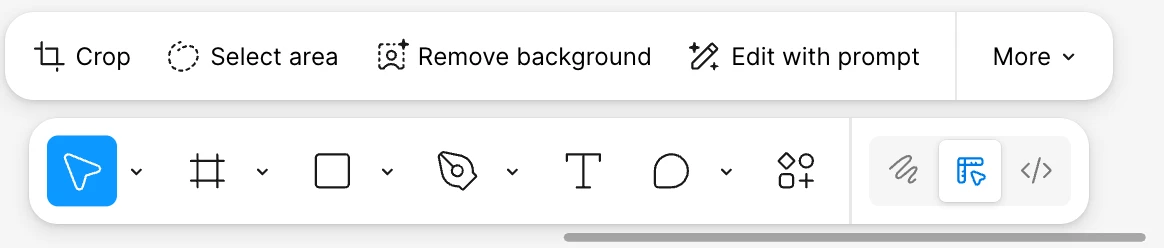
Some may find these options helpful, and more power to them, but they are not relevant for my workflow. The menu takes up a lot of space and feels a bit distracting to me, so I was wondering if there could just be a straightforward option via preferences to turn it off?
Alternatively, is there a world where these options just live inside of the image fill options panel? I seem to remember them being there at one point, and that intuitively makes more sense to me, since it is where all the other raster-based editing options are.