
Ryan Le Roux
New Member
October 8, 2026
Question

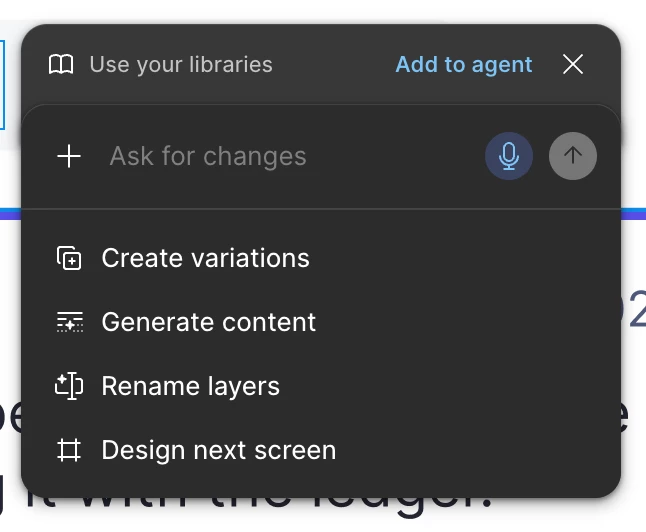
How to disable "Ask agent for changes..." fly-out?

  • October 8, 2026
  • 4 replies
  • 23 views

Please let me disable this fly-out. It’s so annoying!
 

4 replies

adamsmasher
Figmate
Figmate
October 8, 2026

Hey, ​@Ryan Le Roux - thanks for your post! Totally understandable that this is interrupting your workflow.


Have you unchecked the Show agents on canvas option found in the main Figma menu? That will hide the agent button from layers on the canvas so it doesn’t pop up like that. You can still access the agent from the left side navigation, so this is just hiding the entry point on the canvas. Let me know if you have any trouble!

Ryan Le Roux
New Member
October 8, 2026

Unfortunately I do not have the option anywhere in my Figma settings. That’s what I tried to find first before I made this post. 


adamsmasher
Figmate
Figmate
October 8, 2026

Thanks for the screenshot! Just to confirm, this is in Figma Design, right? It looks like you’re viewing the Assets panel behind it, but just to make sure that’s the case.


Are you using the Desktop app or a web browser? Can you make sure you’re running the newest version of the desktop app, or clear your browser cache and cookies for Figma? If that doesn’t help, would you be able to share a link to the file? I can check and see if it’s something with that file - you can also open a new design file and see if the option is shown there.
