

Question
Figma Motion Timeline UI/UX Suggestions
For reference, I’m an experienced user of video editing softwares such as Adobe Premiere Pro and Davinci Resolve, and also a beginner user of motion graphics editing software such as Adobe After Effects.
Some of these suggestions are from my first impression of trying to use the mode a while back:
- The timeline zoom is currently too vague. It was difficult for me to find, as it was located in the bottom right, and it has a limited capability of zoom (fixed). A good suggestion is the Davinci Resolve Version where you can adjust the zoom of the timeline. In this case you can choose to oversee the whole timeline or zoom in on specific places. Another use case is that currently the Figma zoom out maxes out at the whole timeline. This would mean the timeline would be very stretched just to fit for 5 seconds. It would nice if we can zoom out larger than just the duration of the animation (again, to goal is to oversee the whole timeline).
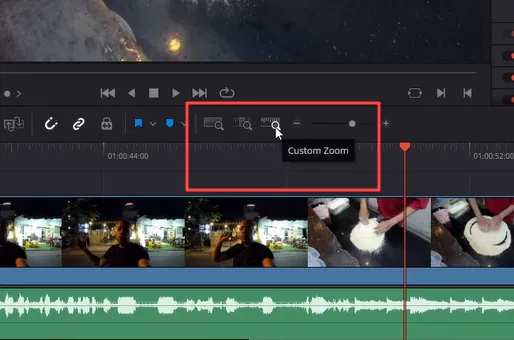
Davinci Resolve’s zoom slider - The add animation is too distant from the timeline itself to find, and it is not the main focus (it is bunched with the other section of the sidebar like transform and auto layout). I feel like it would be better if we had a custom layout for the FIgma Motion, similar to Figma Slides. That way we can focus more on the animation.
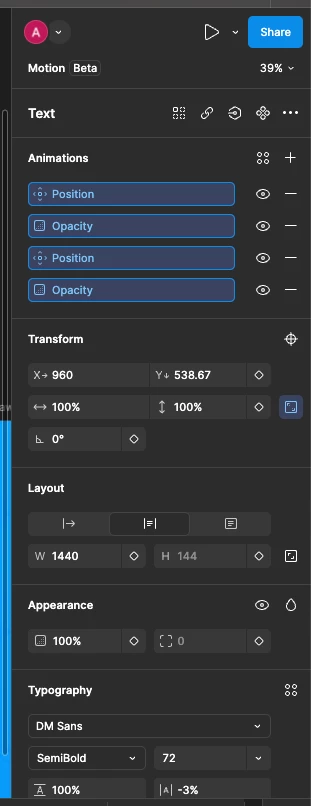
The animation is located too far above while the timeline is located below - Regarding my earlier comment about how the timeline is stretched, I think there should be an option to edit the workspace. It is an important thing anyway for some of the editing/motion graphics softwares. Does not have to be fully customizable, but for example, you can choose for the sidebar on the right to be on top of the timeline. You can drag and resize the left layer sidebar in the timeline. You can choose to place the playback on top of the timeline bar, instead of being on top of the layers so it is more visible. Something like that.
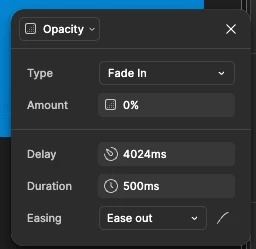
- Overall I have a bit of a UX issue when trying to set an in and out animation. For example, fade in then fade out. Or position in and position out. I think a good change would be to set where the animation starts for the frame selection, when adding the animation. Right now (or at least from my learnability) you can only set the duration, but for the position itself you have to drag it in the timeline which may not be the most exact positioning. Or is that meant to be the delay? In that case, what I mean is that we should be able to choose where the animation starts relative to the start of the animation. For example, 1s in, 1s before end, etc.
(also, I wonder why the numbering in my comment here starts at 2? is this a bug?)