

Bug: Figma Design - Desktop App - MacOS "Try again" button for when a file doesn't load isn't working.

  • April 24, 2026
  • 1 reply
  • 4 views

Bauke_Schildt

I was having internet connectivity problems, so I was met with the Connection Error screen:
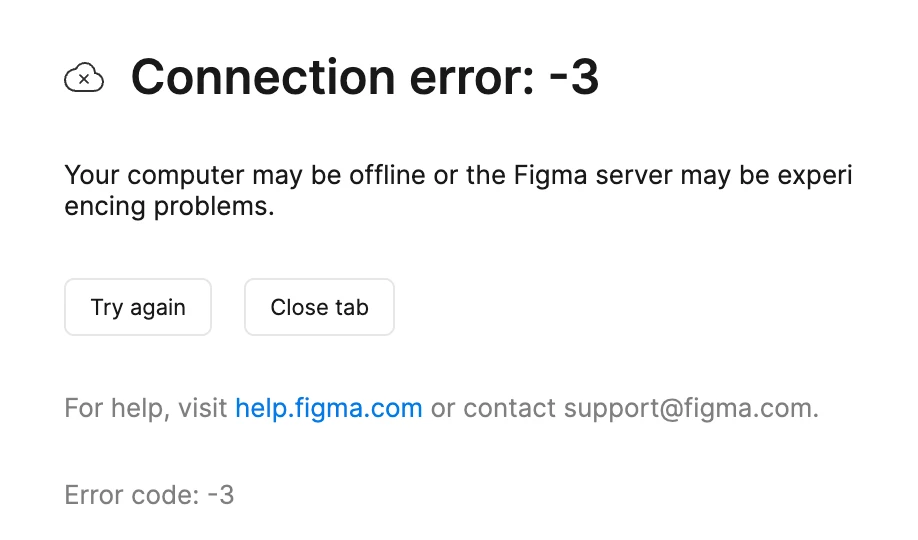
Connection error screenshot

The “Try again” button doesn’t seem to do anything.

I had to go to the tab, right-click it and use the “Reload Tab” option.
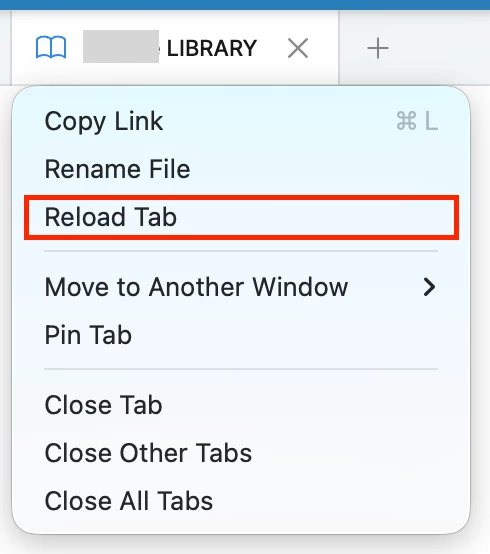
 

1 reply

Gayani_S
Figmate
  • Community Support
  • April 24, 2026

Hey ​@Bauke_Schildt, thanks for reaching out!


A connection error may show in Figma if there is a network security or browser configuration interfering with the connection to our web servers preventing Figma from loading.
To troubleshoot further, can you please confirm the following?
 
1. Does the same issue occur if you try connecting to another network (e.g. mobile hotspot) or after temporarily disabling any VPN/Proxy/Firewall connections?
 
We recommend reaching out to your IT Admins or ISP to check that:

  • Figma (*.figma.com) is added to any VPN/Proxy/Firewall or antivirus allow lists
  • Port 443 is unblocked

 You may also want to try clearing your DNS cache and restarting your router and device.
 
2. Does this issue also occur on the browser?
Our supported browsers are Chrome, Firefox, Safari and Edge.
 
If the issue is specific to the app you may want to try reinstalling the desktop app. Please let me know how it goes, happy tp help further!