

Question

Why do AI prompts always add background to transparent images?

  • July 10, 2026
  • 1 reply
  • 9 views

MakePixelsWork

When I remove backgrounds from images and then change the image, the AI always adds a background back into it. This is quite annoying. Can this be removed?

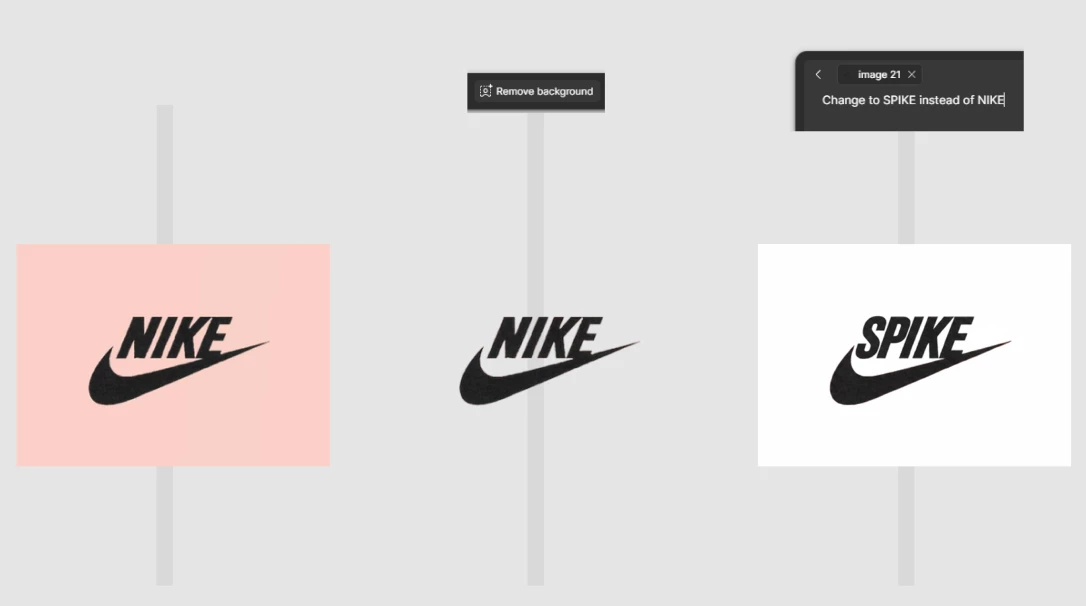
Nike logo as example. Prompts show above the image, with results below them. Gray bars are there to show the transparency.

  • Imported a Nike logo on pink background
  • Copied it, and asked the AI to remove the background. Did it perfectly!
  • Copied the transparent image and asked AI to change Nike to Spike. The AI added a background to the image. Why?!

I’m sure a workaround could be to ask the AI to first change it to spike and do the transparency at the end, but its just not logic to see things come back / being reintroduced.

1 reply

Jaycee Lewis
Figmate

 Hey hey ​@MakePixelsWork 👋 Thanks for the great feedback. I want to dig into this a bit with you. 

Question: when you ran the edit step (changing Nike → Spike), were you using Agent on Canvas, or the "Edit with prompt" option? 

My test: I took an image (fake png from Google search), ran Figma's Remove Background tool on it (worked perfectly, same as you saw), then ran an edit prompt to change its color with no mention of the background — the background reappeared as solid white. I then ran the same edit again, but explicitly added "keep the background transparent" to the prompt — and that preserved the transparency correctly. Does that sound similar to your steps? 

Workaround for now: try adding something like "keep the background transparent" to your edit prompt after removing a background

Talk soon! – Jaycee