

Willian_Coutinho_Paluch
March 26, 2021
Question

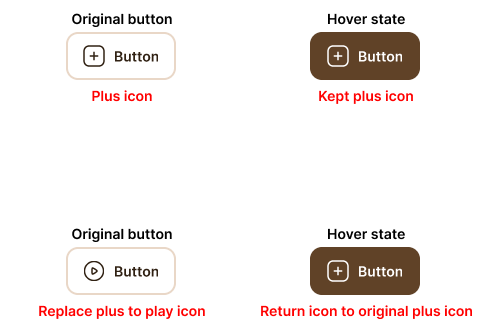
While hovering, Figma replaces the current icon with the original symbol

  • March 26, 2021
  • 5 replies
  • 3662 views

Today, I received my invite to use Interactive components.

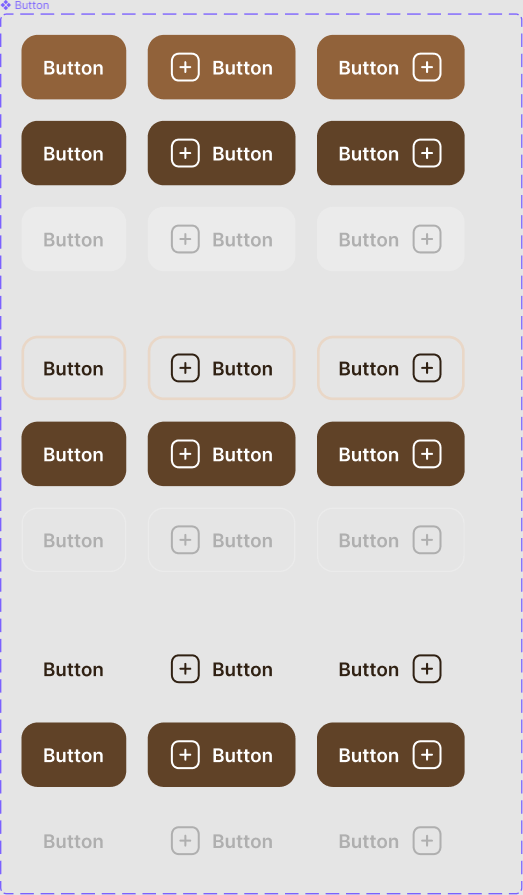
But, i created a simple button with a left plus icon.
And, on my interface I replaced plus icon to play icon, for example. When I hovering this button with play icon, it returns to original icon that is plus icon.
Group 1

Help us! 😃

This topic has been closed for replies.

5 replies

tank666
March 26, 2021

Could you share a link to your file?

UX/UI designer. Figma expert. Creator and developer of plugins and widgets for Figma and FigJam. Check out my resources in Figma Community: figma.com/@tank
Willian_Coutinho_Paluch
March 26, 2021

What link? Prototype link with this interactions? If so:

Figma – 16 Mar 21
tank666
March 26, 2021

Thanks! I looked at your file and noticed that you are using a variant icon component. It turns out that the Default Button and Hover Button have different icons (one component, but different variants). Apparently because of this, there is a discrepancy.

You can try to place the same icon in your variants (so that the Default and Hover have, for example, the Dark Plus icon), and check the prototype.

And by the way, a Figma note:

https://help.figma.com/hc/en-us/articles/360056440594-Create-and-use-variants

UX/UI designer. Figma expert. Creator and developer of plugins and widgets for Figma and FigJam. Check out my resources in Figma Community: figma.com/@tank
February 19, 2024


Actually, the problem is right here.

Daniel_Cullinan
Active Member
March 28, 2024

Thanks, you just saved me from a massive headache! Thought I was going to have to split all my icons out into different components for a moment there.