

Question

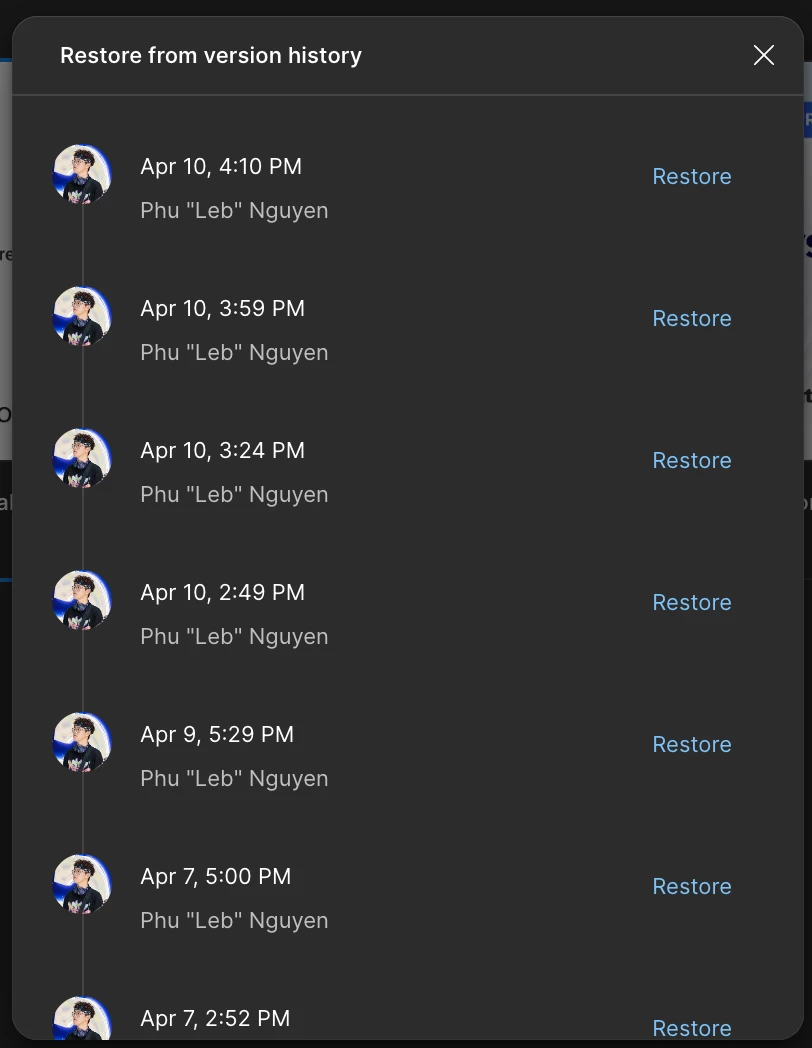
Where to preview version history?
  • April 13, 2026
  • 1 reply
  • 13 views

Phu_Nguyen

Why did you remove the feature to preview versions in the past? As I can see in this screenshot there is only one “Restore” link, I think it will overwrite current version right?

That feature was very helpful to copy things from the past, and I can also refer to that design in history, to remember which decision I had made and why I made that decision.

Please explain, or bring that feature back.

1 reply

Gayani_S
Figmate
  • Community Support
  • April 14, 2026

Hey ​@Phu_Nguyen, thanks for reaching out! 

Just to make sure I understand this correctly, are you seeing this in Figma Design?

When you open version history, you should still be able to click on a past version to preview it before restoring anything. The “Restore” option will overwrite the current version, but simply clicking into a version shouldn’t.

A couple quick things to check:

  • Are you able to click on the version (date with timestamp) itself?
  • What happens when you hover over it, do you see any preview or interaction?
  • Is this happening in the browser or the desktop app?

Also, feel free to check out our Help Center article on viewing a file’s version history: https://help.figma.com/hc/en-us/articles/360038006754-View-a-file-s-version-history.
If you’re able to share what happens when you hover over the versions, that would really help me understand what’s going on. A quick screen recording (Loom or Google Drive works great) would be perfect. I’m happy to take a closer look with you.