

Rachel_Ko
November 19, 2024
Question

When updating the main component, the instance of it resets to something different

  • November 19, 2024
  • 18 replies
  • 1373 views

I am really confused. I have a component file where I keep all my main components. The main component looks like this:
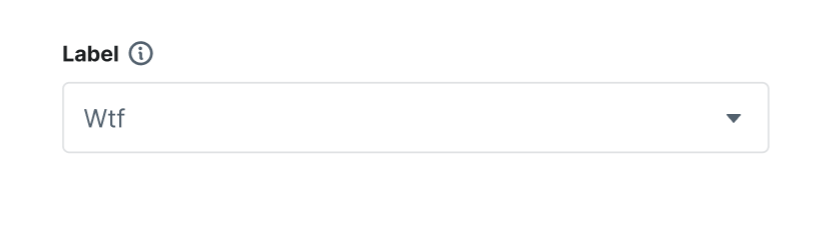
However, when I update the component, publish the library, and then update the library in a different file that has this same component, it resets to an old version of the component:
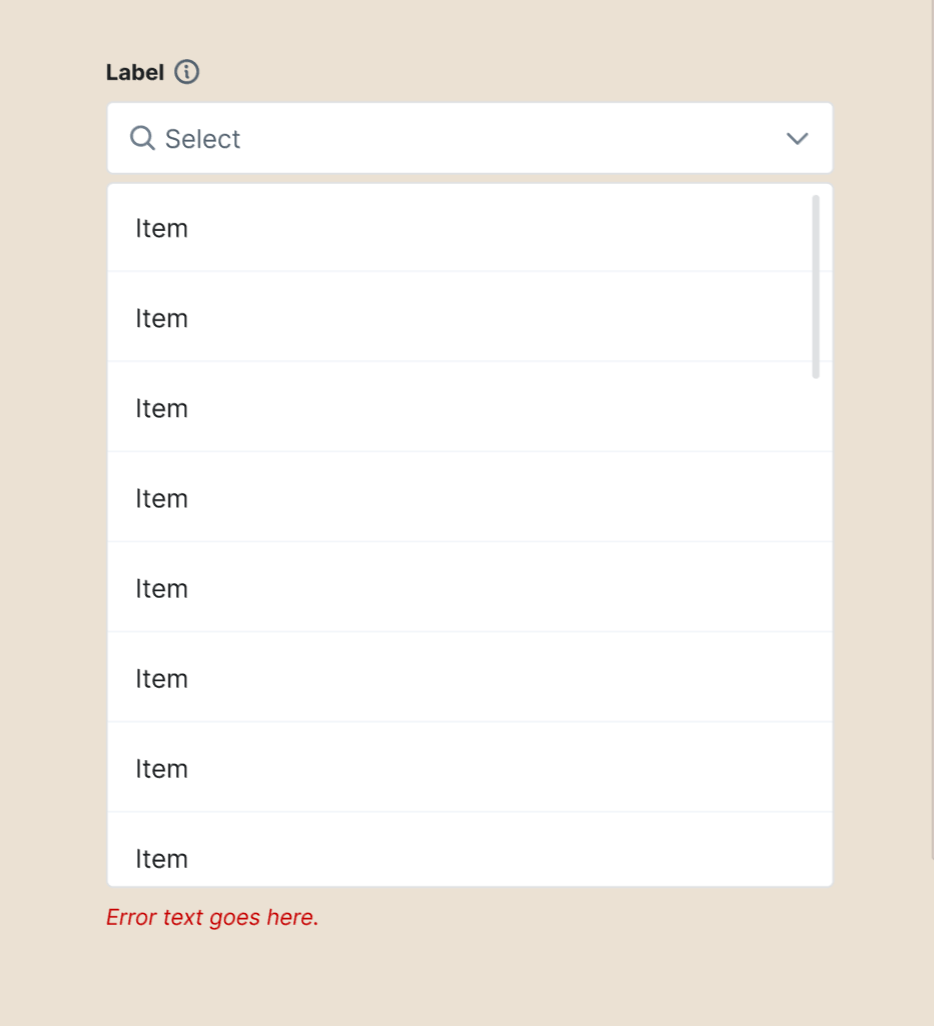
the properties are different, and the caret icon there is something that I used long ago. I checked the links of the components and there is no “hidden” link, I’m genuinely so confused and frustrated lol

This topic has been closed for replies.

18 replies

Rachel_Ko
Rachel_KoAuthor
November 21, 2024

sorry in that phrase, I meant component instance. the main component lives in a separate UI Kit file where all our main components live.

what’s happening is that whenever I publish updates to the main component and then update the library in the external file, the instance auto updates to an old version of the component. but the weird part it it doesn’t affect all of the instances of the same component in the file

KennLucas
November 21, 2024

Yeah that really just doesn’t make sense. Stinks.

Sharing the file likely won’t help unless we can see the library too. 😕

To get someone to get in to help you, you might have to share and grant access to the file.

Sorry there is not any other way to assess it further otherwise.

KennLucas
November 21, 2024

Wait.

So it is just the ONE instance that is giving you issues?

Delete it. Add it again.

Rachel_Ko
Rachel_KoAuthor
November 21, 2024

no, its a random amount of instances, maybe like 10-15, and then some are unaffected. even if i delete the instance, and copy paste again from the library, it still happens to the new instance. There must be something I messed up with the main component for it to act like this, but can’t figure out what. I’ll get back when I can get permission to share both the files.

KennLucas
November 21, 2024

That is just crazy.

It is so much harder when there is just no reason.

❤️

KennLucas
November 21, 2024

Last two ideas…

First, after you publish, when you go into the prototype file and you update the assets, is it possible that you are not selecting “update on all pages?” I know in UI3 I hate where they moved that and I forget the toggle is down there now.

Second…

Understanding that it is a pain in the rear to just keep trying random stuff…

Every once in a while, one of my robust component instances will freak out in the prototype file.

For example, in yours, the caret icon is not updating correctly.

I have no real evidence that this works or might help…but sometimes I go into just ONE of the instances and drill into that caret icon and do a reset on the icon. In the instance.

Then magically the rest of the wonky instances fix themselves like they are like “oh, you mean us too?”

It is like the update just doesn’t get communicated to them when you run it.

However, I have also had it where I have had to find each of the wonky instances and do that reset the offending bits and pieces on each one.

Might not be much help…but you are not alone with these types of things.

KennLucas
November 21, 2024

The more I read this comment you might be right about the main component having issues.

But what? That almost makes no sense too. 🤬

Have you tried making a completely NEW FILE and connecting the asset library in the new file. Then make some instances on different pages in the new file.

Do they work properly? Update properly?

I also still think the copy/paste from the library is where your problem lies. That is just not how assets are used. The asset tab and dragging them in to the file is how connections are maintained.

Dalda_Brown
November 21, 2024

no, its a random amount of instances, maybe like 10-15, and then some are unaffected. even if i delete the instance, and copy paste again from the library, it still happens to the new instance. There must be something I messed up with the main component for it to act like this, but can’t figure out what. I’ll get back when I can get permission to share both the files.

Thanks for providing solution. It help me a lot.