

Question

Vertical Ruler Missing

  • May 28, 2026
  • 3 replies
  • 59 views

Ash G

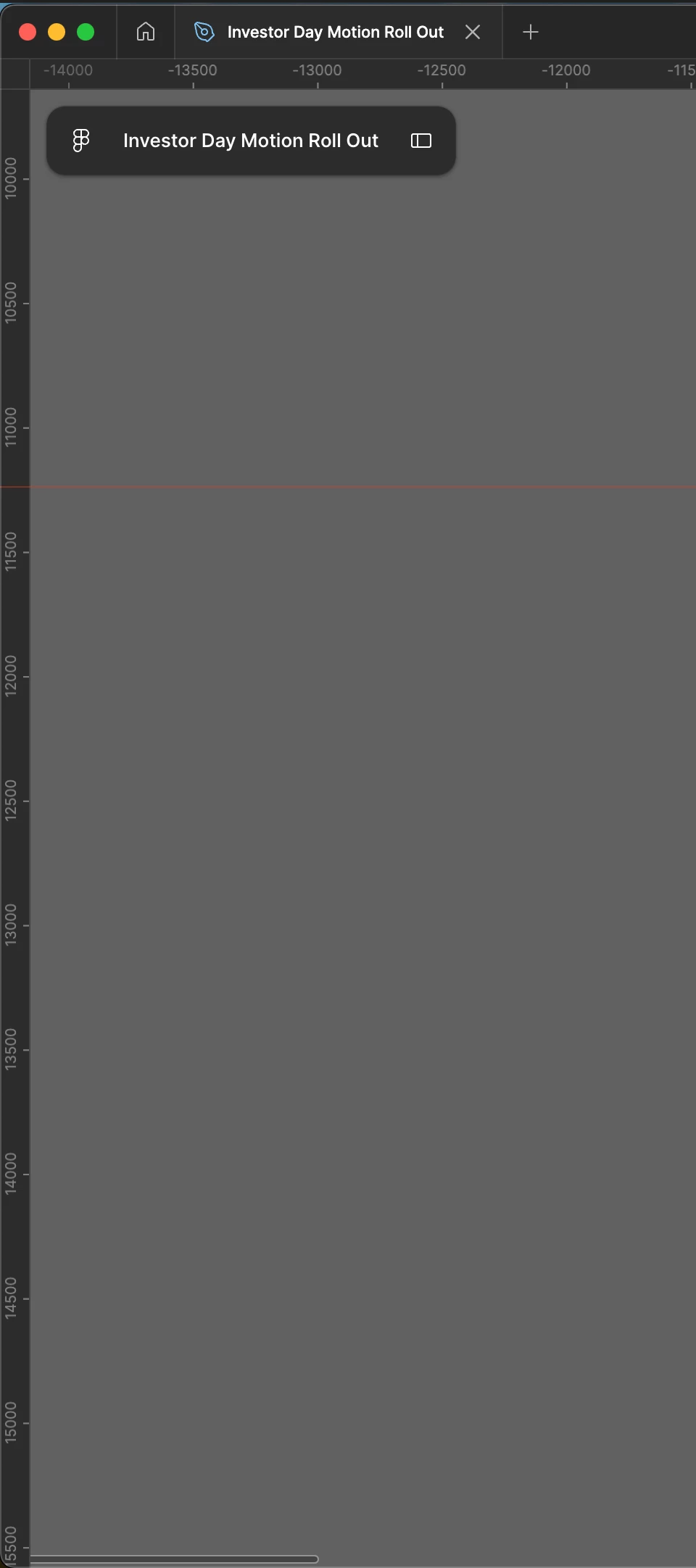
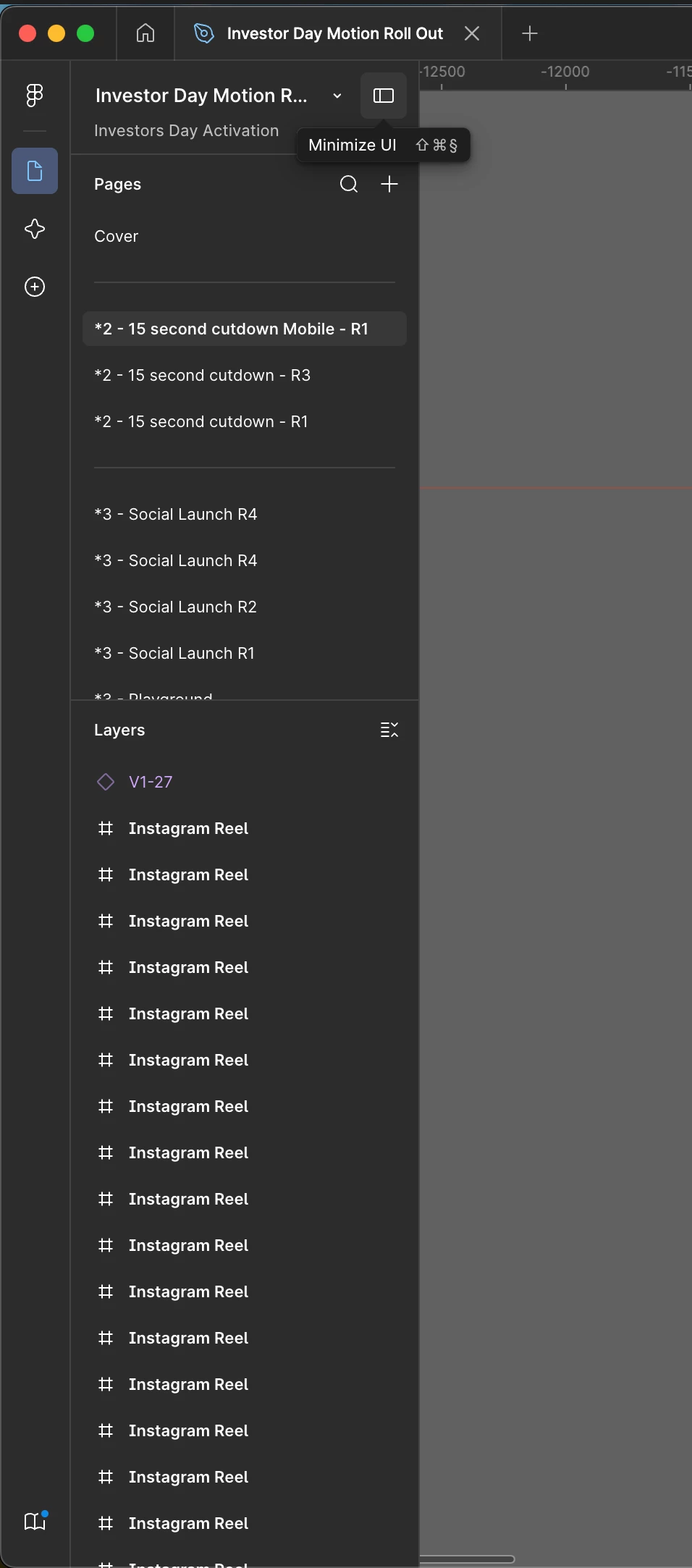
Hey have seen the other threads too but none of those solutions seem to work. So noticed the other day my vertical ruler had gone missing, have tried restarting figma, my laptop, going fullscreen, minimising etc and nothing seems to bring it back and can’t see an option to just turn one ruler off in the settings ?

If i clicked the ‘minimize ui’ button on at the top right of the layers panel I can see the ruler behind everything but can’t seem to use it while I have to UI open which obv isn’t really ideal when trying to work having to turn the UI off and on to get to the ruler
 

3 replies

Gayani_S
Figmate
  • Community Support
  • May 28, 2026

Hey ​@Ash G, thanks for reaching out!

You haven't lost a setting; the vertical ruler is there, it's just getting hidden underneath the left sidebar when the UI is visible. 

Our engineering team is already aware of this and actively investigating, so you're definitely not alone in seeing this.


Before I dig in further, a couple of things I'd love to confirm with you:

When you minimise the UI and can see the ruler, if you hover right over the ruler area, does your cursor change to a double-sided arrow (↔)? And if so, are you able to click and drag it? I've shared a screen recording of what I'm seeing on my end. Would be great to know if your experience looks the same or different.


To help us take a closer look, could you share a couple of things?

  1. Is the issue happening in both the browser and the desktop app?
  2. Can you reproduce it with a hard refresh? Rather than navigating to the file from the file browser, could you open it directly via a link? If you paste the file URL into your browser or use a shared link to open it, does the issue still show up?

Really appreciate you flagging this. The more detail we can gather, the more it helps the team get to the bottom of it. Let me know what you find!


Pratham Dev
  • New Member
  • June 3, 2026

Hey, currently facing the same issue. Your screen recording does match mine.


Gayani_S
Figmate
  • Community Support
  • June 5, 2026

Hey ​@Pratham Dev, thanks for chiming in and for confirming the screen recording matches what you're seeing! 

Could you also let me know:

  1. Is this happening in both the browser and the desktop app?
  2. Does it persist with a hard refresh? Try opening the file directly via its link rather than navigating to it through the file browser, does the issue still show up?

The more data points we can gather, the better for the team investigating this. Appreciate your help!