

Tanya Shrivastava
New Member
September 21, 2026

Verified Student Plan Not Reflected on Figma Account

  • September 21, 2026
  • 1 reply
  • 11 views

Hello Figma Education Team,

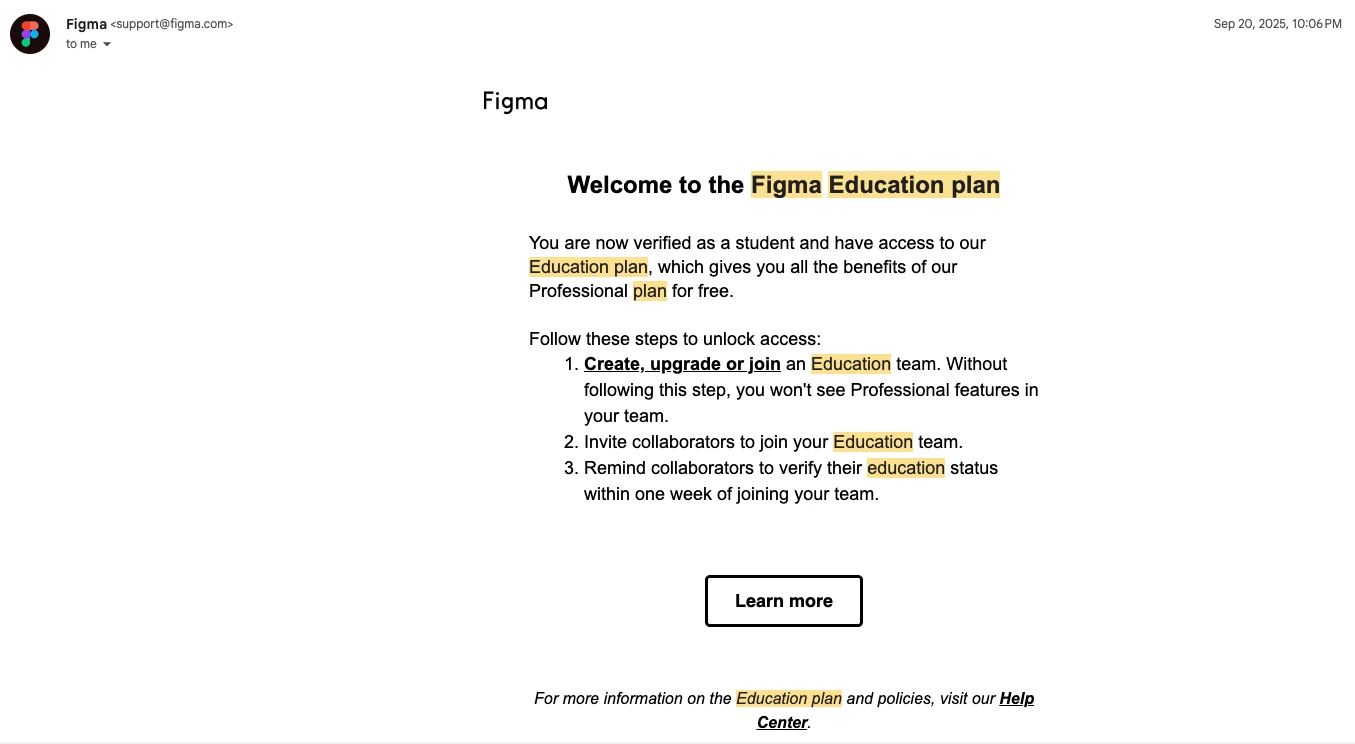
I recently received an email confirming that my student status has been verified and that I am eligible for the Figma Education plan. However, the Education plan is still not reflected on my Figma account (it’s on my education email address).

I am attaching the verification email I received for your reference. Could you please look into this and help activate the Education plan on my account?

Please let me know if you need any additional information or verification from my end.
 

1 reply

Celine_
Figmate
Community Support
September 21, 2026

Hey Tanya,  Celine from the Community Support team at Figma here 👋

Thanks for reaching out and for sharing the screenshot! From your screenshot, I can see that your Education status has been successfully verified.

Once verified, the Education plan isn’t automatically applied to a team. You’ll need to either create a new Education team or upgrade an existing Starter team to Education.

To upgrade an existing team:

  1. Open the file browser by logging in to your account at figma.com.
  2. Next to the team name on the left sidebar, click the Free badge.
  3. In the upgrade modal, select the Education plan option and complete the upgrade process.

Alternatively, you can create a new team by selecting Create free team in the file browser and choosing the Education plan during the setup process.

  1. Open the Figma file browser and click Create free team in the sidebar or visit https://www.figma.com/files/create-team.
  2. Give your team a name and click Create team. You can always change this after the team is created.
  3. Start inviting students, educators and other collaborators to your team. Anyone you invite with can edit access to the team must verify their education status within seven days.
  4. Click Continue and then Complete upgrade.

You can find the full instructions in our Figma for Education Help Center article.

Give that a try, and if you’re still unable to activate the Education plan, please follow up directly through your existing support case #2144427, thanks for already reaching out!

I can see that you’ve contacted our Support team using txxa_sxxxa@nxxd.xxu. Please reply directly to that email thread, and our Support team will be happy to take a closer look, as they’re best equipped to investigate this further. Thank you!
