

Question

Variable search broken

  • April 1, 2026
  • 9 replies
  • 87 views

Paul_Brouwer1

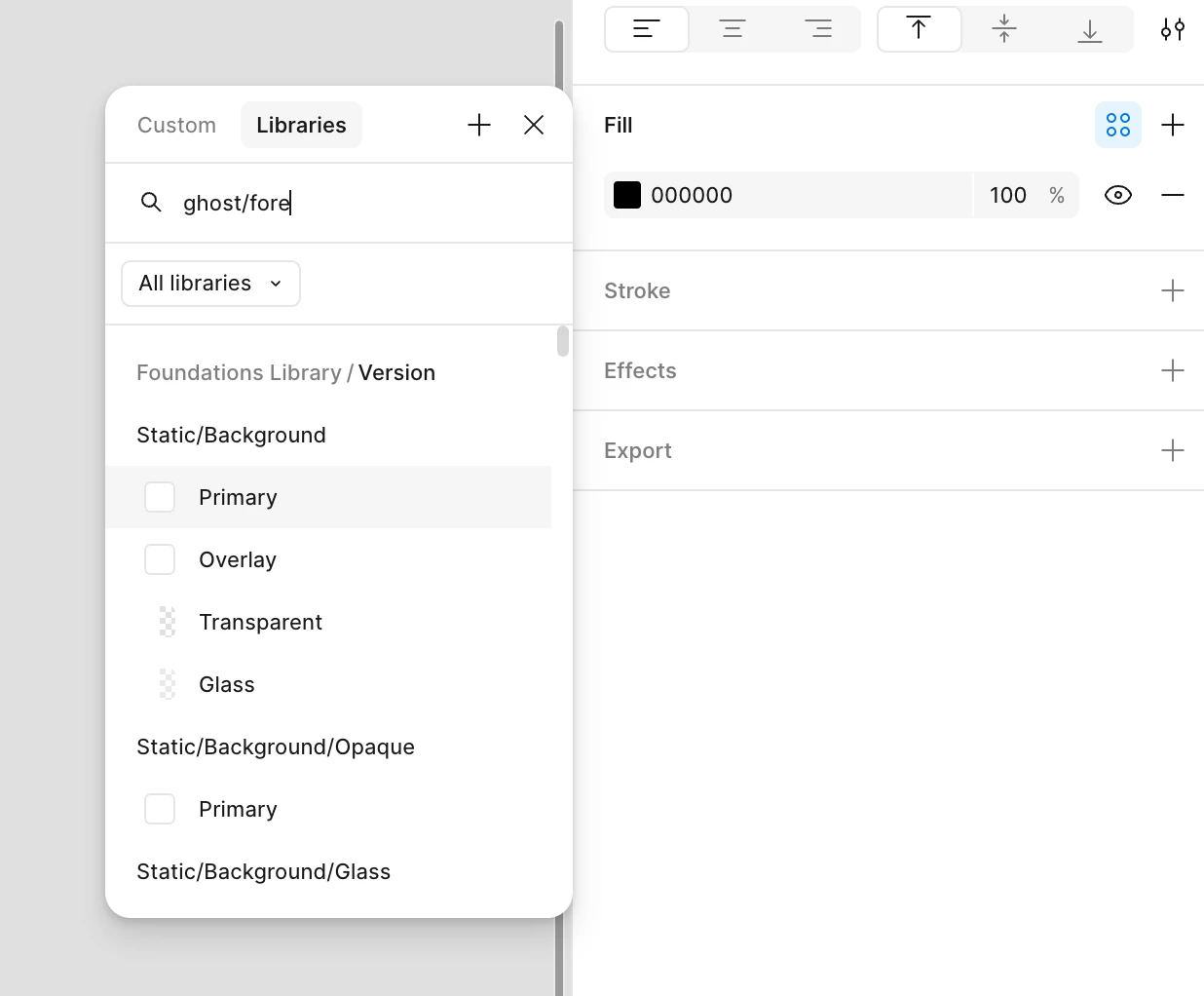
I noticed recently that the variable search suggestion is quite broken when I enter my queries. Below is a screenshot of me writing my query to filter down my results. But you can see the results don’t filter correctly.


This as been the case for a while now.


9 replies

Julia57
  • Active Member
  • April 15, 2026

Ran into this problem this week as well. Typing into the box seems to do something because the results list changes, but it doesn’t seem to be filtering any of the results based on the query.


Cammy Hogg
  • New Participant
  • April 15, 2026

When searching for a colour style, results for similar colours appear above the exact match.

For example, I want to apply the root colour “Teal/600”. Above the exact match appears the similar looking “Blue/600”. It’s therefore more clicks/key presses to navigate to the exact match, whereas previously I could simply click the ‘Enter’ key.

Weighting should be changed so that the exact match always appears first.


Sayful_Islam_Shakib1

The new color selection color picker is broken please fix it.


djv
Figmate
  • Community Support
  • April 16, 2026

Hey All, thanks for flagging this issue! 


I completely understand how variable search not working as expected must be slowing down your workflow. I’ve flagged this over to our team to investigate and work towards a fix. I’ll provide an update as soon as I hear back from the team.

We appreciate your patience and understanding in the meantime.


djv
Figmate
  • Community Support
  • April 16, 2026

Hi ​@Sayful_Islam_Shakib1, thanks for flagging! 

I’ve merged your topic with another similar one in the community regarding the same issue. Again, our team is already proactively investigating, and I’ll provide an update from the team as soon as I hear more. 


Paul_Brouwer1
  • Author
  • New Participant
  • April 30, 2026

@djv What’s the status of this?


djv
Figmate
  • Community Support
  • April 30, 2026

Hi ​@Paul_Brouwer1, thanks for following up! 

The team hasn’t been successful at fixing the root cause of the issue, so they just recently decided to roll back the change to the library modal search experience.

When was the last time you refreshed your tabs or updated your Figma desktop app, you should now see the same results and ordering as before. The team has no plans to push the version that caused variable search to break in the first place, until they have a proper solution.


Paul_Brouwer1
  • Author
  • New Participant
  • May 1, 2026

@djv Should I restart or update figma to see these changes?


djv
Figmate
  • Community Support
  • May 12, 2026

Hi ​@Paul_Brouwer1, sorry for the delayed reply! 

Simply refreshing your tabs should have reverted the behavior, but let me know if you run into any further issues.